
 Arabic
  English
  Turkish
  Chinese
  Japanese
  Russian
  Spanish
  German
  French
  Hindi
Hindi Download AI Email for Android
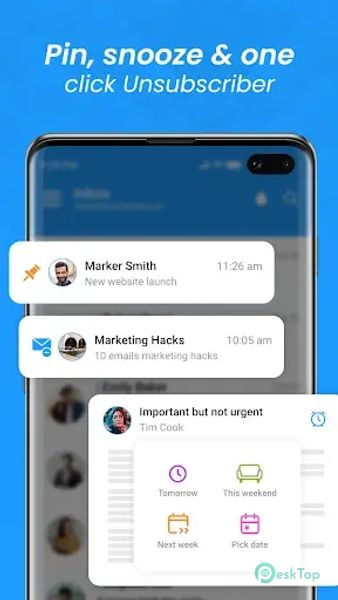
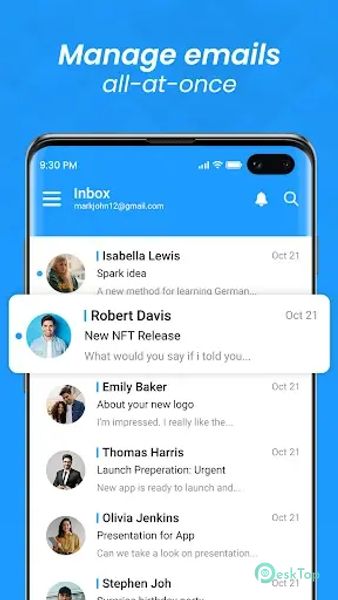
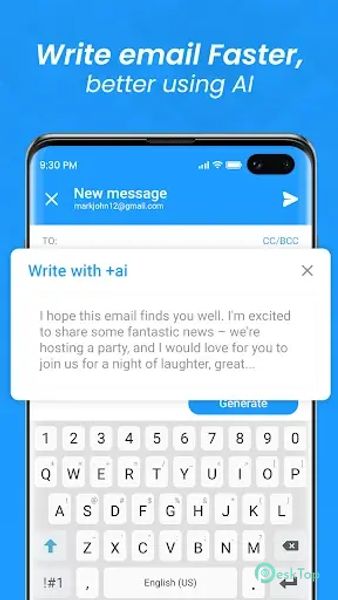
Download AI Email for Android.
AI Email Overview
The app has features that make managing your emails more accessible than ever. From intelligent filters that automatically categorize your emails to customizable swipe gestures that let you quickly take action on your messages, this app is designed to help you stay organized and productive.Features of AI Email
Smart Filters: One of its standout features is its intelligent filters, which automatically categorize your emails into different folders based on criteria such as sender, subject, and keywords. This makes it easy to quickly find the emails you're looking for without sifting through your entire inbox.
Customizable Swipe Gestures: It also offers swipe gestures, allowing you to act on your emails quickly. Whether you want to archive, delete, or mark an email as read, you can do so with a swipe, making it easy to keep your inbox tidy and organized.
Integrated Calendar: Another helpful app feature is its integrated calendar, which lets you view and manage your appointments and events directly. This integration makes it easy to schedule meetings and appointments without switching between different apps.
Multiple Account Support: It supports multiple email accounts, allowing you to manage all your emails from one app. Whether you have a work email, a personal email, or both, you can easily access and manage them all from it.
Customizable Themes: It also offers customizable themes, allowing you to personalize the app's look and feel to suit your preferences. Whether you prefer a light or dark theme, you can customize it to match your style.
Attachment Preview: This lets you preview attachments directly within the app, saving you time and hassle. Whether you preview a PDF, a Word document, or an image, you can view it without downloading it first.
Offline Access: It also offers offline access, allowing you to read and compose emails even when you don't have an internet connection. This feature is perfect for traveling or in areas with poor connectivity.
Automatic Replies: It also offers automatic reply functionality, allowing you to set up custom auto-reply messages for when you're out of the office or on vacation. This ensures that senders are notified of your absence and know when they can expect a response.
Secure Encryption: It offers encryption to protect your emails and attachments from unauthorized access. Knowing that your sensitive information is safe and secure gives you peace of mind.

-
App Size19.46 MB
-
Google Play LinkNot available
-
Version Number1.0.1
-
App Languagemultilanguage
-
Last updatedBefore 10 Month
-
Downloads31
 Volume Styles - Custom control
 GG Mouse Pro
 Simple Launcher - Home Screen
 0Ground
 Arc0
Arc0 Raven Dark Icon Pack