
 Arabic
  English
  Turkish
  Chinese
  Japanese
  Russian
  Spanish
  German
  French
  Hindi
Hindi Download Bottom Quick Settings for Android
Download Bottom Quick Settings for Android.
Bottom Quick Settings Overview
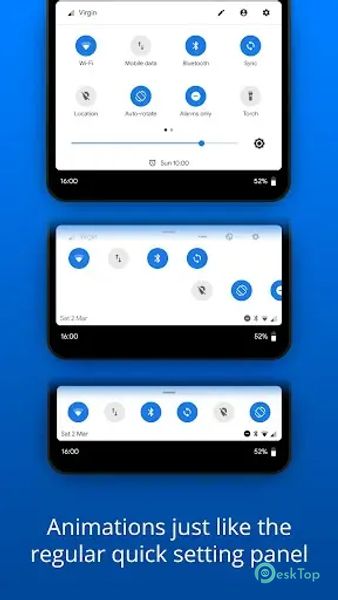
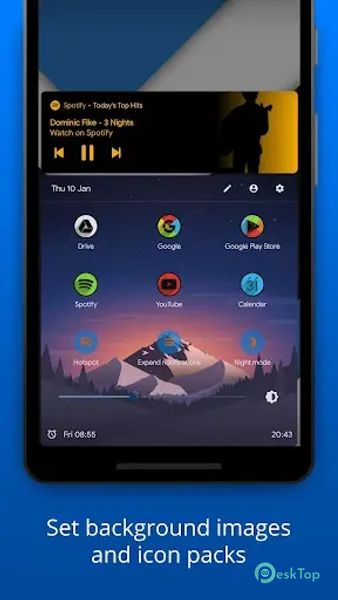
It revolutionizes the user interface by introducing a streamlined and intuitive quick setting and notification panel at the bottom of the screen. This feature-rich app enhances visual aesthetics and swiftly empowers users to toggle essential settings like WiFi and Bluetooth, add shortcuts to favorite apps and websites, and enjoy various customizable features. Offering smooth navigation, one-handed operation, and adaptive theming transforms how users interact with their devices, providing a faster and more personalized experience.Features of Bottom Quick Settings
Smooth and Fast Navigation: The app ensures a smooth and fast navigation experience, allowing users to access settings and notifications with a swift swipe from the bottom of the screen.
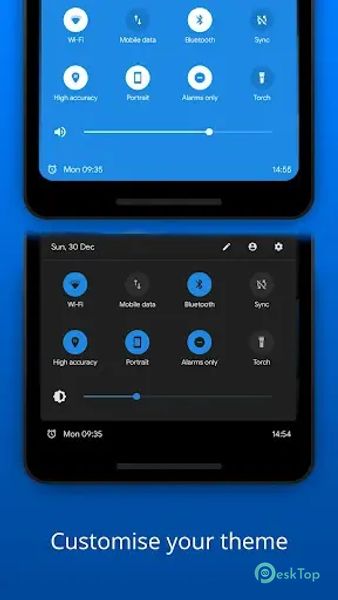
Customizable Quick Settings: Tailor your quick settings panel to your preferences by choosing which toggles are displayed. Easily rearrange and prioritize the settings that matter most to you.
Toggle Essential Settings: It provides quick toggles for essential settings, eliminating the need to dive deep into your device's settings menu.
App and Website Shortcuts: Enhance productivity by directly adding shortcuts to your favorite apps and websites in the quick settings panel. Accessing your most-used apps has never been more convenient.
Adaptive Theming: Offers adaptive theming, ensuring a cohesive and visually pleasing integration with your Android device.
Quick Reply Notifications: Respond to notifications directly from the bottom panel without opening the respective apps. Streamline your communication experience with quick reply options.
Auto-Close Panel: The app includes an auto-close feature, ensuring that the quick settings panel doesn't linger on your screen unnecessarily. It disappears seamlessly after you've made your adjustments.
One-Handed Operation: Enables one-handed operation by placing essential controls within easy reach, making it ideal for larger screen devices.
Accessibility Features: The app caters to accessibility needs by offering customizable text sizes and icon styles, ensuring that users with diverse needs can comfortably use the quick settings panel.
Gesture Controls: Unlock additional functionality with gesture controls. Configure swipes and taps to perform specific actions.

-
App Size3.85 MB
-
Google Play LinkNot available
-
Version Number6.3.2
-
App Languagemultilanguage
-
Last updatedBefore 2 Month
-
Downloads16
 Volume Styles - Custom control
 GG Mouse Pro
 Simple Launcher - Home Screen
 0Ground
 Arc0
Arc0 Raven Dark Icon Pack