
 Arabic
  English
  Turkish
  Chinese
  Japanese
  Russian
  Spanish
  German
  French
  Hindi
Hindi Download Button Master - Lock Screen for Android
Download Button Master - Lock Screen for Android.
Button Master - Lock Screen Overview
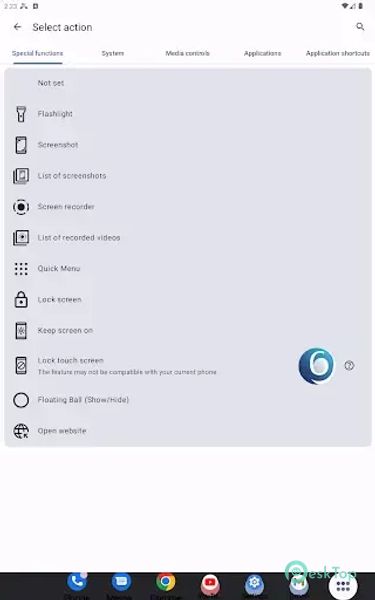
It is designed to streamline user interactions with their devices. Its primary focus is providing various customizable buttons, enabling users to execute a spectrum of tasks efficiently. The app integrates an array of functionalities such as a Notification Widget, Floating Ball, Home Screen Button, Shake Phone gestures, Air Gesture controls, Smart Flip Cover compatibility, Quick Settings Button, and an Accessibility Button, each designed to facilitate different actions and offer convenience.Features of Button Master - Lock Screen
Monthly Updates: One striking feature of the app is its commitment to monthly updates, ensuring a fresh and exciting user experience. This dedication to regular improvements and new features keeps the app relevant and up-to-date.
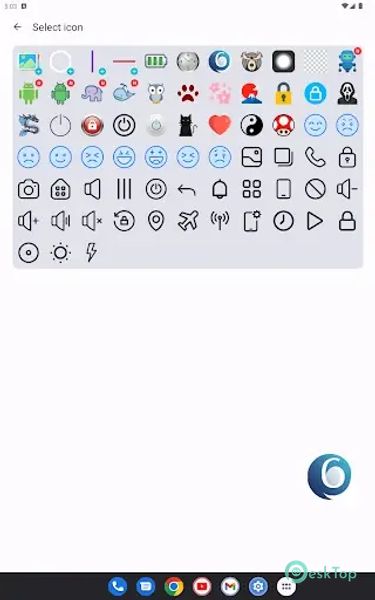
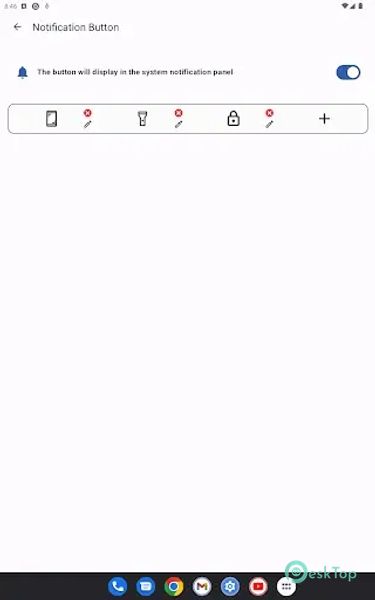
Notification Widget: Customize multiple buttons with specific actions and icons in the system notification panel.
Floating Ball: An iOS Assistive Touch-like button that hovers above all apps for easy access. Supports dynamic information display.
Home Screen Button: Create personalized buttons directly on your phone's home screen.
Press and Hold Home Screen Button: Instant execution of configured actions by long-pressing the home screen button.
Shake Phone: Execute specific actions by shaking the phone, like activating the flashlight or initiating screen recording.
Air Gesture: Trigger actions by waving your hand over the proximity sensor.
Smart Flip Cover (Phone Case): Automatically wake up or lock the screen when the flip cover is opened or closed.
Quick Settings Button: Set actions within the system's Quick Settings panel.
Accessibility Button: A floating button for quick execution of configured actions over other apps.
Quick Access Functions: Includes flashlight, QR code scanner, screen recording, and a customizable Quick Menu for consolidated actions.
Screen Lock: Offers an alternative solution if biometric recognition fails after locking the screen. Can also lock the touch screen to prevent accidental touches.
Screen Control: Keep the screen on to prevent automatic sleep and quickly launch websites.
System Virtual Buttons Emulation: Simulate system buttons like Home, Back, Recent Apps, and the Last Used App, including system power menu launch.
Media Controls: Manage volume adjustments and media playback.
Quick Access to System Settings: Adjust system volume, manage connectivity settings (Wi-Fi, Bluetooth, NFC), control screen brightness, and more.

-
App Size11.51 MB
-
Google Play LinkNot available
-
Version Number5.0
-
App Languagemultilanguage
-
Last updatedBefore 3 Month
-
Downloads10
 Volume Styles - Custom control
 GG Mouse Pro
 Simple Launcher - Home Screen
 0Ground
 Arc0
Arc0 Raven Dark Icon Pack