
 Arabic
  English
  Turkish
  Chinese
  Japanese
  Russian
  Spanish
  German
  French
  Hindi
Hindi Download Color Picker0 for Android
Download Color Picker0 for Android.
Color Picker0 Overview
It offers an extensive database housing over 1,000 color entries from renowned color palettes. From the universally familiar Common colors to specific collections like RAL Classic, HTML (W3C), and Material Design, this app caters to diverse color needs. The "Common colors" palette contains a comprehensive spectrum of the most famous and frequently used colors.Features of Color Picker0
Extensive Color Palettes: The app hosts over 1000 color entries from various renowned color palettes, including Common colors, RAL Classic, HTML (W3C), Material Design, and more. This wide range of color options ensures users can access the most popular and frequently used colors for their projects.
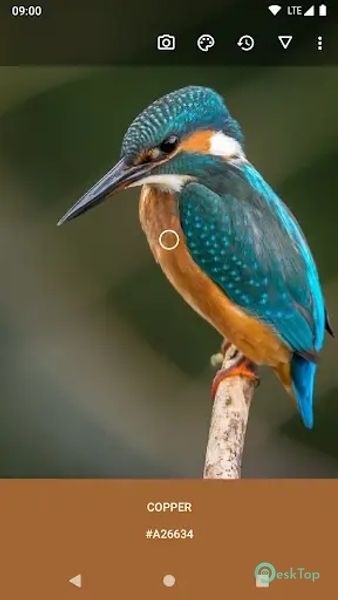
Dynamic Scope Selection: Users can easily adjust the scope for color identification by swiping the screen. They can choose between three shapes—circle, square, and dot—to capture the color at the center point or the average color from the entire selected area. This feature allows for versatile and precise color selection.
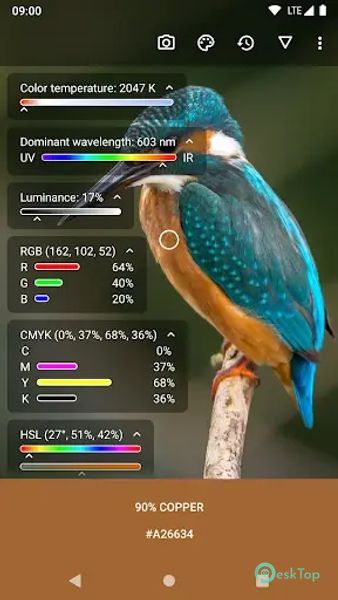
Scientific Color Data: Accessing expert mode provides users detailed scientific data about the selected color. This includes color temperature in Kelvin degrees, location on the optical spectrum, color values in different color models (RGB, CMYK, HSV, etc.), and a percentage-based match with the chosen color palette. It's a comprehensive feature for those requiring in-depth color analysis.
Advanced Camera Settings: Users can manually configure the camera settings, including focus mode, white balance, and other settings. This ensures greater accuracy when identifying colors through the camera, especially in different lighting conditions.
Color Identification in Images: The app enables users to open images and identify or save the desired color from any part of the image. It supports standard gestures for image manipulation and can share the image directly through the app.
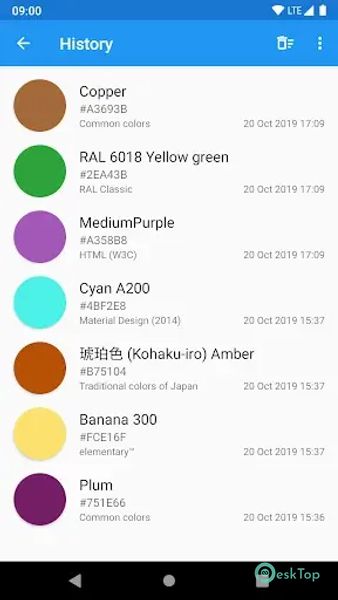
Management of Saved Colors: Saved colors can be edited and shared via the HEX value through the "Share" system dialog. Additionally, users can import or export all saved colors in CSV format, offering ease of use and access to color libraries.
Database Search and Browsing: Users can search for colors in the database using HEX values or color names. This feature ensures quick and efficient access to the desired colors for their projects.

-
App Size5.94 MB
-
Google Play Link

-
Version Number10.0.1
-
App Languagemultilanguage
-
Last updatedBefore 2 Month
-
Downloads9
 Volume Styles - Custom control
 GG Mouse Pro
 Simple Launcher - Home Screen
 0Ground
 Arc0
Arc0 Raven Dark Icon Pack