
 Arabic
  English
  Turkish
  Chinese
  Japanese
  Russian
  Spanish
  German
  French
  Hindi
Hindi Download Cool Mi Launcher - CC Launcher for Android
Download Cool Mi Launcher - CC Launcher for Android.
Cool Mi Launcher - CC Launcher Overview
It is designed to bring the essence of MIUI 12 to Android devices. While it isn't an official Xiaomi or Redmi launcher, it captures the MIUI style and incorporates various features that emulate the experience found on Xiaomi devices.Features of Cool Mi Launcher - CC Launcher
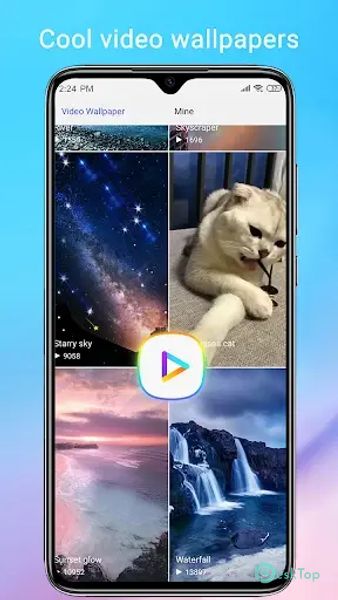
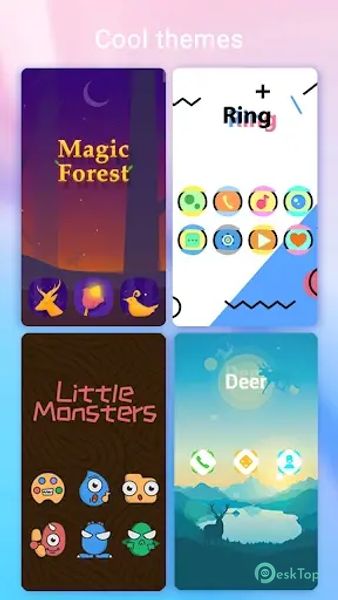
Abundant Themes and Wallpapers: It boasts a vast collection of 500+ themes and 1000+ wallpapers, allowing you to personalize your device to your heart's content. Whether you prefer a minimalistic look or a more vibrant style, you'll find a theme that suits your taste.
Icon Pack Support: This launcher supports almost all the icon packs available on the Play Store. You can easily change the appearance of your app icons to match your desired style.
Gesture Support: It adds functionality with gesture support. You can use gestures like swiping up or down, pinching in or out, and two-finger gestures to navigate your device seamlessly.
Dynamic Wallpapers: Take your home screen to the next level with video and live wallpapers. These features add a touch of elegance and sophistication to your device.
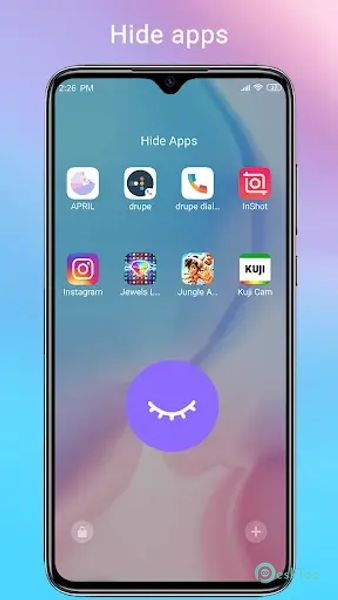
App Management and Privacy: It includes hiding apps and app locking to ensure privacy and data security. You can also edit app icons individually, creating a more customized experience.
MIUI 12 Style: This launcher embraces the MIUI 12 folder style and supports folders within the app drawer, making it easy to organize and access your apps efficiently.
User-Friendly Tools: It offers a range of tools like battery percentage indicators, app management, and storage usage information, making it a one-stop solution for your Android device's needs.
Customization Options: You can choose from three color modes (light, dark, or automatic) and four drawer styles (horizontal, vertical, category, or list). The app sorting methods are versatile, including A-Z, latest installed first, earliest installed first, mostly used, and customized.
Unread Notifier: Never miss an important message with the Unread Notifier feature displayed on the launcher's desktop icons.
Dock and Icon Customization: It allows you to tweak the dock background, folder colors, and folder styles, giving you complete control over the appearance of your home screen. You can also change icon and launcher grid sizes to fit your preferences.
Transition Effects: The launcher offers a variety of desktop transition effects, adding an extra layer of aesthetic appeal to your device.
Multi Dock Pages and T9 Search: With multi dock pages, you can organize your apps efficiently, and the T9 search function makes it easier to find what you need quickly.
Font Customization: You can change the font to match your unique style.

-
App Size26.14 MB
-
Google Play LinkNot available
-
Version Number6.3.3
-
App Languagemultilanguage
-
Last updatedBefore 10 Month
-
Downloads2
 Volume Styles - Custom control
 GG Mouse Pro
 Simple Launcher - Home Screen
 0Ground
 Arc0
Arc0 Raven Dark Icon Pack