
 Arabic
  English
  Turkish
  Chinese
  Japanese
  Russian
  Spanish
  German
  French
  Hindi
Hindi Download Digital Clock - Time & Goal for Android
Download Digital Clock - Time & Goal for Android.
Digital Clock - Time & Goal Overview
The app offers a seamless blend of timekeeping and goal-tracking capabilities. Users can now stay informed about the current time even when the screen is not visible, making it an ideal companion for activities like walking, running, or biking, where checking the phone screen may not be practical.Features of Digital Clock - Time & Goal
Screen-On Time Announcer: By simply pressing "Launch," users activate the screen-on time announcer, ensuring that the current time is audibly announced whenever the phone's display turns on.
Motion Update Feature: The app incorporates a unique "Motion Update" feature that triggers the time announcement when the phone is in motion. This is particularly handy for users engaged in physical activities.
Motion Interval Setting: Users have control over the frequency of time announcements with the "Motion Interval" setting, allowing them to customize the announcement interval based on their preferences.
Speech Volume Amplification: The app provides an option to amplify speech volume for enhanced speech clarity. Users can access this feature through Settings -> Accessibility -> Text-to-speech output -> Preferred engine | -> Amplify speech volume.
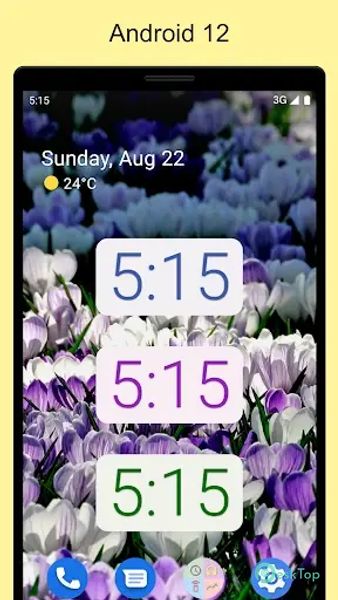
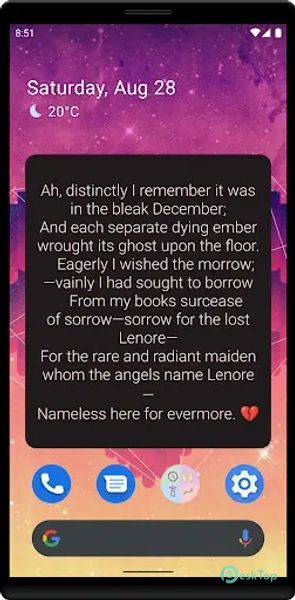
Customizable Text: The widget allows users to customize the displayed text, adding a personal touch to their timekeeping experience.
Scaling Options: Users can adjust the widget size with a scale ranging from 52 to 128 points, ensuring it fits seamlessly into their preferred layout.
Dark or Light Text: Choose between dark or light text options based on your device's theme or preference.
Display On Announcement: Customize the announcement settings to trigger when the display turns on, providing instant time information.
Sensitivity Settings: The app offers sensitivity settings from low to high, allowing users to fine-tune the motion-sensing feature according to their requirements.
Widget Text Customization: Tailor the goal text within the widget to align with personal objectives or priorities.

-
App Size8.10 MB
-
Google Play LinkNot available
-
Version Number2.42
-
App Languagemultilanguage
-
Last updatedBefore 10 Month
-
Downloads6
 Volume Styles - Custom control
 GG Mouse Pro
 Simple Launcher - Home Screen
 0Ground
 Arc0
Arc0 Raven Dark Icon Pack