
 Arabic
  English
  Turkish
  Chinese
  Japanese
  Russian
  Spanish
  German
  French
  Hindi
Hindi Download Save Website as PDF for Android
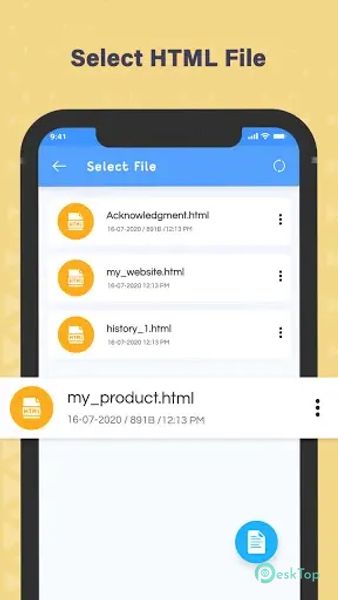
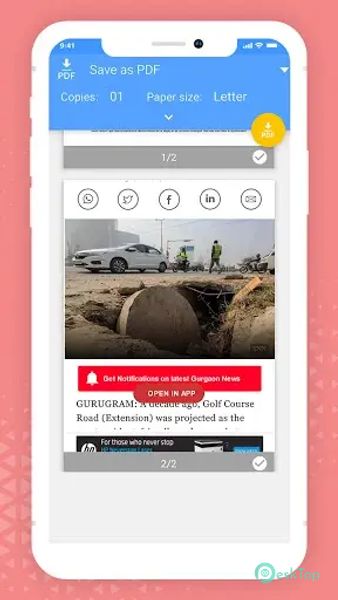
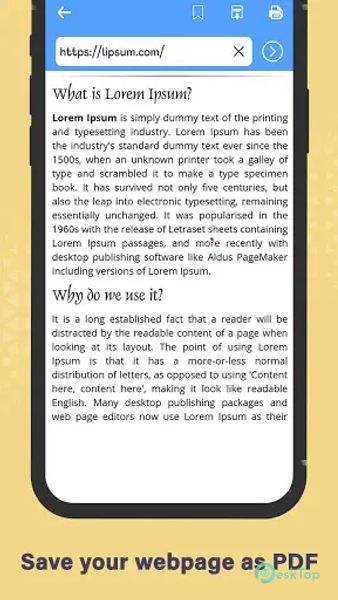
Download Save Website as PDF for Android.
Save Website as PDF Overview
It is an easy-to-use app that offers a convenient way to save web pages as PDF files on devices. The app features a simple and intuitive interface that allows users to quickly and easily convert web pages into PDFs with just a few taps. Users can customize the PDFs by selecting the page size, orientation, and other settings to suit their preferences. The app also offers a range of other valuable features, including the ability to save multiple web pages as a single PDF file, support for offline viewing of saved PDFs, and the option to share PDFs via email, social media, or other apps. The app is free to download and use, making it accessible to many users.Features of Save Website as PDF
Simple and Intuitive Interface: The app features a user-friendly interface that makes converting web pages into PDF files accessible.
Customizable PDF Settings: Users can customize the PDFs' page size, orientation, and other settings to suit their preferences.
Save Multiple Web Pages: Users can save multiple web pages as PDF files for easy access and organization.
Offline Viewing: Saved PDFs can be viewed offline, allowing users to access their favorite web content without an internet connection.
Share PDFs: Users can share saved PDFs via email, social media, or other apps, making it easy to share information with others.
Batch Conversion: Convert multiple web pages into PDFs simultaneously for efficient workflow.
Bookmarking: Save favorite web pages for quick access and conversion to PDF.
Cloud Integration: Sync PDFs with cloud storage services like Google Drive or Dropbox for easy backup and access from anywhere.
Security Options: Password-protect PDFs to ensure privacy and prevent unauthorized access.
PDF Editing: Annotate, highlight, or add comments to PDFs for better organization and collaboration.
Text Recognition (OCR): Convert scanned PDFs into editable text for further customization.
Dark Mode: Enable a dark theme for comfortable reading and reduced eye strain in low-light environments.

-
App Size15.89 MB
-
Google Play LinkNot available
-
Version Number7.0
-
App Languagemultilanguage
-
Last updatedBefore 10 Month
-
Downloads11
 Volume Styles - Custom control
 GG Mouse Pro
 Simple Launcher - Home Screen
 0Ground
 Arc0
Arc0 Raven Dark Icon Pack