
 Arabic
  English
  Turkish
  Chinese
  Japanese
  Russian
  Spanish
  German
  French
  Hindi
Hindi Download Screenshot & Screen Recorder for Android
Download Screenshot & Screen Recorder for Android.
Screenshot & Screen Recorder Overview
The Screenshot & Screen Recorder app for Android is a versatile tool that simplifies capturing and editing screenshots and recording your device's screen. With a user-friendly interface and a wide range of features, it has become a go-to solution for Android users seeking high-quality screen capture and recording capabilities.Features of Screenshot & Screen Recorder
Support for Screen Recording: One of the standout features of this app is its ability to record your screen as a high-quality video. Whether creating instructional videos, recording gameplay, or capturing a video call, this function ensures you get the best possible results.
Camera Preview Window: During screen recording, the app provides a camera preview window, allowing you to overlay your screen recording with a live view from your device's camera. This feature is perfect for vloggers and content creators who want to create engaging content with their faces visible while demonstrating something on their screens.
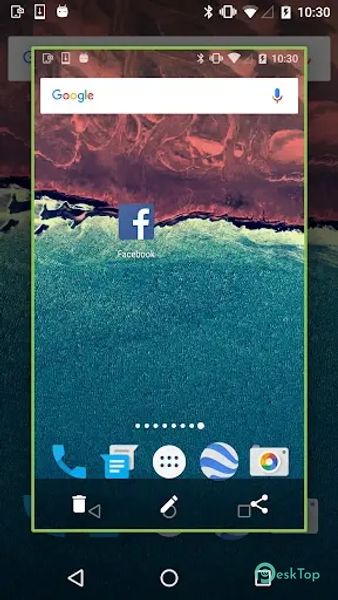
Various Screenshot Methods: The app offers multiple ways to take screenshots, making it convenient for users. You can take screenshots by clicking the notification bar, shaking your phone, or double-clicking the overlay icon (Floating button). These options cater to different preferences and scenarios.
Web Page Screenshot Support: Capturing web pages as screenshots is made easy with this app. Whether you want to save an interesting article or share a webpage design, you can do so effortlessly.
Quick Settings Integration: Starting from Android Nougat and beyond, the app seamlessly integrates with Android's quick settings, making it even more accessible and efficient.
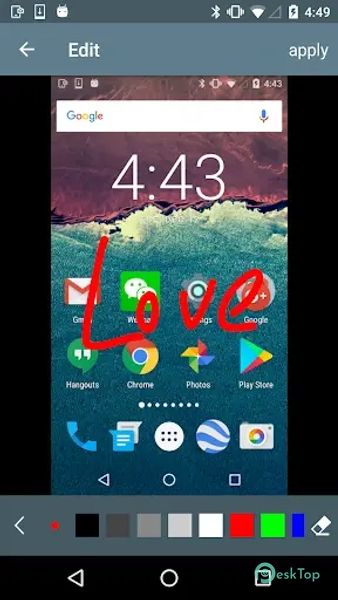
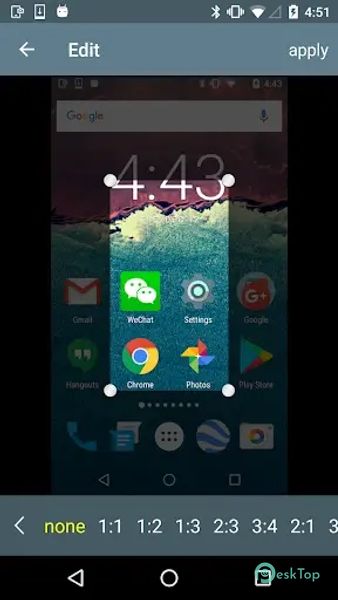
Editing Tools: Once you've captured your screenshots, the app offers a range of editing tools to enhance them. You can paint on the screenshot, add mosaic effects, insert text, and include stickers, allowing you to personalize your captures and make them more informative or entertaining.
History and Sharing: The app conveniently stores all your previous screenshots in one place, making it easy to access and edit them later. You can also share your screenshots directly from the app with friends and colleagues.

-
App Size14.70 MB
-
Google Play LinkNot available
-
Version Number1.3.04
-
App Languagemultilanguage
-
Last updatedBefore 9 Month
-
Downloads17
 Volume Styles - Custom control
 GG Mouse Pro
 Simple Launcher - Home Screen
 0Ground
 Arc0
Arc0 Raven Dark Icon Pack