
 Arabic
  English
  Turkish
  Chinese
  Japanese
  Russian
  Spanish
  German
  French
  Hindi
Hindi Download vpnify - Unlimited VPN Proxy for Android
Download vpnify - Unlimited VPN Proxy for Android.
vpnify - Unlimited VPN Proxy Overview
vpnify is a top-tier VPN proxy explicitly designed for Android users. It offers a range of features that make it an ideal choice for securing your internet connection and quickly accessing restricted content.Features of vpnify - Unlimited VPN Proxy
One-Click Connect: vpnify provides an effortless one-click connection to secure your online activities, making it user-friendly even for beginners.
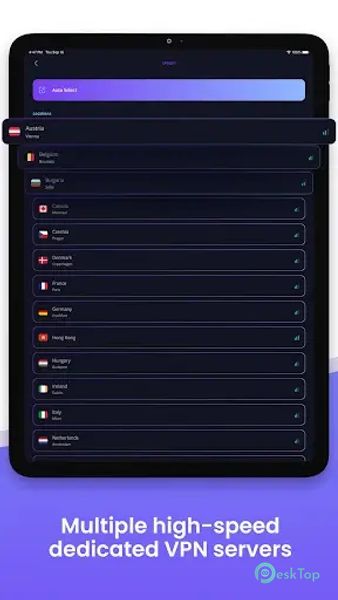
Multiple High-Speed Servers: With dedicated VPN servers in various locations, you can enjoy high-speed browsing, streaming, and downloading without bandwidth limitations.
Unlimited Usage: vpnify doesn't impose any session restrictions or limitations, ensuring you have uninterrupted Access to the VPN service.
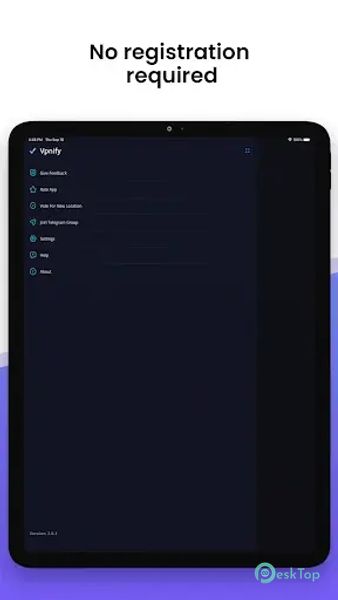
No Registration Required: Users can browse securely without lengthy registration processes.
Stable Connection: Vpnify ensures a stable and reliable connection at home or abroad.
Unrestricted Access: vpnify allows you to access all content and websites, evading censorship and restrictions.
Incognito Browsing: When you tunnel your traffic through vpnify, you browse the internet privately and incognito.
Ultra-Fast Speeds: Enjoy blazing-fast VPN speeds, which can be likened to a turbo boost for your internet connection.
Hotspot VPN Protection: Keep your data secure with vpnify's hotspot shield security on public Wi-Fi networks.
Circumvent Firewall Restrictions: Whether you frequent schools or countries with strict internet controls, vpnify can help you bypass firewall restrictions.
Website Proxy: vpnify serves as a website proxy, defeating all forms of censorship and enabling Access to blocked content.
Encrypted Secure DNS: Prevent bad actors from snooping on your DNS requests.
Military-Grade Encryption: Enjoy traffic encryption that rivals the security measures used by military organizations.
DNS & IP Leak Protection: Rest assured that your connections are shielded from DNS and IP leaks.
No Traffic Logs: vpnify doesn't store any traffic logs, ensuring your online activities remain private.
Enhanced Privacy: Add an extra layer of security to your online privacy.
School Network Access: Bypass content blocks on school Wi-Fi networks.
Public Network Security: Protect your data on public networks.
App Privacy: Safeguard yourself from apps that collect your IP and geoIP location data.
Streaming: Watch videos and movies seamlessly through a VPN proxy.
Unblock Video Sites: Access streaming platforms like Netflix, YouTube, and Vimeo.
Social Media Access: Unblock social networking sites like Instagram, Snapchat, Twitter, and Facebook.
VoIP Messaging: Use VPNify to access VoIP messaging apps like Skype, Viber, WhatsApp, and Facebook Messenger.
Gaming: Play games like PUBG Mobile and Call of Duty without restrictions.

-
App Size31.31 MB
-
Google Play Link

-
Version Number2.3.4
-
App Languagemultilanguage
-
Last updatedBefore 1 Year
-
Downloads145
 Volume Styles - Custom control
 GG Mouse Pro
 Simple Launcher - Home Screen
 0Ground
 Arc0
Arc0 Raven Dark Icon Pack