
 Arabic
  English
  Turkish
  Chinese
  Japanese
  Russian
  Spanish
  German
  French
  Hindi
Hindi Download flux 4.141 for Windows

Download flux 4.141 for Windows.
flux Overview
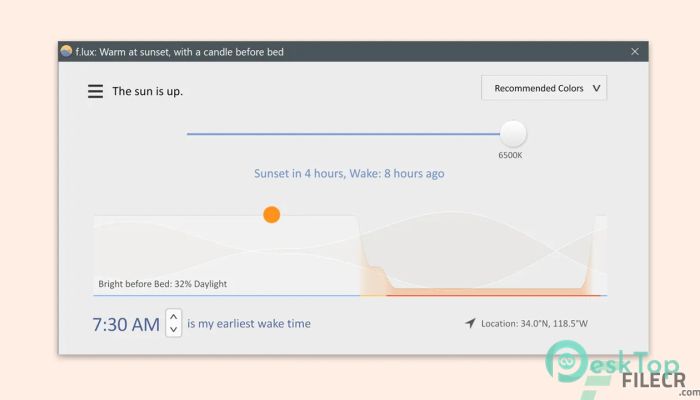
f.lux makes your computer screen look like the room you're in, all the time. When the sun sets, it makes your computer look like your indoor lights. In the morning, it makes things look like sunlight again. Tell f.lux about the type of lighting you have and your location. Then forget about it. flux will do the rest, automatically. Flux fixes this: it makes the color of your computer's display adapt to the time of day, becoming warm at night and resembling sunlight during the day. In addition, f.lux enables you to preview an entire day's lighting changes in just a few seconds, so you can be certain you are happy with the settings, or go back and try again. The application also offers a 'Movie Mode', which attempts to preserve color and shadow details while presenting images in warmer color tones, balancing powerful contrasts. Moreover, you can turn off f.lux for an hour if you need to work on something that is more color-sensitive and you want your computer to display images in their original tones, without any adjustments.Features of flux
Flux can now be set to warmer temperatures than 3400K, down to 2700K. Or even 1200K if you really want it to.
Support for color profiles from a hardware calibrator
Movie mode. This setting warms up your display, but it preserves shadow detail, skintones, and sky colors better than Flux’s typical colors. It lasts 2½ hours, which lets you watch most feature films
Disable until morning, for late-night crunch mode
A new “darkroom” mode, which inverts colors and gets very red
A map to help you find your location
Hotkeys to dim your display (Alt-PgDn, Alt-PgUp) late at night so that desktop users can dim too
A hotkey to disable/enable flux quickly: Alt-End
If you have a laptop, the flux gets warmer when your backlight dims, similar to an incandescent lamp.
A simple schedule for Philips Hue so that you can f.lux your house
System Requirements and Technical Details
Operating System: Windows 11/10/8.1/8/7
Processor: Minimum 1 GHz Processor (2.4 GHz recommended)
RAM: 2GB (4GB or more recommended)
Free Hard Disk Space: 200MB or more is recommended

-
Program size635.80 KB
-
Version4.141
-
Program languagemultilanguage
-
Last updatedBefore 2 Month
-
Downloads32
 Reuschtools ClassicMenu
 AI Aquarium Screensaver
  Rainmeter
 Rainlendar Pro
 N-Button Pro
 Stardock DeskScapes