
 Arabic
  English
  Turkish
  Chinese
  Japanese
  Russian
  Spanish
  German
  French
  Hindi
Hindi Download Accent EXCEL Password Recovery for Microsoft Excel 1.0 for Windows
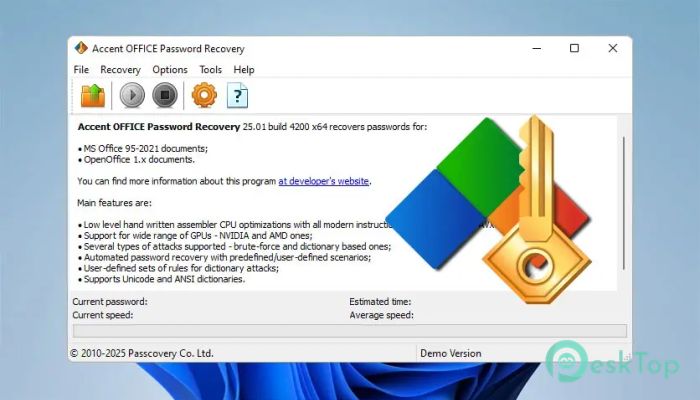
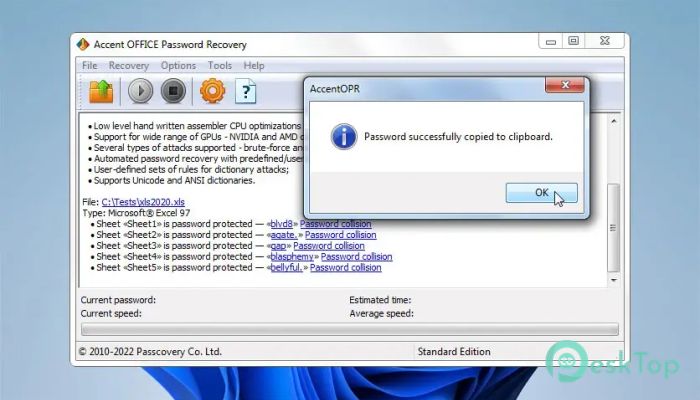
Download Accent EXCEL Password Recovery for Microsoft Excel 1.0 for Windows.
Accent EXCEL Password Recovery for Microsoft Excel Overview
Dealing with a locked Excel file can feel like being locked out of your own house. You know the data is there, but you just can’t reach it. This is where this software steps in and saves the day. It is designed to recover lost or forgotten passwords and remove restrictions from Excel files with ease. The tool runs locally on your system, so your sensitive files never leave your computer. That makes it a reliable choice for professionals handling confidential data. Whether the file is lightly protected or strongly encrypted, the software uses smart techniques to regain access. From students to office workers, anyone who relies on spreadsheets can benefit from this tool. It supports different Excel versions and ensures that you don’t lose important data just because of a forgotten password.Features of Accent EXCEL Password Recovery for Microsoft Excel
Powerful Password Recovery Methods
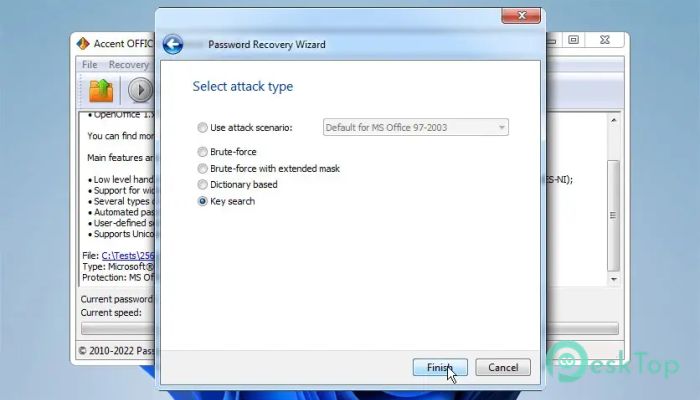
The tool uses advanced recovery techniques to unlock Excel files. These include brute-force, dictionary, and mask-based attacks. Think of it like trying every possible key until the right one fits.
It intelligently speeds up the process by focusing on the most likely password combinations first. This saves time and increases success rates, especially for complex passwords.
For simpler protection, it can instantly remove restrictions without even requiring the recovery of the actual password. That’s a huge time-saver when you’re in a hurry.
Supports Multiple Excel Versions
One of the best things about this tool is its compatibility. It works with a wide range of Excel file formats, including older and newer versions. So whether your file was created years ago or just yesterday, you’re covered.
This flexibility makes it useful for both personal and professional use. You don’t have to worry about file format limitations getting in your way.
Local Processing for Maximum Security
Privacy is a major concern when handling sensitive data. Unlike many online tools, this software runs entirely on your PC. Your files stay with you, always.
This local processing approach ensures that confidential information remains secure. It’s like having a locksmith come to your house instead of sending your keys somewhere else.
This makes it especially suitable for businesses and individuals who value data security.
Easy-to-Use Interface
The software is designed with simplicity in mind. You don’t need to be a tech expert to use it. The interface is clean, intuitive, and easy to navigate.
Just load your locked Excel file, choose the recovery method, and let the tool do its job. It guides you step by step, making the process smooth and stress-free.
This ease of use makes it perfect for beginners and experienced users alike.
Fast Performance and Efficiency
Speed matters when deadlines are tight. The tool is optimized to deliver quick results without compromising accuracy. It uses your system’s resources efficiently to maximize performance.
Even complex password recovery tasks are handled with impressive speed. It’s like having a fast, reliable assistant working nonstop to solve your problem.
This ensures you get back to your work without unnecessary delays.
Instant Removal of Simple Protection
Sometimes, Excel files are protected with simple restrictions rather than strong encryption. In such cases, the tool can remove the protection instantly.
This means you don’t have to wait for a full password recovery process. It’s quick, easy, and highly effective.
This feature is especially useful for files that only have editing or worksheet protection enabled.
Ideal for Personal and Professional Use
Whether you’re a student working on assignments or a professional handling business data, this tool fits perfectly into your workflow. It helps you regain access to important files without hassle.
It’s like having a backup plan for your passwords. Even if you forget them, you’re never truly locked out.
This makes it a valuable addition to your software toolkit.
System Requirements and Technical Details
Operating System: Windows 11 / 10 / 8.1 / 7
Processor: Minimum 1 GHz Processor (2.4 GHz recommended)
RAM: 2GB (4GB or more recommended)
Free Hard Disk Space: 200MB or more is recommended

-
Program size6.97 MB
-
Version1.0
-
Program languagemultilanguage
-
Last updatedBefore 5 Month
-
Downloads86
 Lazesoft Data Recovery
 Lazesoft Windows Recovery
  Lazesoft Recovery Suite
 Lazesoft Recover My Password
 Lazesoft Recovery Suite Technician
 Windows Password Recovery Tool Ultimate