
 Arabic
  English
  Turkish
  Chinese
  Japanese
  Russian
  Spanish
  German
  French
  Hindi
Hindi Download Accent PDF Password Recovery 1.0 for Windows
Download Accent PDF Password Recovery 1.0 for Windows.
Accent PDF Password Recovery Overview
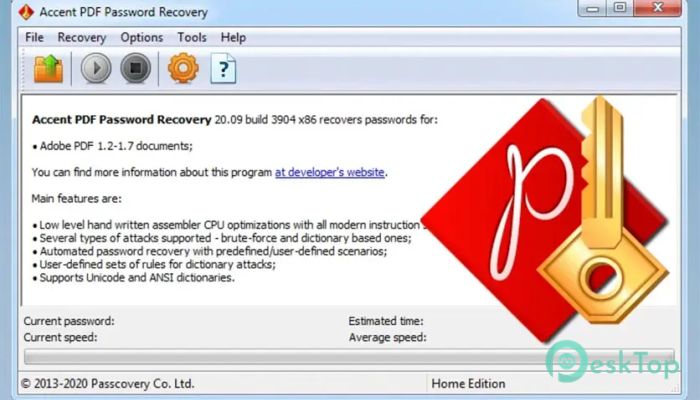
For many users, locked PDF files feel like sealed boxes with no key. This software works like a smart locksmith, carefully opening the box without damaging what is inside. It is designed to recover passwords from protected PDF documents, whether they are simple or highly secured. The tool uses advanced algorithms and leverages modern processor power to deliver quick results. Instead of wasting hours manually guessing passwords, it automates the entire process in a structured, optimized way. It is especially useful for professionals, students, and businesses that rely on PDF documents daily.Features of Accent PDF Password Recovery
Fast and Efficient Password Recovery
One of the most impressive things about this tool is its speed. It uses optimized techniques that make password searching faster than traditional methods. Think of it like having a supercharged engine under the hood that pushes through complex combinations without slowing down.
The software is designed to work efficiently with both simple and complex passwords. Whether the password is short or contains multiple characters and symbols, it intelligently narrows down the possibilities to find the correct match.
Advanced Recovery Methods
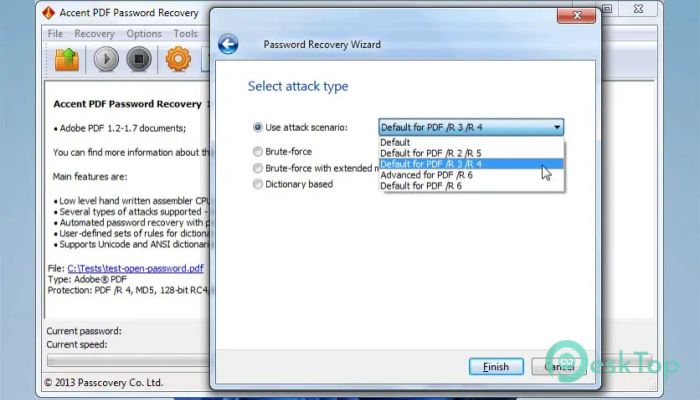
The tool offers multiple recovery methods to suit different situations. These include brute-force, dictionary-based, and mask attacks. Each method works like a different strategy in solving a puzzle.
For example, if you remember part of the password, a mask attack lets you focus only on the missing pieces. This reduces time and increases the success rate. The dictionary attack is helpful when passwords are based on common words, while brute-force ensures no combination is left unchecked.
Optimized for Modern Processors
The software is built to fully utilize the power of modern Intel and AMD processors. It takes advantage of multi-core systems, allowing it to run multiple password attempts simultaneously. This parallel processing significantly boosts performance.
Imagine having several workers solving a problem together instead of just one. That is how this optimization works, making the recovery process much faster and smoother.
User-Friendly Interface
Even though the tool's technology is advanced, the interface remains simple and easy to understand. You do not need to be a tech expert to use it. Everything is clearly organized, so you can start recovering passwords within minutes.
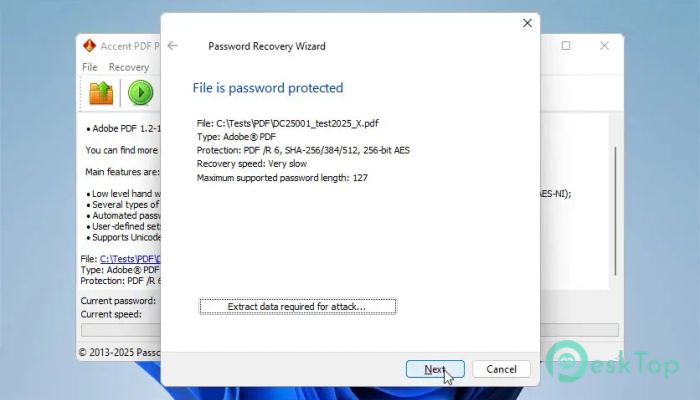
The layout is clean, and the steps are straightforward. You simply load your PDF, choose a recovery method, and let the tool handle the rest. It feels less like complicated software and more like a guided assistant helping you step by step.
Flexible Search Management
The tool gives you full control over how the password search is conducted. You can pause, resume, or stop the process at any time. This flexibility is helpful when working with large files or long passwords.
You can also customize search settings, such as defining character sets or setting password length limits. This makes the process more targeted and efficient, saving both time and system resources.
Supports Various PDF Security Levels
PDF files can come with different types of security, including user passwords and owner restrictions. This software can handle both types effectively. It can recover passwords or remove restrictions that prevent editing, printing, or copying.
It works with a wide range of PDF versions, ensuring compatibility with both old and new documents. This makes it a reliable solution for different use cases.
Lightweight and Resource Friendly
Despite its powerful features, the tool remains lightweight. It does not consume excessive system resources, allowing you to run it alongside other applications. This balance between power and efficiency makes it suitable for everyday use.
It installs quickly and requires no complicated setup. Within minutes, you can have it ready to work on your files.
Secure and Reliable Performance
Security is always a concern when dealing with sensitive documents. This tool ensures that your data remains safe during the recovery process. It does not alter the original file, keeping everything intact.
The recovery process is stable and reliable, reducing the chances of errors or crashes. You can trust it to handle important documents without risking data loss.
Practical Use Cases
This software is helpful in many real-world situations. For example, if you have an old PDF file with a forgotten password, you can quickly restore access. Businesses can use it to recover important documents without delays.
Students can also benefit from it when dealing with locked study materials. It acts as a bridge, reconnecting you to your files when access is lost.
System Requirements and Technical Details
Operating System: Windows 11 / 10 / 8.1 / 7
Processor: Minimum 1 GHz Processor (2.4 GHz recommended)
RAM: 2GB (4GB or more recommended)
Free Hard Disk Space: 200MB or more is recommended

-
Program size7.34 MB
-
Version1.0
-
Program languagemultilanguage
-
Last updatedBefore 5 Month
-
Downloads59
 Lazesoft Data Recovery
 Lazesoft Windows Recovery
  Lazesoft Recovery Suite
 Lazesoft Recover My Password
 Lazesoft Recovery Suite Technician
 Windows Password Recovery Tool Ultimate