
 Arabic
  English
  Turkish
  Chinese
  Japanese
  Russian
  Spanish
  German
  French
  Hindi
Hindi Download Advanced Port Scanner 2.5.3869 for Windows
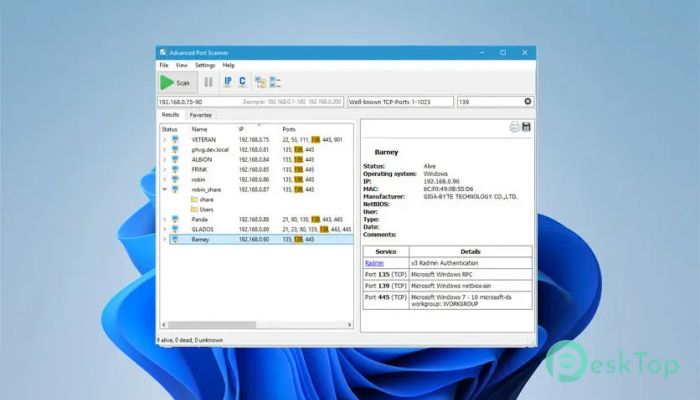
Download Advanced Port Scanner 2.5.3869 for Windows.
Advanced Port Scanner Overview
Managing a network can sometimes feel like navigating through a maze without a map. This is where this powerful scanning solution steps in. It provides a simple yet effective way to analyze network devices and discover open ports within seconds. Whether you are a beginner or an experienced user, the interface makes everything straightforward and easy to understand. The software allows users to scan hundreds of devices quickly and retrieve valuable information about them. It can identify connected computers, servers, and smart devices on the same network. In addition, it provides insights into services running on different ports, helping users better understand their network environment. Another standout aspect is its speed. Instead of waiting several minutes for results, the tool performs scans quickly and displays findings in real time. This makes it ideal for IT administrators, security professionals, and even home users who want better control over their network.Features of Advanced Port Scanner
Simple and User-Friendly Interface
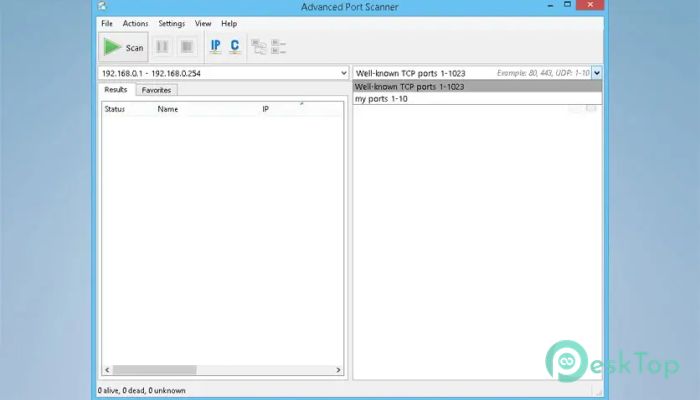
One of the strongest advantages is its clean and minimal design. Everything is clearly organized, so users can start scanning without having to learn complicated settings. The dashboard displays results in an easy-to-read format, allowing users to quickly understand the network layout.
Even if someone has never used a network-scanning utility before, they can easily navigate its features. The layout feels intuitive, similar to opening a file explorer and browsing folders. This simplicity makes the experience smooth and efficient.
Fast Network Scanning Performance
Speed plays an important role when working with networks. The software delivers high-speed scanning, enabling users to check multiple devices in seconds. This helps save time, especially when working in large environments.
Instead of manually checking each device, users can scan entire IP ranges at once. The results appear instantly, showing open ports and available services. This quick response allows users to troubleshoot problems or monitor devices efficiently.
Remote Access Capabilities
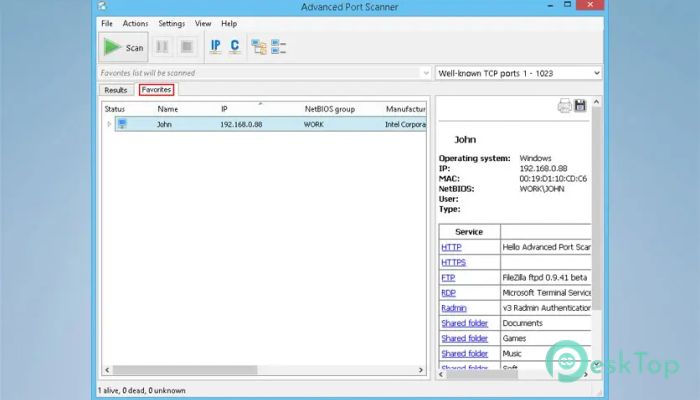
The tool offers remote access features that allow users to manage devices directly from the interface. It supports remote desktop connections, remote shutdown, and wake-on-LAN functionality. This makes managing network devices much easier.
For example, users can remotely turn on computers or connect to devices without physically accessing them. This capability is especially useful in office environments where multiple systems need to be monitored.
Detailed Device Information
Understanding what devices are connected to the network is essential. The software provides detailed information about detected devices, including hostnames, IP addresses, and MAC addresses. This helps users quickly identify unknown devices.
It also displays services running on open ports. This allows users to determine what programs are active on each device. Such information helps improve security and optimize network performance.
Open Port Detection
Finding open ports is like discovering open doors in a building. The tool helps users quickly identify these openings. It scans devices and highlights available ports, giving a clear overview of network accessibility.
This feature is particularly useful for security monitoring. By identifying open ports, users can determine whether unauthorized services are running. This helps maintain a safe and controlled network environment.
Flexible Scanning Options
The software offers flexible scanning options that let users customize scans to their needs. Users can scan specific IP ranges or individual devices. This flexibility makes it suitable for both small and large networks.
Users can also save scan results for future reference. This helps compare network changes over time and track device activity. It acts like a snapshot of the network environment.
Lightweight and Efficient
Performance matters when running multiple applications. The tool is lightweight and does not consume heavy system resources. It runs smoothly even on older systems, ensuring accessibility for all users.
This efficiency makes it ideal for everyday use. Users can perform scans without slowing down their computer. It works quietly in the background while delivering accurate results.
Improved Network Management
Managing a network becomes easier when users have complete visibility. The software helps organize devices and monitor activity effectively. It provides a clear overview of how devices communicate.
With better control, users can detect issues early. This prevents problems before they escalate. It acts like a security camera for your network, always keeping an eye on activity.
Security and Monitoring Benefits
Security is a major concern for both home and office networks. The tool helps users identify potential risks by scanning open ports and services. This helps detect unauthorized access attempts.
Regular scanning helps maintain a secure environment. Users can quickly identify suspicious devices and take necessary action. This proactive approach strengthens network protection.
Ideal for Different Users
This solution is suitable for a wide range of users. IT professionals can efficiently monitor large networks. Home users can easily check which devices are connected. Students and beginners can also learn network scanning without complexity.
The versatility makes it a valuable addition to any system. It adapts to different needs and provides reliable results.
System Requirements and Technical Details
Operating System: Windows 11 / 10 / 8.1 / 7
Processor: Minimum 1 GHz Processor (2.4 GHz recommended)
RAM: 2GB (4GB or more recommended)
Free Hard Disk Space: 200MB or more is recommended

-
Program size18.35 MB
-
Version2.5.3869
-
Program languagemultilanguage
-
Last updatedBefore 3 Month
-
Downloads73
 RealVNC VNC Server Enterprise
 CrushFTP
 Reqable
 AnyDesk
 AmneziaVPN
 CurrPorts