
 Arabic
  English
  Turkish
  Chinese
  Japanese
  Russian
  Spanish
  German
  French
  Hindi
Hindi Download ArkkenDesign Wavvy 1.0.0 for Windows

Download ArkkenDesign Wavvy 1.0.0 for Windows.
ArkkenDesign Wavvy Overview
This desktop solution is built for people who love discovering music beyond borders. It brings global radio into one clean space, so you can tune in without juggling browsers or messy playlists. Everything feels lightweight, fast, and focused on listening rather than setting things up.Features of ArkkenDesign Wavvy
Global Radio Access Made Simple
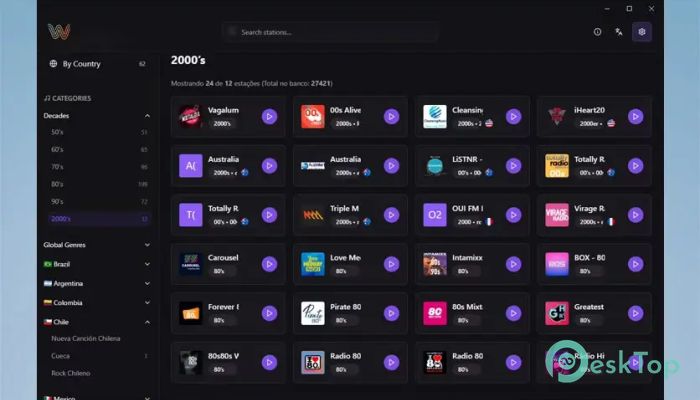
It provides access to more than 27,000 radio stations across countries and genres. From local talk shows to international music channels, the variety feels endless. You can jump between cultures the same way you flip channels on a traditional radio, but with much better control.
High-Quality Streaming Experience
Listening feels smooth and consistent thanks to stable streaming technology. Audio plays clearly, even on slower connections, which makes long listening sessions comfortable. There is no need to worry about constant interruptions, as buffering is kept to a minimum.
Clean and Friendly Interface
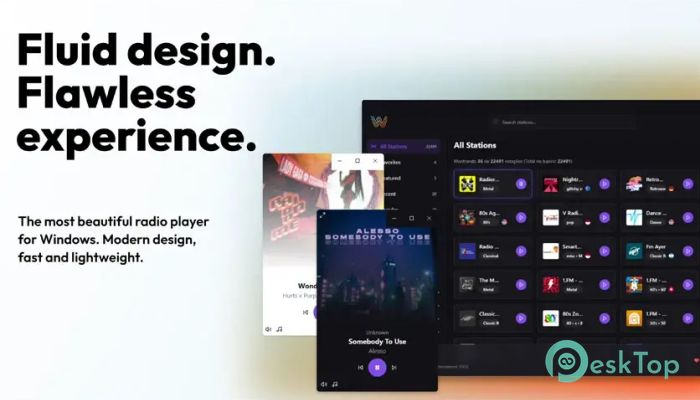
The layout is designed to feel natural, even for first-time users. Stations are displayed in easy-to-read cards, and important actions are always one click away. The design stays out of the way, letting the sound take center stage.
Favorites for Quick Access
Saving stations is as easy as tapping a heart icon. This feature works like bookmarking your favorite spots, so you can return anytime without searching again. Over time, it becomes a personalized radio hub tailored to your preferences.
Dark Mode for Comfortable Listening
Night listening becomes easier on the eyes with built-in dark mode support. The softer colors reduce strain and give the interface a calm feel. It is perfect for late-night music sessions or relaxed background listening.
Simple Controls Anyone Can Use
Controls are kept straightforward to avoid confusion. Click play to start streaming, pause when needed, and resume whenever you want. Adding favorites or checking station details feels natural, like flipping switches on a familiar device.
Discover New Sounds Daily
With access to stations from every corner of the world, discovery happens naturally. One click can take you from jazz in Europe to pop hits in Asia. It feels like traveling without leaving your desk.
Station Details at a Glance
Each station includes helpful information that provides context for what you are hearing. By checking details, you learn more about the broadcast style, origin, and focus. This adds depth to the listening experience.
Lightweight and Reliable Performance
The tool runs smoothly without putting pressure on system resources. It starts quickly and stays responsive, even during long sessions. This makes it suitable for daily use, whether in the background or as your main music source.
Perfect for Work and Relaxation
It fits easily into different routines. During work hours, it can provide calm background audio. In free time, it becomes a gateway to discovering new artists and cultures through live broadcasts.
Controls Overview
Start playback by clicking the play button on any station card. Saving a station requires pressing the heart icon, while extra information is shown by clicking the info icon. These actions keep everything simple and fast.
System Requirements and Technical Details
Operating System: Windows 11 / 10
Processor: Minimum 1 GHz Processor (2.4 GHz recommended)
RAM: 2GB (4GB or more recommended)
Free Hard Disk Space: 200MB or more is recommended

-
Program size91.81 MB
-
Version1.0.0
-
Program languagemultilanguage
-
Last updatedBefore 8 Month
-
Downloads9
 Teletone Audio Prism Plate
 Stryde Audio Swayed
  Electric Smudge SnappySnap
 PSPaudioware PSP Flare
 DW Soundworks Gretsch USA Custom Expansion Pack
 Sonic Academy V4lve