
 Arabic
  English
  Turkish
  Chinese
  Japanese
  Russian
  Spanish
  German
  French
  Hindi
Hindi Download Ascendara 10.7.1 for Windows
Download Ascendara 10.7.1 for Windows.
Ascendara Overview
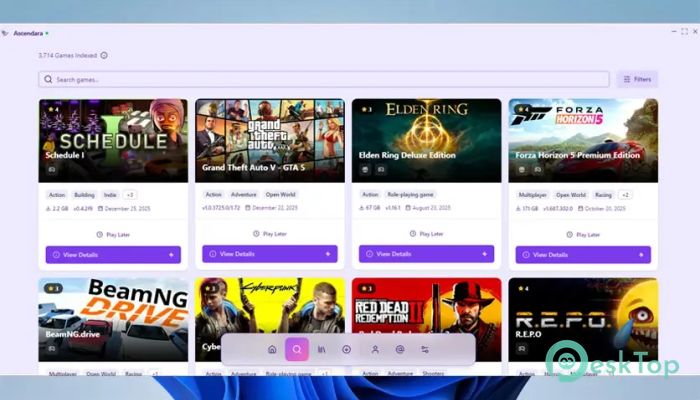
It is designed to make game management simple and stress-free. If you have a collection of pre-installed games scattered across folders, drives, or external storage, this tool brings them together into a clean, easy-to-use interface. Instead of manually searching for executables or dealing with messy directories, you can manage your entire library from a single dashboard. The software focuses on simplicity. You do not need to extract files again, reinstall titles, or move folders around. It detects and organizes your games so you can test and launch them quickly. Powered by a custom web scraper, the built-in game library helps you discover supported titles and manage them in a more structured way.Features of Ascendara
Simple and Intuitive Interface
One of the biggest strengths of this tool is its clean and beginner-friendly design. The layout is straightforward, so even if you are not very technical, you can start using it right away. Everything is clearly labeled and easy to understand.
Think of it like a smart bookshelf for your games. Instead of randomly stacking titles, it neatly organizes them so you can pick what you want in seconds. You do not need to dig through folders or remember file names. Just open the software, click your game, and launch it.
Effortless Game Organization
Managing multiple pre-installed games can feel chaotic. Some are on your desktop, others are in different drives, and a few are hidden in deep folders. The software solves this by organizing everything in one place.
It scans and connects your existing titles without forcing you to move files. This means you keep your original setup while gaining a structured library view. It is like turning a messy room into a tidy workspace without throwing anything away.
Built-In Game Testing Feature
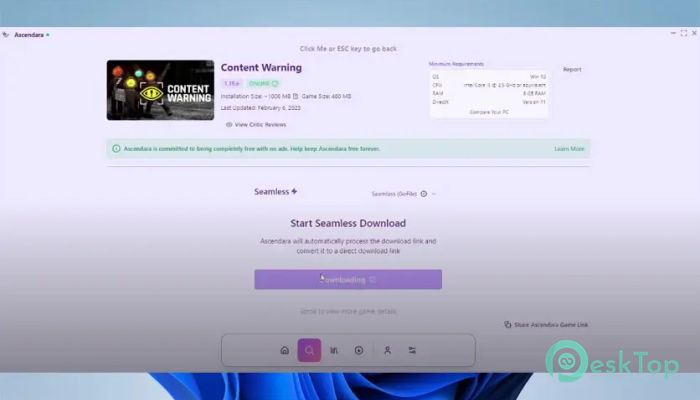
Testing games becomes much easier with this tool. Instead of manually checking if a title runs properly, you can quickly launch and test it from the main interface. This is especially helpful for users who manage large collections.
If you often download or store many games, you know how time-consuming it can be to verify each one. The software reduces that effort by giving you direct access to test launches. In just a few clicks, you can see whether everything works as expected.
No More Complicated Setups
Installing and setting up games can sometimes feel like solving a puzzle. Extracting files, configuring folders, and fixing paths can take time. With this tool, that process becomes much smoother.
You do not need to repeatedly extract or reinstall your titles. Once they are recognized, you can manage them easily. It eliminates unnecessary steps and lets you focus on playing rather than troubleshooting.
Custom Web Scraper Powered Library
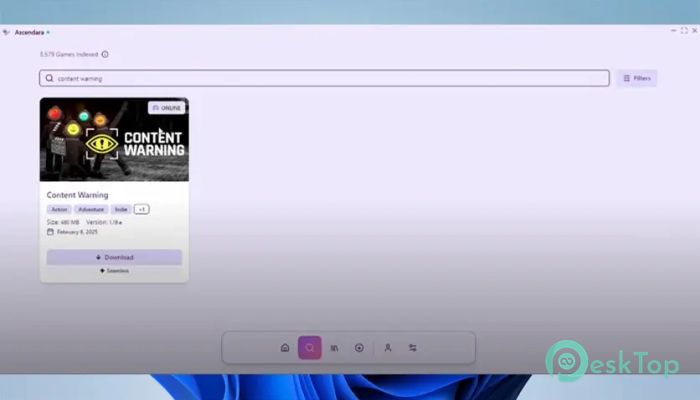
The integrated library is powered by a custom web scraper that pulls supported titles into a single, organized list. This gives you a smarter way to discover and manage available games.
Instead of manually entering details for every title, the system can gather relevant information and present it neatly. It feels like having a personal assistant that organizes your collection behind the scenes.
Fast Game Launching
Launching a game should be quick and smooth. The software lets you start your favorite titles without browsing folders. With a few clicks, you are ready to play.
This quick access is especially useful if you switch between games often. Rather than wasting time searching for shortcuts, you can jump straight into the action.
Lightweight and Efficient Performance
Another great advantage is its lightweight nature. It does not consume heavy system resources, so it runs comfortably even on modest PCs. You can manage your collection without slowing down your computer.
The software focuses on efficiency. It performs its tasks in the background while keeping the interface responsive and smooth.
Who Should Use It?
This tool is perfect for gamers who maintain a large collection of pre-installed titles. It is also helpful for testers who need to check multiple games regularly. Even casual users can benefit from the organized layout and quick-launching system.
If you value convenience and dislike unnecessary steps, you will appreciate how it simplifies everything. It turns game management from a chore into a smooth routine.
System Requirements and Technical Details
Operating System: Windows 11 / 10 / 8.1 / 7
Processor: Minimum 1 GHz Processor (2.4 GHz recommended)
RAM: 2GB (4GB or more recommended)
Free Hard Disk Space: 500MB or more is recommended

-
Program size191.78 MB
-
Version10.7.1
-
Program languagemultilanguage
-
Last updatedBefore 2 Month
-
Downloads14
 ExtraMAME
 ChessBase Fritz
 ChessBase
 Dragonrise Games YoloX
 Vortex
 NCSOFT PURPLE