
 Arabic
  English
  Turkish
  Chinese
  Japanese
  Russian
  Spanish
  German
  French
  Hindi
Hindi Download Ashampoo Music Studio Pro 27.0 for Windows
Download Ashampoo Music Studio Pro 27.0 for Windows.
Ashampoo Music Studio Pro Overview
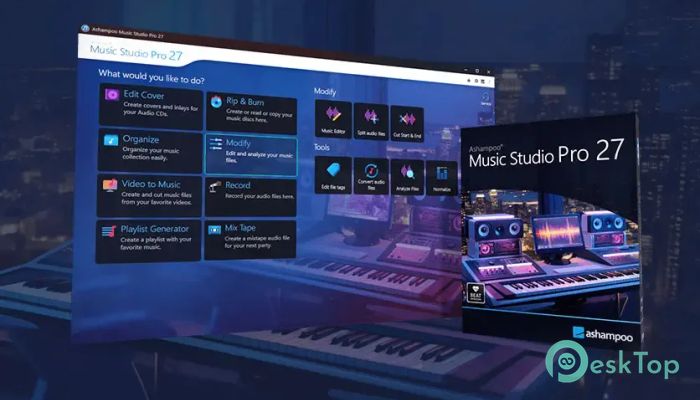
It is a powerful audio workstation designed for music lovers who want simple yet professional tools on their computer. It combines editing, recording, mixing, converting, burning, and organizing features into one convenient package. The software is like a Swiss Army knife for digital music, offering multiple tools in a single environment. Whether you want to trim songs, create playlists, record audio streams, design covers, or manage a large music collection, it offers everything needed to handle daily audio tasks quickly and efficiently.Features of Ashampoo Music Studio Pro
Complete Music Editing Environment
The software provides a flexible workspace where users can modify audio files according to their needs. You can cut unwanted sections, adjust volume levels, mute parts, and improve the overall quality of tracks without using complicated professional applications.
Its simple interface makes music editing comfortable for beginners while still providing useful features for experienced users. Every tool is arranged clearly, allowing you to complete common tasks without wasting time searching through menus.
Advanced Audio Recording Features
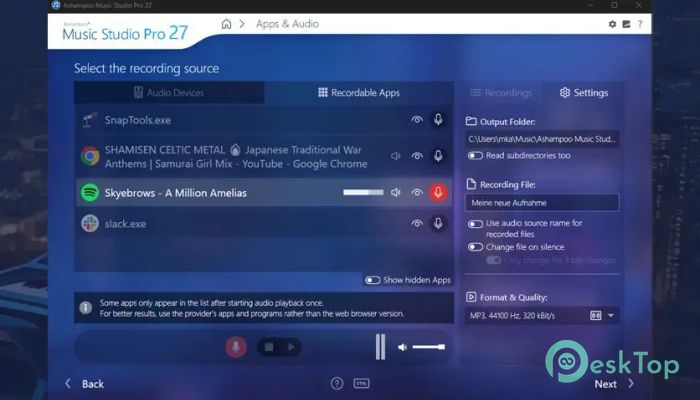
Recording music and voice becomes easier with the built-in recording tools. The software can capture audio from different sources, including music streaming services and external recording devices.
It also intelligently handles muted recording devices. When a device is disabled, the tool can detect the issue and automatically enable it during recording. After finishing, it restores the original settings, making the entire process smooth and hassle-free.
Smart Music Stream Recording
One useful feature is its ability to automatically organize recorded music. When capturing songs from platforms such as Spotify, Deezer, Amazon Music, and other sources, it can recognize important details like artist names and song titles.
For sources where information is not obvious, the software analyzes window titles and removes unnecessary text. This helps create properly named files instead of a confusing collection of random recordings.
Easy Audio Conversion and Format Support
The tool allows users to convert music files into different compatible formats. This makes it easier to prepare songs for smartphones, media players, and other devices.
With flexible conversion options, you can manage your entire music library and ensure that your favorite tracks work smoothly across different platforms.
Create Mixtapes and Playlists
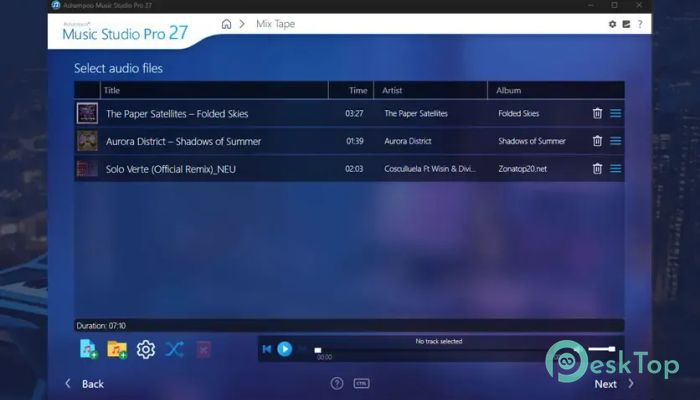
Creating custom music collections becomes simple with the built-in playlist and mixing features. Users can combine songs for parties, personal listening, workouts, or special occasions.
The software helps you arrange tracks into playlists that match your preferred devices and listening habits. It is like having a personal music organizer that keeps all your collections ready whenever you need them.
Professional CD Ripping and Burning
The software includes reliable CD ripping tools for converting physical music collections into digital files. It reads audio CDs accurately and automatically collects information about songs, artists, and albums.
It compares multiple database entries to provide better metadata and can also read CD-Text information directly from discs. This reduces manual editing and keeps your music library properly organized.
Automatic Music Organization
Managing a large music collection can become difficult, but the tool makes it easier with automatic organization features. It can rename files, update metadata, and organize songs with more accurate information.
This feature saves time because you do not need to manually edit every track. Your collection stays clean, searchable, and easier to manage.
Cover Designer and Music Presentation
The built-in cover designer helps users create professional-looking artwork for CD and DVD cases. You can design covers that match your music projects and make physical collections look more attractive.
This feature is especially useful for users who create personal albums, mixtapes, or backups of their favorite music.
Extract Audio from Videos
The software can extract audio tracks from video files, allowing users to save only the sound portion of their favorite clips. This is helpful when you want to create audio files from recorded videos, performances, or other media.
The extraction process is simple and requires no advanced editing skills, making it accessible to everyday users.
Improved Recording Management
The updated recording list provides a cleaner way to manage saved audio files. Users can view important details quickly and organize recordings according to their preferences.
You can sort recordings by name, date, or duration in ascending or descending order. This makes finding specific files much easier, even when dealing with a large number of recordings.
Simple Metadata Editing Tools
Keeping music information accurate is important for a well-organized library. The software includes tools for editing metadata such as titles, artists, and other track details.
These options help users maintain a professional-looking collection in which every song contains accurate information.
System Requirements and Technical Details
Operating System: Windows 11 / 10
Processor: Minimum 1 GHz Processor (2.4 GHz recommended)
RAM: 2GB (4GB or more recommended)
Free Hard Disk Space: 200MB or more is recommended

-
Program size114.81 MB
-
Version27.0
-
Program languagemultilanguage
-
Last updatedBefore 3 Month
-
Downloads39
 Teletone Audio Prism Plate
 Stryde Audio Swayed
  Electric Smudge SnappySnap
 PSPaudioware PSP Flare
 DW Soundworks Gretsch USA Custom Expansion Pack
 Sonic Academy V4lve