
 Arabic
  English
  Turkish
  Chinese
  Japanese
  Russian
  Spanish
  German
  French
  Hindi
Hindi Download AssistMyTeam PDF Reader 1.1.38.0 for Windows
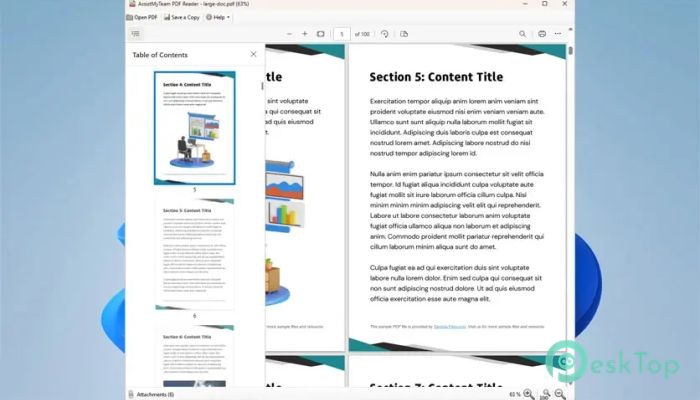
Download AssistMyTeam PDF Reader 1.1.38.0 for Windows.
AssistMyTeam PDF Reader Overview
It is designed for people who want to open a PDF and start reading without navigating complex menus. It focuses on speed, clarity, and ease of use. Instead of overwhelming you with features you rarely touch, it keeps everything neat and accessible. The result feels like opening a book on your desk instead of navigating a control panel. The software works smoothly on Windows and does not require Adobe Reader or any other third-party PDF viewer. You install it, open your file, and start reading. Is it that straightforward?Features of AssistMyTeam PDF Reader
Simple, Fast, and Minimalist Design
The first thing you will notice is how clean the interface looks. The tool avoids clutter and keeps the layout simple. Buttons are clearly visible. Menus are easy to understand. You are not buried under layers of advanced settings.
Think of it like a tidy workspace. Everything you need is within reach, and nothing distracts you from the task at hand. This approach helps you focus on the content instead of wasting time searching for basic functions.
Because of its lightweight structure, the software opens documents quickly. Even large files load without unnecessary delays. This makes it ideal for professionals who handle numerous PDF attachments daily.
Quick Viewing and Easy Navigation
Reading long documents can feel like walking through a maze. That is why the tool provides simple navigation features such as bookmarks and thumbnails. With just a click, you can jump to different sections of your file.
Bookmarks serve as signposts, guiding you to important sections. Thumbnails provide a visual overview of each page, helping you navigate quickly. Whether you are reviewing a contract or studying a manual, switching between pages feels smooth and natural.
You can also scroll effortlessly through documents. The responsive design ensures a seamless transition from one section to another.
Access to Embedded Attachments
Some PDF files come with embedded attachments. These might include images, spreadsheets, or supporting documents. The software allows you to access these attachments directly from the file.
You can open an attachment instantly, save it to your disk, add a new one, or permanently delete it. This flexibility is useful when working with reports or project documents that include additional materials.
Instead of switching between multiple programs, everything stays in one place. It keeps your workflow simple and efficient.
Advanced Text Search Capabilities
Finding specific information in a long document should not feel like searching for a needle in a haystack. The tool offers fast and powerful search features to help you locate text quickly.
You can search using plain text, wildcards, or even regular expression metacharacters. This means you are not limited to simple word searches. If you need precise results, the advanced search options give you the control you need.
The performance is lightning fast. Results appear almost instantly, saving you valuable time when reviewing lengthy PDFs.
Accurate Printing with Preview Options
Printing a document should be predictable and accurate. The software includes advanced printing options with a preview feature so you can see exactly how your pages will look before sending them to the printer.
You can print the entire file or choose specific pages. It also allows you to adjust orientation, page sizing, collation, and even shrink oversized pages. If needed, you can print the whole document as an image for better compatibility.
This level of control ensures that what you see on screen matches what you get on paper.
Password Protection and Encryption
Security matters, especially when handling confidential files. The tool allows you to password-protect and encrypt your PDF documents. This ensures that only authorized users can open and read them.
Both standard and custom encryption handlers are supported. This gives you flexibility to manage document security as needed.
It adds a layer of protection without complicating the process. You can secure your files in just a few steps.
Interactive Navigation and Bookmarks
For users who need better organization, the software supports interactive navigation tools. You can add bookmarks or create a table of contents to structure your documents.
This feature improves productivity, especially when working with large reports or instructional guides. It is like adding tabs to a binder, making it easier to jump to important sections.
These interactive controls make reading and reviewing documents more efficient and less frustrating.
No Dependency on Other PDF Software
One of the biggest advantages is that it does not require Adobe Reader or any other external PDF viewer. You install it and use it independently.
This reduces system overhead and avoids compatibility issues. It also keeps your computer lighter by not requiring multiple PDF tools to be installed simultaneously.
The standalone nature makes it a convenient choice for users who prefer simplicity.
System Requirements and Technical Details
Operating System: Windows 11 / 10 / 8.1 / 7
Processor: Minimum 1 GHz Processor (2.4 GHz recommended)
RAM: 2GB (4GB or more recommended)
Free Hard Disk Space: 200MB or more is recommended

-
Program size13.84 MB
-
Version1.1.38.0
-
Program languagemultilanguage
-
Last updatedBefore 8 Month
-
Downloads15
 CoolUtils PDF Combine
 NAPS2 - Not Another PDF Scanner
 FocusWriter
 Atlantis Word Processor
 AI Offline OCR Scanner Pro
 Xappex XL-Connector