
 Arabic
  English
  Turkish
  Chinese
  Japanese
  Russian
  Spanish
  German
  French
  Hindi
Hindi Download Auto Dark Mode 11.0.0.54 for Windows
Download Auto Dark Mode 11.0.0.54 for Windows.
Auto Dark Mode Overview
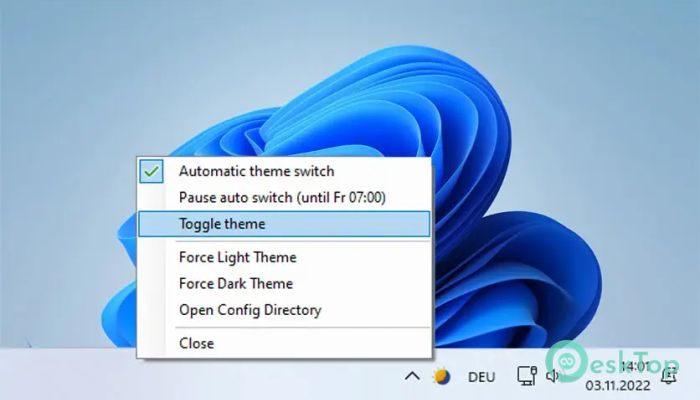
It is designed to make your daily computer use smoother and more comfortable. Instead of manually changing your Windows theme from light to dark and back again, it handles everything for you. When the sun is shining, and your room is bright, it keeps your system clean and light. When evening arrives, and the light fades, your operating system gently switches to a darker theme that feels easier on your eyes. Think of it like automatic headlights in a car. You do not need to flip a switch every time it gets dark. The tool senses the time and adjusts your digital environment accordingly. This simple idea makes a big difference in daily productivity and comfort.Features of Auto Dark Mode
Smart Theme Switching Based on Time
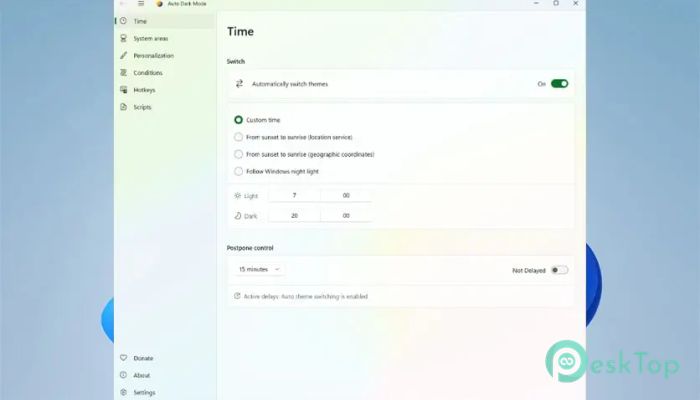
One of the most powerful features of the software is its ability to automatically change themes based on the time of day. You can set specific hours for light mode and dark mode, or let it follow sunrise and sunset. This creates a natural rhythm between your screen and the real world outside your window.
During the day, bright mode keeps text sharp and easy to read under strong light. At night, dark mode reduces glare and lowers eye strain. Instead of feeling like your screen is fighting against the room lighting, it works in harmony with it.
Boost Productivity Without Extra Effort
Constantly changing system settings can feel like adjusting a chair that never stays in place. It breaks your focus. The tool removes that distraction completely. You no longer have to remember to switch modes every morning or evening.
By automating this small task, it frees up mental energy. It may sound minor, but these tiny improvements add up. When your workspace adjusts itself, you can stay focused on what truly matters, whether that is work, study, or creative projects.
Easy on the Eyes Day and Night
Staring at a bright screen in a dark room can feel like looking at a flashlight. It is uncomfortable and tiring. On the other hand, using dark mode in a bright environment can make text harder to read. The software balances both worlds.
By matching your operating system theme to the natural light cycle, it creates a more pleasant visual experience. Your eyes do not need to constantly adapt to extreme contrasts. Over time, this can help reduce fatigue and make long hours at the computer more manageable.
Advanced Customization Features
This is not just a simple light-and-dark switch. The tool comes packed with useful extras that go beyond basic theme changes. For example, it can change your desktop wallpaper when switching modes. Imagine a bright landscape during the day and a calm night scene after sunset. It feels like your entire system transforms.
It also supports running custom scripts. That means you can automate additional actions when the theme changes. Want to launch a specific app in the evening or adjust other system settings? You can do that. It becomes more than a theme manager; it becomes a personal automation assistant.
Large Scale Integration for Windows
While some systems already support time-based theme switching, this solution brings the feature to Windows on a larger, more flexible scale. It expands what is possible and makes it easier for users who want deeper control.
The interface is simple and clean. You do not need to be a tech expert to set it up. With just a few clicks, you can define your schedule, choose your preferences, and let it run quietly in the background.
Lightweight and Efficient Performance
No one wants a background app that slows down their computer. The software is lightweight and optimized to run efficiently. It uses minimal system resources, so you will barely notice it is there.
It works silently behind the scenes, like a stage crew changing the scenery while you focus on the performance. Everything happens smoothly without interrupting your workflow.
Custom Scripts for Power Users
For advanced users, the script support opens many possibilities. You can create custom actions that trigger when the theme changes. This might include adjusting brightness, switching applications, or activating certain Windows settings.
It turns a simple visual adjustment into a powerful automation system. If you enjoy tweaking and optimizing your setup, this feature will feel like unlocking a new level of control.
Simple Setup and User-Friendly Interface
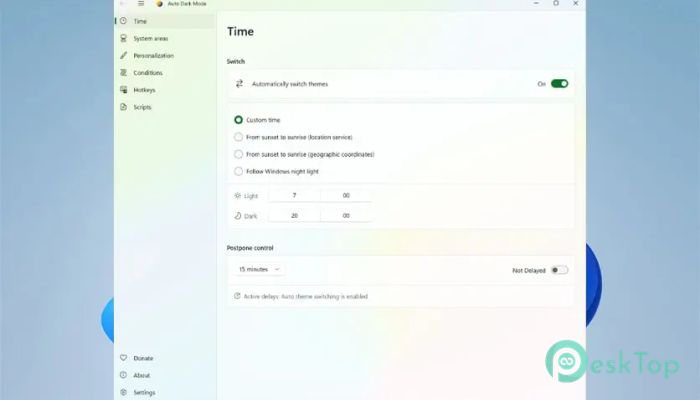
Getting started is quick and straightforward. The layout is clean, and the settings are clearly labeled. You can easily choose between fixed times or location-based sunrise and sunset options.
Even if you are not very technical, you will find it easy to configure. Within minutes, your system can start adapting automatically without further input.
System Requirements and Technical Details
Operating System: Windows 11 / 10
Processor: Minimum 1 GHz Processor (2.4 GHz recommended)
RAM: 2GB (4GB or more recommended)
Free Hard Disk Space: 200MB or more is recommended

-
Program size101.37 MB
-
Version11.0.0.54
-
Program languagemultilanguage
-
Last updatedBefore 7 Month
-
Downloads53
 Reuschtools ClassicMenu
 AI Aquarium Screensaver
  Rainmeter
 Rainlendar Pro
 N-Button Pro
 Stardock DeskScapes