
 Arabic
  English
  Turkish
  Chinese
  Japanese
  Russian
  Spanish
  German
  French
  Hindi
Hindi Download AutoCut AI Plugin 1.0 for Windows
Download AutoCut AI Plugin 1.0 for Windows.
AutoCut AI Plugin Overview
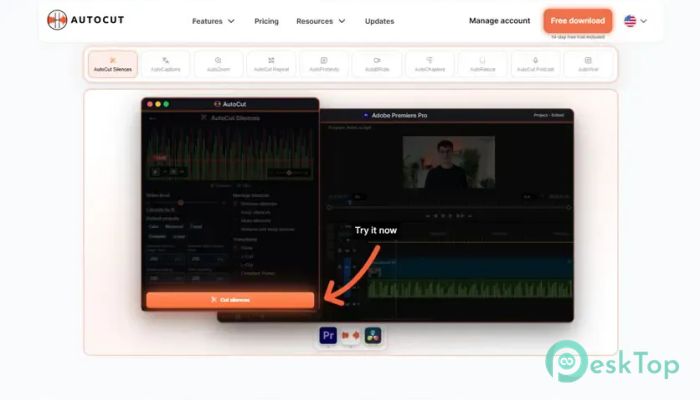
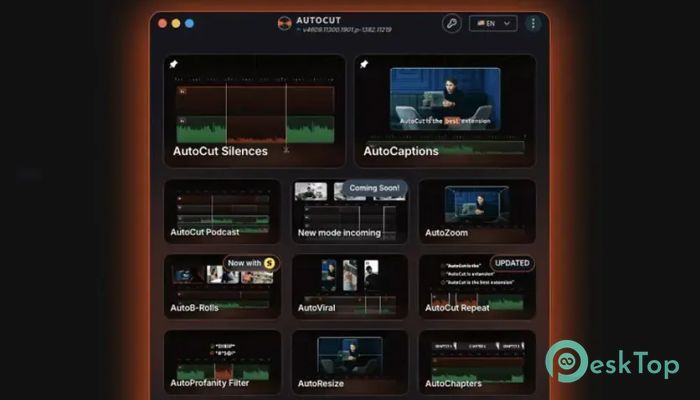
Creating videos can take hours, especially when you have to trim silent parts, write captions, switch between cameras, and add engaging effects. The software acts like a smart editing assistant that handles these repetitive jobs automatically, leaving you more time to focus on creativity. Whether you are a YouTuber, podcaster, online teacher, marketer, or content creator, the tool speeds up your editing workflow without sacrificing quality. Its AI-powered features reduce manual work and help produce polished videos in just a few clicks.Features of AutoCut AI Plugin
Automatic Silence Removal
Long pauses can make even the best videos feel slow. The software automatically detects silent moments and removes them with excellent accuracy. Instead of manually searching through the timeline, you can clean your footage within seconds.
This feature creates a faster-paced viewing experience that keeps your audience interested. It works especially well for tutorials, podcasts, interviews, online courses, and talking-head videos.
AI Caption Generation
Adding subtitles manually is one of the most time-consuming editing tasks. The tool automatically generates dynamic captions that match your spoken words, making your content easier to follow.
Captions also improve accessibility and help viewers who watch videos without sound. Since many people scroll social media with muted audio, this feature can significantly increase engagement.
Fast Caption Translation
Growing an international audience becomes much easier with built-in translation features. The software can translate captions into different languages in just a few moments.
This allows creators to reach viewers around the world without manually creating separate subtitle files. It is a simple way to expand your audience while saving valuable editing time.
Smart Multi-Camera Editing
Editing podcasts or interviews recorded with multiple cameras can quickly become overwhelming. The tool identifies different speakers and automatically switches to the correct camera angle during conversations.
Instead of spending hours cutting between camera feeds, creators can let AI handle the process. The result feels natural and professional while dramatically reducing editing time.
Intelligent Smart Zoom Effects
Well-timed zoom effects make videos feel more energetic and engaging. The software automatically applies smart zooms at the right moments to emphasize important points and improve storytelling.
These effects make videos look professionally edited without requiring advanced editing skills. It's like having an experienced editor working beside you throughout the project.
Seamless Integration with Popular Editors
One of the biggest advantages of the tool is that it works directly inside Adobe Premiere Pro and DaVinci Resolve. There is no need to learn an entirely new editing application because everything runs within software you already know.
This smooth integration keeps your existing workflow intact while adding powerful AI capabilities that simplify everyday editing tasks.
Improved Productivity for Content Creators
Video editing often involves repeating the same actions over and over again. By automating these repetitive jobs, the software allows creators to spend less time clicking through timelines and more time producing creative content.
Whether you're editing one video each week or multiple videos every day, these automation features can save countless hours over time.
Easy to Use Interface
The tool is designed with simplicity in mind. Most features can be used with only a few clicks, making them suitable for beginners and experienced editors alike.
You don't need advanced technical knowledge or AI expertise. The software performs the complex processing in the background while providing easy-to-understand controls.
Ideal for Multiple Types of Projects
The software adapts well to many different types of video content. It works effectively for YouTube videos, online courses, business presentations, webinars, interviews, podcasts, product demonstrations, social media clips, and educational content.
Its flexible automation tools make it useful for freelancers, agencies, educators, businesses, and anyone who edits videos regularly.
System Requirements and Technical Details
Operating System: Windows 11 / 10 / 8.1 / 7
Processor: Minimum 1 GHz Processor (2.4 GHz recommended)
RAM: 2GB (4GB or more recommended)
Free Hard Disk Space: 200MB or more is recommended

-
Program size147.53 MB
-
Version1.0
-
Program languagemultilanguage
-
Last updatedBefore 3 Month
-
Downloads119
 Aescripts Autokroma AfterCodecs
 Boris FX Silhouette
 RE:VisionFX ARRI Film Lab
 Gilisoft Video UniReel
 iFunia Video Editor
 Innovision MaxPRO