
 Arabic
  English
  Turkish
  Chinese
  Japanese
  Russian
  Spanish
  German
  French
  Hindi
Hindi Download Back2Life 2.9 for Windows
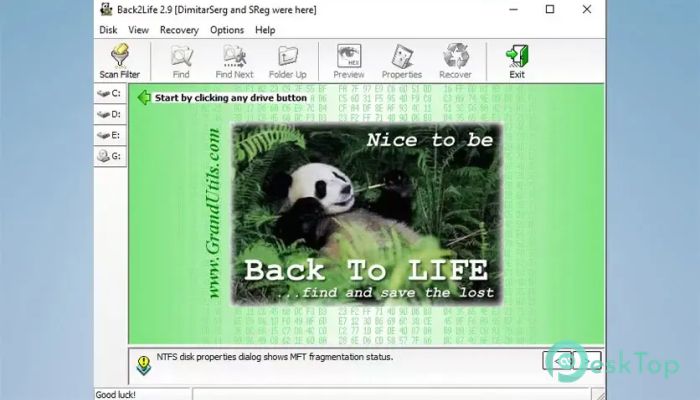
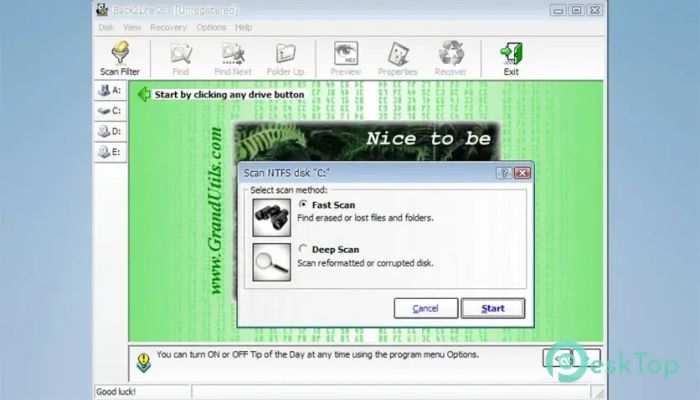
Download Back2Life 2.9 for Windows.
Back2Life Overview
It is a simple yet powerful data recovery program designed to help users recover files that were accidentally deleted or lost. Whether an important office document disappears, a folder is removed by mistake, or family photos vanish after a system crash, the software provides an easy way to recover them. It combines professional recovery technology with a beginner-friendly interface, making file recovery quick and stress-free. The software supports many common data-loss scenarios. It can recover files that were emptied from the Recycle Bin, deleted via the Command Prompt, removed by applications, lost due to unexpected power failures, damaged by viruses, or erased during system restore or drive formatting. Its step-by-step recovery process makes restoring valuable files feel as easy as finding a misplaced key.Features of Back2Life
Recover Files from Different Data Loss Situations
Accidents happen when you least expect them. One wrong click can remove an important presentation, project file, or personal photo collection. The software is built to recover files from many different situations without requiring advanced technical knowledge.
It supports recovery from emptied Recycle Bins, accidental deletion, system crashes, virus attacks, malware infections, unexpected shutdowns, and formatted drives. This flexibility gives users confidence that lost files still have a chance of being recovered.
Simple and User-Friendly Interface
The tool keeps everything organized with a clean and straightforward interface. Even if you've never used recovery software before, you'll quickly understand how everything works.
The recovery process is presented step by step. Simply choose the drive, scan for deleted files, preview the results, and recover the files you need. This simple workflow saves time while reducing confusion.
Supports Multiple Storage Devices
Modern users store data in many places, and the software is ready for all of them. It works with traditional hard drives, fast SSDs, USB flash drives, removable disks, memory cards, and even digital cameras.
This broad compatibility allows users to recover files from almost any storage device connected to a Windows computer. Instead of using different recovery tools for different devices, everything can be managed in a single application.
Fast and Reliable Scanning
Finding deleted files should not take forever. The software uses efficient scanning technology to locate recoverable files quickly while maintaining accurate search results.
During the scan, it carefully checks the selected storage device for deleted data that has not been permanently overwritten. Once the scan is complete, users can browse through the recovered file list and restore only the files they need.
Preview Before Recovery
Recovering the wrong files wastes both time and storage space. That's why the tool allows users to review available files before restoring them.
The preview feature helps identify important documents, images, and other files with greater confidence. This makes the recovery process faster and more organized, especially when thousands of deleted files are found.
Works with Modern Windows Systems
Compatibility is one of the software's biggest strengths. It works smoothly with modern Windows operating systems, making it suitable for both home users and professionals.
Whether you're using an older desktop or a newer laptop with SSD storage, the recovery process remains simple and reliable. The lightweight design also helps it run efficiently without slowing down your computer.
Ideal for Home and Business Users
Data loss affects everyone. Students may lose assignments, photographers can accidentally remove valuable images, and businesses may misplace important reports. The software provides a practical solution for all types of users.
Instead of accepting permanent data loss, users can quickly scan their storage devices and recover valuable files whenever possible. This can save hours of work and prevent unnecessary frustration.
Safe Recovery Process
Recovering deleted files should never put existing data at risk. The software performs recovery without modifying the original storage device during scanning.
This careful approach increases the chances of successful recovery while helping protect the remaining data. It also encourages users to restore recovered files to another safe location for better protection.
Reliable Solution for Everyday Data Recovery
Unexpected data loss can occur due to accidental deletion, software errors, hardware failures, or malware attacks. The tool acts as a digital safety net, helping users recover valuable files before they are lost forever.
Its combination of easy navigation, broad device support, and dependable recovery features makes it a practical solution for anyone who wants to protect important digital information.
System Requirements and Technical Details
Operating System: Windows 11 / 10 / 8.1 / 7
Processor: Minimum 1 GHz Processor (2.4 GHz recommended)
RAM: 2GB (4GB or more recommended)
Free Hard Disk Space: 200MB or more is recommended

-
Program size371.66 KB
-
Version2.9
-
Program languagemultilanguage
-
Last updatedBefore 2 Month
-
Downloads14
 Lazesoft Data Recovery
 Lazesoft Windows Recovery
  Lazesoft Recovery Suite
 Lazesoft Recover My Password
 Lazesoft Recovery Suite Technician
 Windows Password Recovery Tool Ultimate