
 Arabic
  English
  Turkish
  Chinese
  Japanese
  Russian
  Spanish
  German
  French
  Hindi
Hindi Download Bambu Studio 02.06.00.51 for Windows
Download Bambu Studio 02.06.00.51 for Windows.
Bambu Studio Overview
It revolutionizes the 3D printing landscape with its innovative features and user-friendly design. It is an open-source, cutting-edge, feature-rich slicing software that contains project-based workflows, systematically optimized slicing algorithms, and an easy-to-use graphical interface, bringing users an incredibly smooth printing experience.Features of Bambu Studio
Project Based Workflow
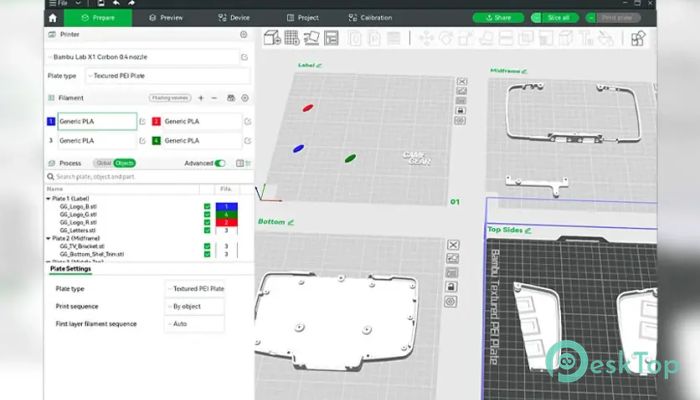
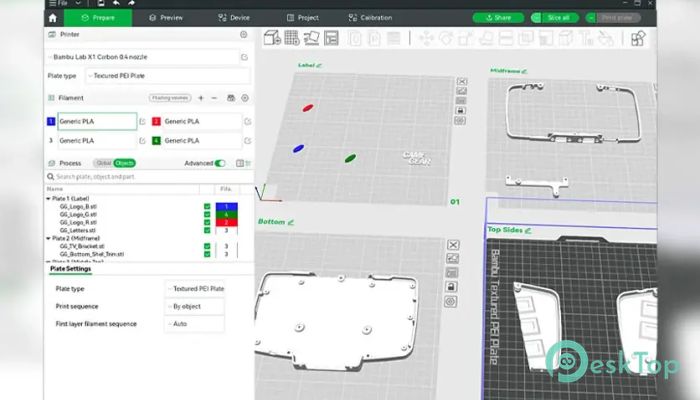
It adopts a pioneering project-based workflow, ensuring an all-in-one solution for creators. Utilizing the popular 3MF project format, it introduces groundbreaking features like Multi-Plate Support, a Project Resource Manager, and an Assembly/Part View. These functionalities significantly enhance efficiency for both seasoned creators and casual users.
High-Speed Print at Quality
Achieving high-speed printing without compromising quality is daunting, but it rises to the challenge. The Arch Move feature enables smooth tool head movement, minimizing machine vibration. Smart cooling adjusts cooling parameters for different filament types, while Auto slows down and prevents deformation during high-speed printing, ensuring impeccable print quality.
Multi-Color Printing
It empowers users to create vibrant, multi-colored models effortlessly. Its versatile colorizing tools allow for the addition and removal of filaments with ease. With various brushes, users can colorize models according to their preferences. Moreover, automatically maps each filament to an AMS slot, eliminating the need for manual spool placement adjustments.
Remote Control & Monitoring
Enjoy unparalleled convenience with its remote control and monitoring capabilities. Users can send print jobs to their printers over WAN/LAN networks and monitor every aspect of the printing process. Additionally, managing multiple printers is effortless, thanks to the intuitive device list interface.
STEP Format
Incorporating the STEP format enhances information efficiency for 3D models. With its high accuracy, STEP facilitates the generation of extrusion paths as arcs, resulting in precise prints. Furthermore, STEP includes assembly relationships, allowing users to restore assembly views effortlessly after model splitting.
3D Text
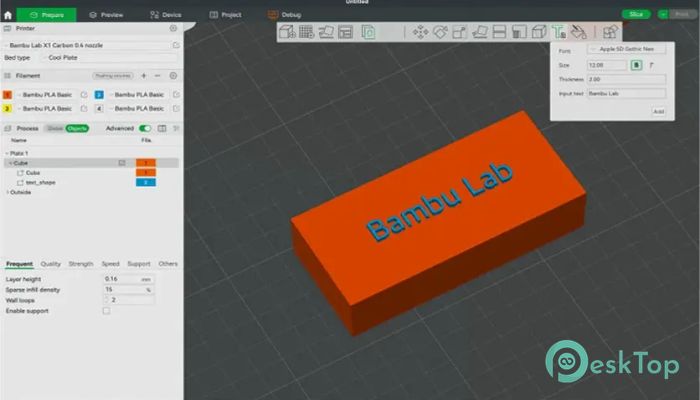
The 3D Text tool lets users personalize models with various text shapes. Boasting a wide selection of fonts and support for bold and italic styles, users can unleash their creativity and add unique touches to their projects.
System Requirements and Technical Details
Operating System: Windows 11/10/8.1/8/7
Processor: Minimum 1 GHz Processor (2.4 GHz recommended)
RAM: 2GB (4GB or more recommended)
Free Hard Disk Space: 1GB or more is recommended

-
Program size321.34 MB
-
Version02.06.00.51
-
Program languagemultilanguage
-
Last updatedBefore 5 Month
-
Downloads110
 Autodesk 3DS MAX
 Autodesk AutoCAD Electrical
 Autodesk Maya
 Autodesk AutoCAD Architecture
 Autodesk AutoCAD Map 3D
 Autodesk AutoCAD Plant 3D