
 Arabic
  English
  Turkish
  Chinese
  Japanese
  Russian
  Spanish
  German
  French
  Hindi
Hindi Download CenterPoint Gaming Crosshair X v12.0.2 for Windows
Download CenterPoint Gaming Crosshair X v12.0.2 for Windows.
CenterPoint Gaming Crosshair X Overview
This powerful aiming tool gives you a competitive edge by allowing you to personalize your crosshair for better clarity and accuracy. Whether you prefer a pro-level preset or want to design something unique, the software makes it simple to build a setup that matches your playstyle.Features of CenterPoint Gaming Crosshair X
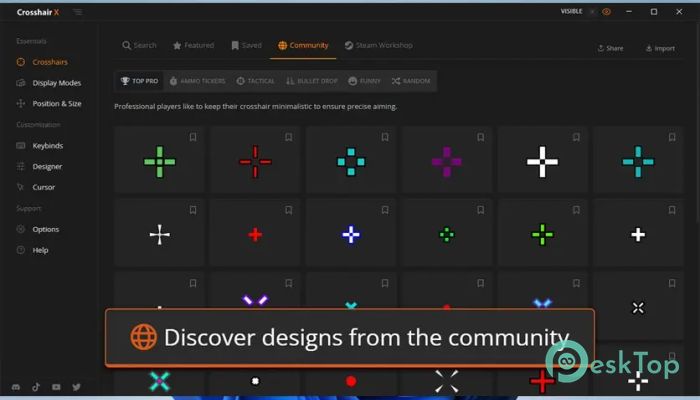
Community Designs
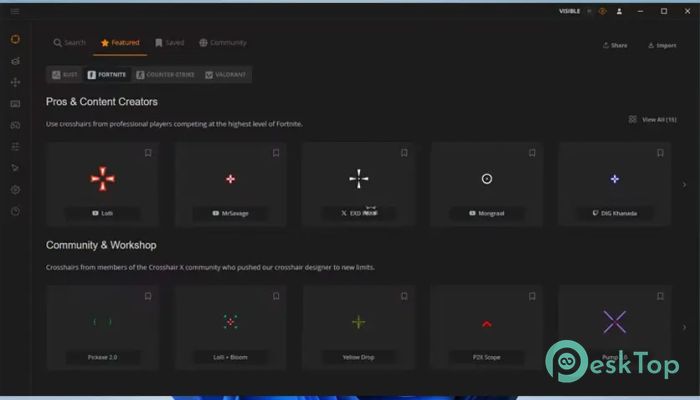
One of the best parts of the tool is its active community library. You can browse thousands of user-created crosshairs to find one that meets your needs.
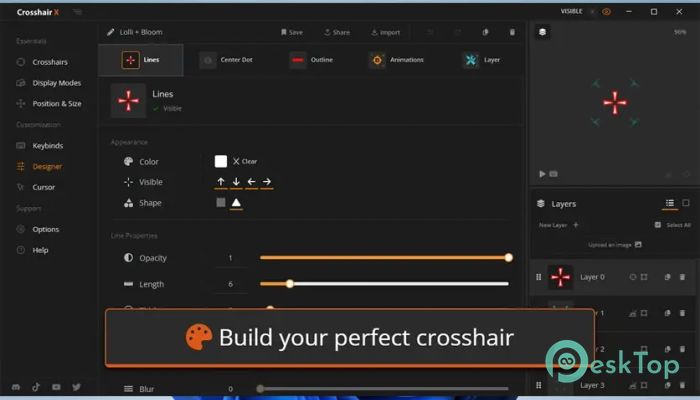
Simple and Clear Designer Tools
The built-in designer uses clean slider controls so you can adjust every detail easily. You can tweak shape, size, spacing, and more without dealing with complex settings.
Trusted Fullscreen Overlay
The secure Microsoft Game Bar extension delivers safe, stable overlays that run smoothly across supported games.
Sharing With Others
You can share your favorite designs with friends and explore creative crosshairs made by other players.
Custom Image Uploads
The tool lets you upload any image to use as your crosshair, giving you complete design freedom.
Quick Toggle Options
Hide or show your custom overlay using simple mouse or keyboard shortcuts for better control.
Multi-Monitor Support
You can position your crosshair on any monitor and save settings for different games.
Easy Exporting
Save your design as a PNG or SVG file to keep backups or share high-quality versions.
Why This Tool Stands Out
Gamers enjoy tools that improve clarity and accuracy. This one gives you complete visual control so your aim always feels smooth and consistent.
Who Can Benefit From It
Both casual and competitive players can enjoy the customization options, making aiming easier across all games.
System Requirements and Technical Details
Operating System: Windows 11 / 10
Processor: Minimum 1 GHz Processor (2.4 GHz recommended)
RAM: 2GB (4GB or more recommended)
Free Hard Disk Space: 200MB or more is recommended

-
Program size121.62 MB
-
Versionv12.0.2
-
Program languagemultilanguage
-
Last updatedBefore 10 Month
-
Downloads65
 ExtraMAME
 ChessBase Fritz
 ChessBase
 Dragonrise Games YoloX
 Vortex
 NCSOFT PURPLE