
 Arabic
  English
  Turkish
  Chinese
  Japanese
  Russian
  Spanish
  German
  French
  Hindi
Hindi Download ChapterForge 1.0.23.1 for Windows
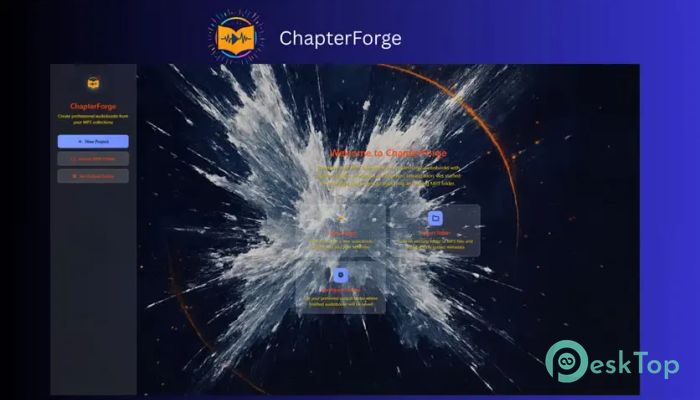
Download ChapterForge 1.0.23.1 for Windows.
ChapterForge Overview
Creating audiobooks can sometimes feel like putting together a giant puzzle. This software makes the process much simpler by giving you all the tools you need in one place. Whether you have a folder full of MP3 files or multiple M4B audiobooks that need merging, it helps you convert them into clean, professional audiobook files. The platform is designed for users who want complete control over their audiobook projects without relying on cloud services. Everything happens locally on your computer, keeping your files private and secure. From chapter management to metadata editing, every feature is built to make audiobook production faster and more organized.Features of ChapterForge
Convert MP3 Folders into M4B Audiobooks
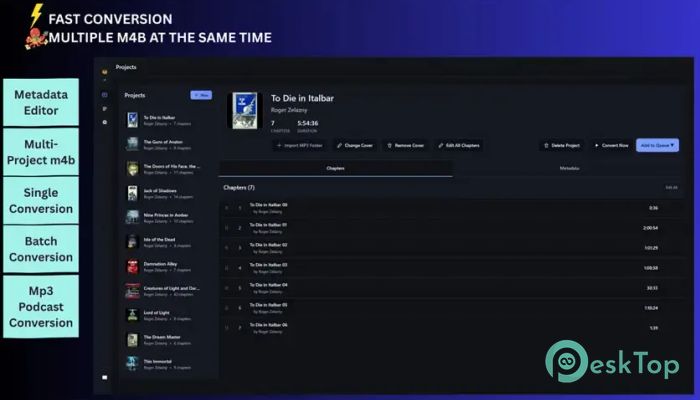
One of the most useful features is the ability to turn folders of MP3 files into chapter-based M4B audiobooks. Simply import a folder, review the detected chapters, adjust details if needed, and export a finished audiobook.
The tool embeds chapter markers, metadata, and cover artwork directly into the final file. This creates a polished audiobook experience that works perfectly with modern audiobook players and library applications.
Lossless M4B Merge Technology
Merging existing audiobooks can often reduce quality because of re-encoding. Fortunately, the software avoids that problem entirely. It combines multiple M4B files into a single continuous audiobook without altering the original audio.
This lossless workflow preserves every chapter from the source files. The result is a seamless audiobook that sounds exactly like the originals while providing a cleaner listening experience.
Smart Auto Import for Large Libraries
Managing a large audiobook collection can be time-consuming when each project must be imported manually. The Smart Auto Import feature speeds up the process by scanning audiobook folders in bulk.
Detected books are automatically loaded as projects, making it easier to process multiple titles at once. Think of it as having a personal assistant that organizes your audiobook workspace before you even begin.
Advanced Metadata Editing
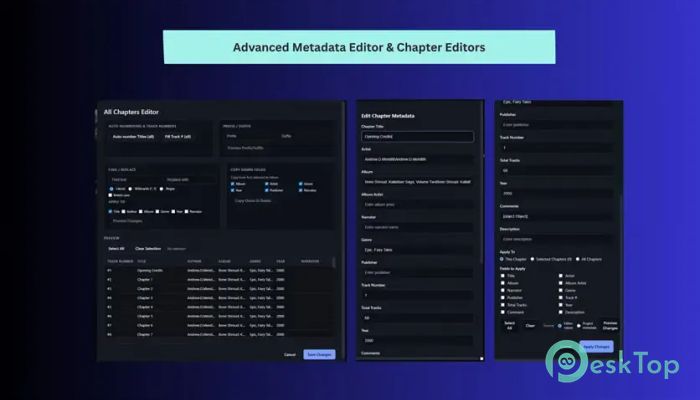
Accurate metadata is essential for keeping audiobook collections organized. The software automatically extracts available information from source files and presents it in an easy-to-edit format.
You can modify details such as title, author, narrator, publisher, language, genre, ISBN, and more. Bulk editing options allow simultaneous changes across multiple chapters, saving valuable time on large projects.
Powerful Chapter Management Tools
Keeping chapters organized is simple thanks to a collection of dedicated cleanup features. Users can reorder chapters, rename titles, apply automatic numbering, and add prefixes or suffixes to multiple selections.
The built-in find-and-replace functionality helps clean up inconsistent chapter names quickly. These tools are especially useful when working with audiobooks sourced from multiple files or different providers.
Batch Queue and Workflow Automation
For users managing multiple audiobook projects, batch processing is a major advantage. Instead of processing one file at a time, you can place multiple jobs into a queue and let the software work automatically.
Priority controls allow important projects to move ahead in the processing line. This means you can continue working on other tasks while audiobook conversions happen in the background.
Cover Art Management
Audiobook artwork plays an important role in creating a professional library. The software supports both embedded artwork and folder-based cover images.
When exporting, artwork is carried into the final M4B file, ensuring that audiobooks display properly in Apple Books and other compatible players. This helps your collection look polished and organized.
Project Saving and Management
Large audiobook projects often require multiple editing sessions. The project management system allows users to save their work and return later without losing progress.
Metadata changes, chapter arrangements, output settings, and folder locations are all remembered. This eliminates the frustration of having to start over whenever a project is paused.
Privacy-Focused Local Processing
Many online conversion tools require uploads, accounts, and cloud-based processing. This solution takes a different approach by keeping everything on your computer.
Your audiobook files never leave your machine. There are no accounts to create, no cloud storage requirements, and no concerns about sensitive files being uploaded to external servers.
Designed for Efficiency
The software combines audiobook conversion, chapter editing, metadata management, batch processing, and file merging into a single environment. Instead of juggling multiple applications, users can complete entire audiobook workflows in a single interface.
This streamlined design improves productivity and makes audiobook creation accessible to both beginners and experienced users alike.
System Requirements and Technical Details
Operating System: Windows 11 / 10
Processor: Minimum 1 GHz Processor (2.4 GHz recommended)
RAM: 2GB (4GB or more recommended)
Free Hard Disk Space: 2GB or more is recommended

-
Program size710.60 MB
-
Version1.0.23.1
-
Program languagemultilanguage
-
Last updatedBefore 3 Month
-
Downloads2
 Teletone Audio Prism Plate
 Stryde Audio Swayed
  Electric Smudge SnappySnap
 PSPaudioware PSP Flare
 DW Soundworks Gretsch USA Custom Expansion Pack
 Sonic Academy V4lve