
 Arabic
  English
  Turkish
  Chinese
  Japanese
  Russian
  Spanish
  German
  French
  Hindi
Hindi Download CK Image and PDF Reducer 4.0.2 for Windows
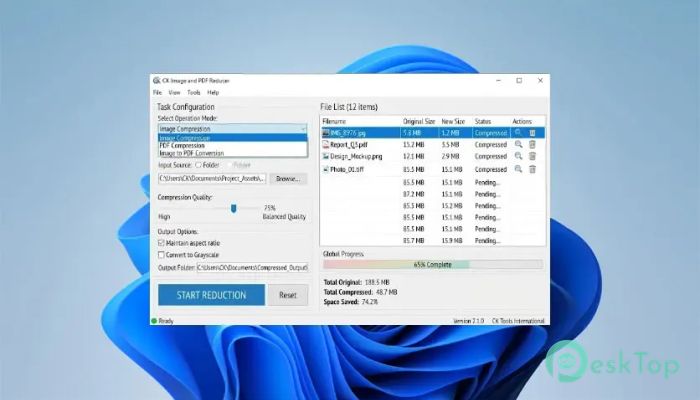
Download CK Image and PDF Reducer 4.0.2 for Windows.
CK Image and PDF Reducer Overview
It is designed for people who want a simple, secure way to compress images and PDFs. Instead of sending your files to cloud services, everything happens directly on your computer. This means your private documents stay private while you enjoy fast file compression. The tool follows a refreshingly simple approach. Just drag a file into the window, choose your preferred output size or compression level, and export the optimized version. There are no subscriptions, complicated settings, or unnecessary steps standing in your way.Features of CK Image and PDF Reducer
Simple and Fast Workflow
The software is designed with speed in mind. Its workflow is as easy as dragging your image or PDF into the application, selecting a target size or quality level, and saving the compressed file.
There is no learning curve. Even first-time users can shrink large files within seconds, making it perfect for students, office workers, photographers, and anyone who regularly shares digital files.
Offline Compression for Better Privacy
One of the biggest strengths of the tool is that it works completely offline. Your files never leave your PC, so there is no need to upload sensitive documents or personal photos to external servers.
This makes it an excellent choice for users who care about privacy or work with confidential information. It keeps everything safely on your own computer while delivering reliable compression results.
Reduce Image File Sizes
Large images can quickly fill up storage space and make file sharing difficult. The software helps reduce image sizes while maintaining good visual quality, making them easier to store, upload, or email.
Whether you are optimizing vacation photos, screenshots, scanned documents, or website graphics, it helps keep file sizes in check without complicating the process.
Compress PDF Documents Easily
Sharing large PDF files can be frustrating, especially when email services have attachment limits. The tool reduces the size of PDF documents so they are easier to send, upload, and archive.
From business reports and presentations to scanned contracts and study materials, it helps reduce storage requirements while keeping documents easy to read.
Clean and Beginner-Friendly Interface
The application offers a clean layout that focuses only on the features you actually need. Buttons are clearly organized, and every option is easy to understand.
Instead of overwhelming users with advanced technical settings, it keeps the experience simple. You can complete the entire compression process with only a few clicks.
No Cloud Services or Subscriptions
Many online compression tools require internet access, user accounts, or monthly subscriptions. The software removes those barriers by running entirely on your desktop.
Once installed, you can use it whenever you need without worrying about internet speed, cloud storage limits, or recurring payments. It simply works whenever you do.
Save Storage Space
Large collections of photos and documents can consume valuable disk space over time. By reducing file sizes, the software helps you free up storage without deleting important files.
Smaller files also make backups faster and help external drives, USB devices, and cloud storage services hold more data without additional cost.
Ideal for Everyday Use
The tool fits naturally into daily workflows. Students can compress assignments before submitting them. Office employees can reduce the size of documents for email. Designers can optimize graphics for websites, while home users can organize family photos more efficiently.
Its straightforward design makes it useful for nearly everyone, regardless of technical experience.
Reliable Performance
Because everything runs locally on your computer, compression is fast and responsive. There is no waiting for uploads or downloads, and your internet connection does not affect performance.
This local processing also gives you full control over your files from start to finish, creating a smoother and more dependable experience.
System Requirements and Technical Details
Operating System: Windows 11 / 10 / 8.1 / 7
Processor: Minimum 1 GHz Processor (2.4 GHz recommended)
RAM: 2GB (4GB or more recommended)
Free Hard Disk Space: 200MB or more is recommended

-
Program size91.14 MB
-
Version4.0.2
-
Program languagemultilanguage
-
Last updatedBefore 2 Month
-
Downloads15
 CoolUtils PDF Combine
 NAPS2 - Not Another PDF Scanner
 FocusWriter
 Atlantis Word Processor
 AI Offline OCR Scanner Pro
 Xappex XL-Connector