
 Arabic
  English
  Turkish
  Chinese
  Japanese
  Russian
  Spanish
  German
  French
  Hindi
Hindi Download Creator Kit Miray 1.1 for Windows
Download Creator Kit Miray 1.1 for Windows.
Creator Kit Miray Overview
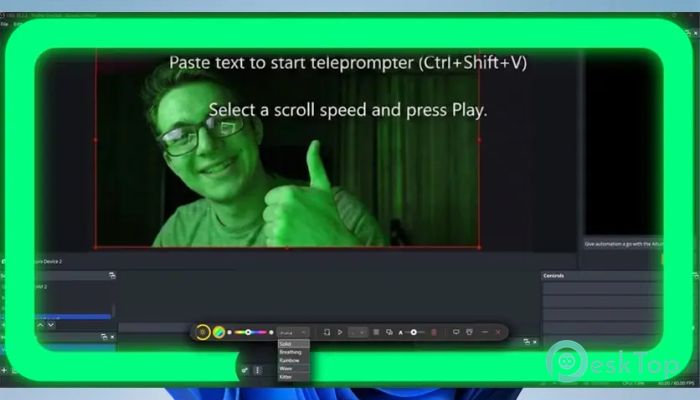
This tool is designed for anyone who spends time in front of a webcam and wants to look more confident without buying extra hardware. It uses your monitor as a light source, creating a soft glow around the screen that evenly illuminates your face. At the same time, it adds a clever teleprompter layer that lets you read scripts while keeping your eyes aligned with the camera.Features of Creator Kit Miray
Virtual Ring Light Experience
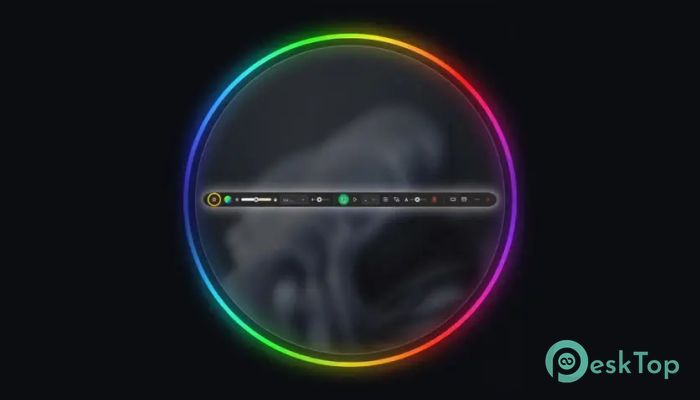
Bad lighting can make even the best camera look dull. This software solves that by turning your display into a glowing frame. Think of it like a digital halo that wraps around your screen. You can adjust the brightness to keep your eyes comfortable while still getting a clean, well-lit look on camera.
Color temperature controls let you move from warm tones for cozy setups to cooler tones for professional meetings. It feels like adjusting the mood lighting in a room, except everything happens on your screen with a few clicks.
Built-In Smart Teleprompter
For presenters and speakers, forgetting lines can break the flow. The integrated teleprompter places your text directly over your active window. This means you can read naturally while still appearing to make eye contact with your audience.
Speed control helps match your speaking pace, while font size and transparency settings make sure the text never feels distracting. It is like having cue cards that float gently in front of you, always visible but never in the way.
Click-Through Overlay Design
One of the most impressive ideas here is the click-through overlay. The interface stays on top of other apps but does not block mouse clicks. You can work, present slides, or manage chats without fighting the overlay.
This makes multitasking smooth and frustration-free. Imagine a glass window that shows useful information but never stops you from touching what is behind it. That is exactly how this feature feels in daily use.
Global Hotkeys for Instant Control
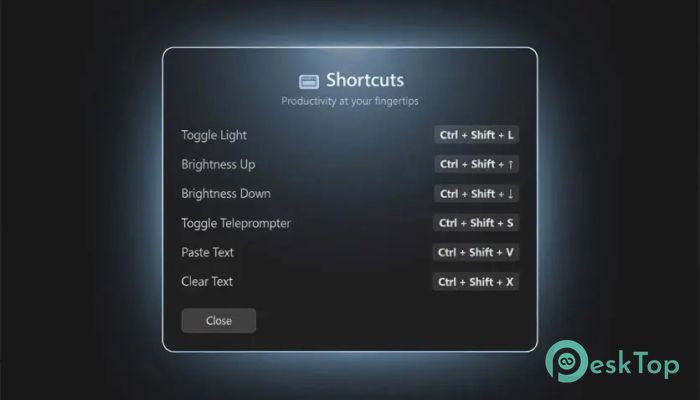
Speed matters during live calls and streams. With global hotkeys, you can toggle lighting or the teleprompter instantly, even if the app is minimized. A simple key combination switches modes without breaking your focus.
This quick access is perfect for moments when you need to react fast, such as joining a meeting late or switching from casual chat to a formal presentation in seconds.
Perfect Fit for Many Users
This solution works well across a range of professional and creative roles. Remote workers can appear more polished during daily meetings. Content creators and streamers can maintain consistent lighting without bulky gear.
Online teachers benefit from reading lesson notes smoothly, while sales teams and public speakers gain confidence knowing their key points are always visible. It adapts easily, whether the setup is simple or demanding.
Zero Hardware Required
One of the biggest advantages is that no external equipment is needed. Your existing monitor does all the work. This keeps desks clean and budgets intact while still delivering professional-looking results.
It feels like unlocking hidden potential in hardware you already own, turning a regular screen into a powerful on-camera assistant.
System Requirements and Technical Details
Operating System: Windows 11 / 10
Processor: Minimum 1 GHz Processor (2.4 GHz recommended)
RAM: 2GB (4GB or more recommended)
Free Hard Disk Space: 200MB or more is recommended

-
Program size66.30 MB
-
Version1.1
-
Program languagemultilanguage
-
Last updatedBefore 8 Month
-
Downloads22
 Reuschtools ClassicMenu
 AI Aquarium Screensaver
  Rainmeter
 Rainlendar Pro
 N-Button Pro
 Stardock DeskScapes