
 Arabic
  English
  Turkish
  Chinese
  Japanese
  Russian
  Spanish
  German
  French
  Hindi
Hindi Download CueCart 1.2.6 for Windows
Download CueCart 1.2.6 for Windows.
CueCart Overview
It is a powerful audio playback solution created for radio stations, live events, theatres, podcasts, and production studios. It is built to deliver broadcast-grade performance with ultra-fast response times, ensuring every sound plays the moment you trigger it. Whether you are running a live show or managing complex productions, the software keeps everything running smoothly, responsively, and reliably. The software removes the delays often found in traditional audio players. Every sound is preloaded into memory, allowing instant playback without waiting for files to load. This means you can focus on your performance instead of worrying about technical interruptions.Features of CueCart
Ultra-Fast Audio Triggering
Speed is one of the software's biggest strengths. Every cue is prepared the moment it is loaded, allowing audio to play with sub-6 millisecond latency. Press a pad or keyboard shortcut, and the sound starts instantly without lag, buffering, or unwanted delays.
This fast response is especially valuable during live broadcasts, where timing is everything. Whether you are launching jingles, music beds, or sound effects, every trigger feels immediate and natural.
Reliable Performance for Live Productions
Live productions can become hectic within seconds. The software is designed to remain stable even when many audio clips are playing or multiple actions occur simultaneously. It delivers clean playback with no dropouts or glitches, even during demanding broadcasts.
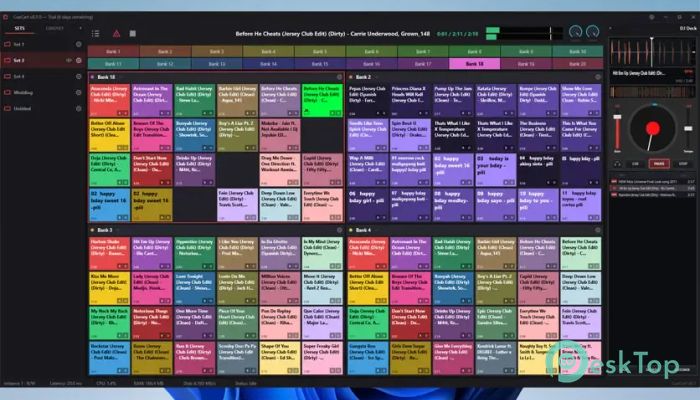
Each active pad displays a live level meter and countdown timer, making it easy to monitor audio while focusing on the rest of the production.
Flexible Audio Pad Controls
Every audio pad can be customized to suit your workflow. Individual controls allow you to adjust gain, create fade-ins and fade-outs, enable looping, assign colors, and configure exclusive playback groups.
This flexibility gives complete control over every cue. Instead of changing files externally, you can fine-tune playback directly inside the application and prepare everything before going live.
Smart Bank Organization
Keeping hundreds of audio clips organized becomes simple with multiple banks. Separate your content into categories like jingles, advertisements, news, music, sound effects, or station IDs. Switching between banks is instant and completely gapless.
The software supports more than 10 banks in each set and allows quick navigation using the F1-F12 keyboard shortcuts. Since every cue stays preloaded, changing banks never interrupts your broadcast.
Customizable Workspace Layout
Every production has different requirements, so the tool offers flexible layouts to match your workflow. Split the cartwall into one, two, or four independent panels and resize the pad grid to fit your screen.
An active bank highlight makes it easy to identify which section is currently in use. This visual feedback reduces mistakes during busy live shows where every second matters.
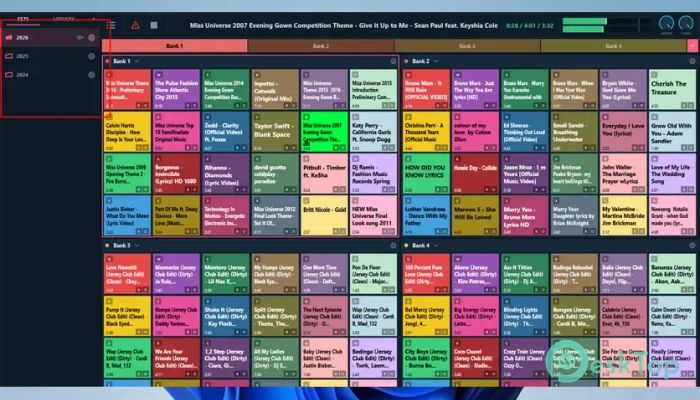
Manage Multiple Production Sets
Different shows often require entirely different audio collections. The software allows you to create a separate set for every project, such as morning programs, evening broadcasts, theatre productions, sports coverage, or outside events.
Switching between sets takes only a few seconds. All banks, cue assignments, colors, and settings are restored exactly as they were saved, allowing you to move from one production to another without restarting the application.
Easy Pad Customization
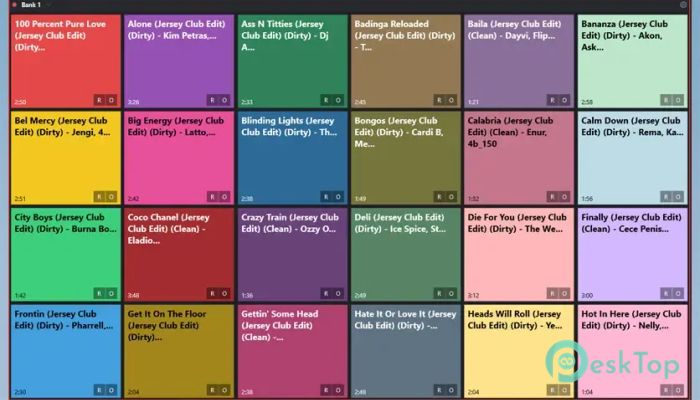
Finding the right sound quickly is essential during live work. New cues are automatically assigned colors to improve visibility, while each pad can be further customized with your preferred colors, names, and font sizes.
A full color palette and live preview make customization simple. Even a crowded cartwall remains organized, helping operators recognize important sounds at a glance.
Professional Broadcast Workflow
The software combines a built-in DJ deck, cue editor, and broadcast processing tools into one complete package. Instead of switching between several applications, everything needed for professional audio playback is available in a single workspace.
This integrated approach saves time, reduces complexity, and helps broadcasters maintain a smooth and polished production from beginning to end.
Simple and User-Friendly Interface
Although it offers professional capabilities, the interface remains clean and easy to understand. Controls are logically arranged, allowing beginners to learn quickly while still providing advanced options for experienced operators.
The organized design helps reduce stress during live productions, making it easier to concentrate on delivering great content instead of searching through complicated menus.
System Requirements and Technical Details
Operating System: Windows 11 / 10 / 8.1 / 7
Processor: Minimum 1 GHz Processor (2.4 GHz recommended)
RAM: 2GB (4GB or more recommended)
Free Hard Disk Space: 200MB or more is recommended

-
Program size5.21 MB
-
Version1.2.6
-
Program languagemultilanguage
-
Last updatedBefore 3 Month
-
Downloads24
 Teletone Audio Prism Plate
 Stryde Audio Swayed
  Electric Smudge SnappySnap
 PSPaudioware PSP Flare
 DW Soundworks Gretsch USA Custom Expansion Pack
 Sonic Academy V4lve