
 Arabic
  English
  Turkish
  Chinese
  Japanese
  Russian
  Spanish
  German
  French
  Hindi
Hindi Download DartiGeo 1.0.0 for Windows
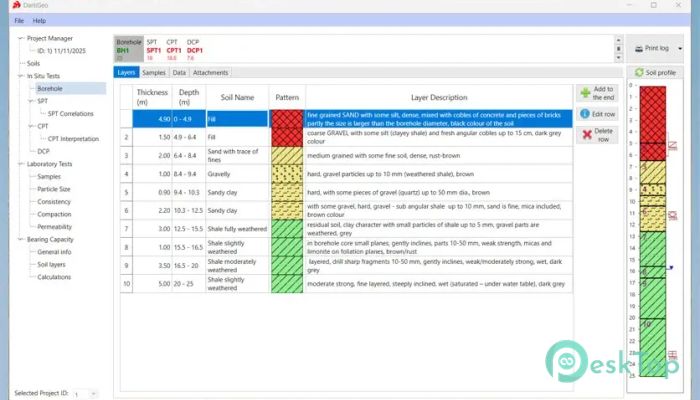
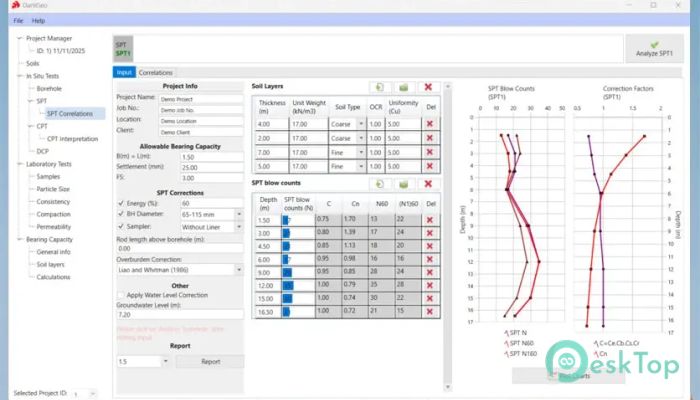
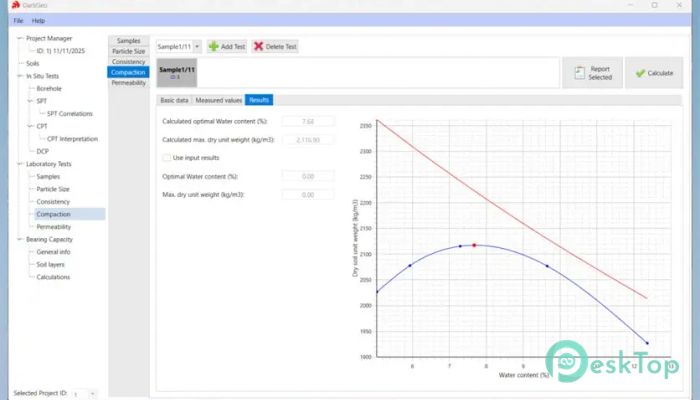
Download DartiGeo 1.0.0 for Windows.
DartiGeo Overview
This advanced engineering tool is built to bring everything together in a single workspace. Instead of switching between applications, users can handle field data, lab results, reporting, and design calculations in a single system. It feels like having a complete engineering office packed into your computer. The software focuses on efficiency and accuracy. It removes the frustration of scattered files and manual processes. Its structured workflow helps engineers manage projects smoothly and deliver reliable results without wasting time.Features of DartiGeo
All-in-One Engineering Solution
This tool combines multiple essential functions into one platform. From collecting field data to analyzing results, everything flows seamlessly. It reduces the need for separate tools and avoids errors caused by manual transfers between systems.
Think of it like a central hub where all your engineering activities meet. Instead of juggling different programs, you get a unified experience that keeps everything organized and easy to access.
Streamlined Data Management
Managing geotechnical data can often feel messy and overwhelming. This software solves that by organizing information in a structured format. It ensures that data from field tests, lab experiments, and calculations stays connected.
With this system, users can quickly find what they need without having to dig through endless files. It improves workflow speed and helps maintain consistency across projects.
Efficient Field Data Collection
Field data is the backbone of any geotechnical project. This solution simplifies and improves the accuracy of data collection. It allows engineers to record information directly and integrate it into the system without delays.
This approach reduces the risk of errors that often occur when transferring data manually. It also saves time, allowing professionals to focus more on analysis rather than data entry.
Integrated Laboratory Testing
Laboratory testing is an important part of understanding soil and material behavior. The software provides tools to record and analyze lab test results within the same environment.
By linking lab data to field information, it becomes easier to compare results and draw conclusions. This integration improves accuracy and supports better decision-making.
Accurate Reporting System
Creating reports can be time-consuming, especially when data is spread across different sources. This tool simplifies reporting by generating structured and consistent outputs.
Reports can be created quickly with all relevant data included. This not only saves time but also ensures that reports meet professional standards and are easy to understand.
Advanced Design Calculations
Design calculations are a critical part of engineering work. This software includes built-in calculation tools that help users perform complex analysis with ease.
Instead of relying on manual calculations, users can trust automated processes that reduce errors. It brings confidence to design decisions and helps ensure project safety.
Improved Workflow Efficiency
One of the biggest advantages of this tool is how it improves workflow. By connecting every stage of a project, it eliminates unnecessary steps and reduces duplication of work.
It works like a well-organized assembly line, with each step flowing into the next. This smooth process helps engineers complete tasks faster and with greater accuracy.
Reliable and Consistent Results
Consistency is key in engineering projects. This solution ensures that data and calculations follow the same standards throughout the project lifecycle.
By reducing human errors and maintaining structured processes, it helps deliver reliable results every time. This reliability builds trust and improves overall project quality.
System Requirements and Technical Details
Operating System: Windows 11 / 10 / 8.1 / 7
Processor: Minimum 1 GHz Processor (2.4 GHz recommended)
RAM: 2GB (4GB or more recommended)
Free Hard Disk Space: 200MB or more is recommended

-
Program size134.59 MB
-
Version1.0.0
-
Program languagemultilanguage
-
Last updatedBefore 5 Month
-
Downloads22
 Autodesk 3DS MAX
 Autodesk AutoCAD Electrical
 Autodesk Maya
 Autodesk AutoCAD Architecture
 Autodesk AutoCAD Map 3D
 Autodesk AutoCAD Plant 3D