
 Arabic
  English
  Turkish
  Chinese
  Japanese
  Russian
  Spanish
  German
  French
  Hindi
Hindi Download DOSBox 0.74 for Windows
Download DOSBox 0.74 for Windows.
DOSBox Overview
This tool works like a time machine for your PC. It recreates an old IBM PC compatible computer that runs a DOS operating system. This means you can run and use classic applications and games designed decades ago. Instead of struggling with compatibility issues, you get a smooth, simple environment where everything feels just right. The software emulates not only the operating system but also old graphics cards, sound hardware, and input devices. In simple words, it tricks vintage programs into thinking they are running on the computers they were originally built for. This is why so many retro games work perfectly without needing any changes. How It Works Think of it as building a virtual computer inside your current one. The tool creates a safe, controlled space that behaves like an MS-DOS machine. Inside this space, you can install and run programs just like you did in the 1990s. It supports classic hardware components such as VGA graphics, Sound Blaster audio, and basic networking. As a result, many older games run exactly as intended, complete with original sound effects and visuals.Features of DOSBox
Full MS-DOS environment emulation
Supports classic graphics and sound cards
Runs many old DOS games without modification
Keyboard, mouse, and joystick support
Adjustable CPU speed for performance tuning
Easy configuration through simple commands
Lightweight and fast installation
Running Classic Games and Programs
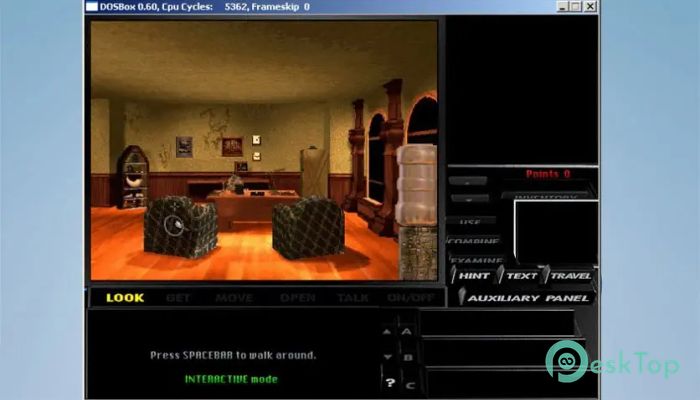
One of the biggest reasons people use the software is to relive classic PC gaming moments. Many legendary DOS titles simply do not run on modern versions of Windows. With this emulator, they load and play just like they did years ago.
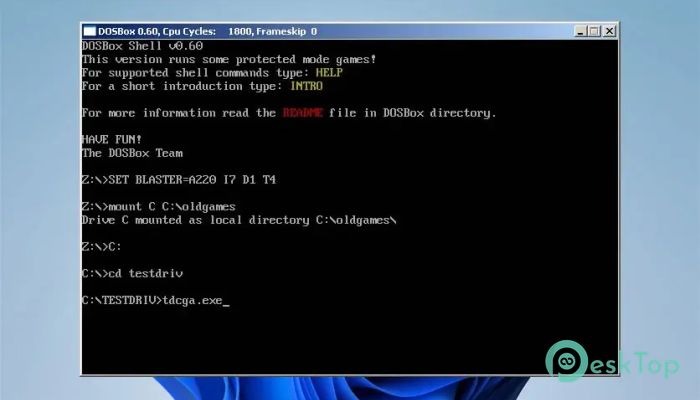
You just mount a folder as a virtual drive, switch to it, and start the program. It may sound technical at first, but once you try it, the process feels natural. It is like learning to ride a bike. A little practice, and you are good to go.
Understanding the DOS Environment
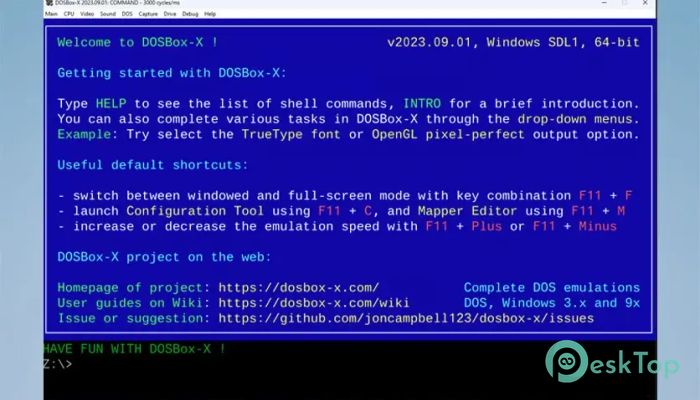
To fully use the tool, you should understand a few basic DOS concepts. DOS operates on commands entered via a command-line interface. There are no modern icons or fancy menus. Instead, you type instructions such as CD, DIR, or RUN.
Do not worry if that sounds complicated. The command set is small and easy to learn. Once you know a handful of basic commands, you can navigate folders and start programs smoothly. It is simple, clean, and surprisingly powerful.
Graphics and Sound Emulation
Old games relied heavily on specific graphics and sound cards. Without proper emulation, they either crash or lose audio. This emulator addresses that problem by emulating popular hardware, such as VGA and Sound Blaster cards.
The result is authentic sound and visuals. Music plays correctly. Sound effects feel original. Graphics display as intended. It is like restoring an old painting and seeing its true colors again.
Performance and Customization
The tool allows you to adjust CPU cycles, which control how fast the virtual machine runs. Some older programs run too fast on modern systems. By lowering cycles, you can match the original speed. If a program feels slow, you can increase its performance.
This flexibility gives you control. You are not stuck with one setting. You can tweak performance until everything feels right. It is like tuning a classic car engine until it hums perfectly.
Why It Still Matters Today
Although DOS is considered outdated, many classic programs still have value. Some educational tools, business software, and retro games are tied to that environment. Without proper emulation, they would be lost to time.
This emulator keeps digital history alive. It allows new generations to experience early PC computing. It also helps developers test old projects in their original environment.
Easy Setup and Installation
Installing the software is simple and quick. After installation, you can configure a few settings or edit the configuration file as needed. Most users can get started within minutes.
Because it is lightweight, it does not consume heavy system resources. It runs smoothly even on modest machines. That makes it accessible for almost everyone.
System Requirements and Technical Details
Operating System: Windows 11 / 10 / 8.1 / 7
Processor: Minimum 1 GHz Processor (2.4 GHz recommended)
RAM: 2GB (4GB or more recommended)
Free Hard Disk Space: 200MB or more is recommended

-
Program size1.41 MB
-
Version0.74
-
Program languagemultilanguage
-
Last updatedBefore 7 Month
-
Downloads26
 ExtraMAME
 ChessBase Fritz
 ChessBase
 Dragonrise Games YoloX
 Vortex
 NCSOFT PURPLE