
 Arabic
  English
  Turkish
  Chinese
  Japanese
  Russian
  Spanish
  German
  French
  Hindi
Hindi Download DouWan Camera 1.0.0.2 for Windows
Download DouWan Camera 1.0.0.2 for Windows.
DouWan Camera Overview
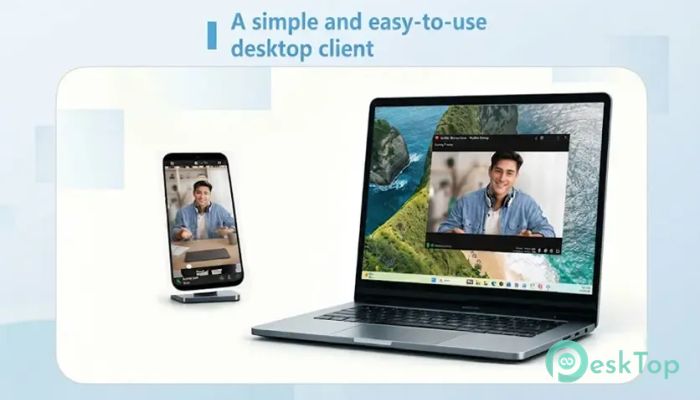
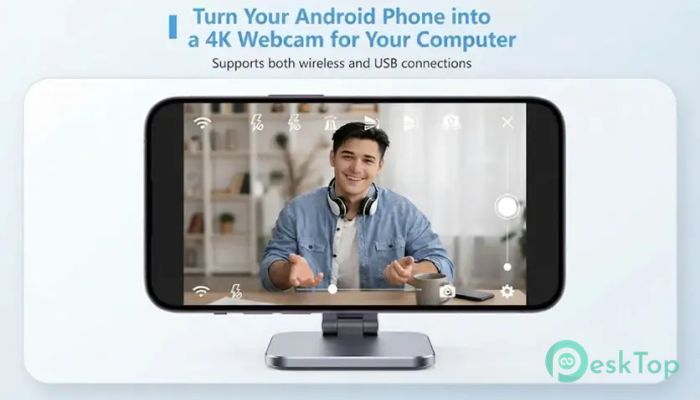
A professional-looking webcam no longer means buying expensive hardware. This software transforms your smartphone into a powerful PC camera, allowing you to enjoy the superior image quality of your phone's camera sensors. Whether you are attending online meetings, streaming live, recording videos, or chatting with friends, it delivers a much sharper and more colorful image than a standard USB webcam. The software supports both wireless and USB connections, giving you the freedom to choose the setup that best fits your needs. It is simple to install, quick to configure, and works with almost any application that supports webcams.Features of DouWan Camera
Turn Your Phone into a Professional Webcam
Modern smartphones come with advanced cameras that easily outperform many traditional webcams. The software unlocks this potential by connecting your phone directly to your PC and allowing it to function as a webcam in just a few clicks.
Instead of spending money on new camera equipment, you can use the device already in your pocket. This makes it a smart solution for students, professionals, content creators, and gamers.
Stunning 4K Ultra HD Video Quality
One of the biggest advantages is its support for up to 4K resolution at 60 frames per second. This delivers incredibly detailed and smooth video, making every online meeting, livestream, or recording look far more professional.
The higher frame rate also creates natural motion without the lag or choppy appearance found in many low-cost webcams. Even small details remain clear, giving your audience a better viewing experience.
Wireless Connection Without the Hassle
The software automatically detects compatible devices connected to the same Wi-Fi network. There is no need for complicated setup procedures or additional hardware.
Once connected, you can move your phone freely without being limited by cables. This flexibility is especially useful for presentations, tutorials, or creative video production.
Zero-Latency USB Mode
For users who need the fastest possible performance, USB mode offers an excellent solution. Connecting your phone via a USB cable minimizes latency, making it ideal for livestreaming, professional recording, and virtual events.
This stable wired connection ensures consistent image quality even during long recording sessions. It also helps maintain reliable performance when network conditions are less than ideal.
Easy Plug-and-Play Experience
Getting started takes only a few minutes. After installation, the virtual camera appears as "DouWan Media Camera" inside supported applications.
You simply choose it from the camera list in programs like video conferencing apps, streaming software, recording tools, or social media platforms. No advanced technical knowledge is required.
Switch Between Front and Rear Cameras
Different situations require different camera angles. The tool lets you switch between your phone's front-facing and rear cameras as needed.
The rear camera provides the highest image quality for professional work, while the front camera is ideal for video calls and quick meetings. Switching between them is smooth and convenient.
Take Advantage of Multi-Lens Cameras
Many modern smartphones include multiple camera lenses such as wide-angle, ultra-wide, telephoto, and macro. The software brings these capabilities directly to your computer.
This gives users more creative freedom when recording videos or hosting presentations. You can choose the lens that best matches the scene without changing devices.
Perfect for Streaming and Content Creation
The software is more than just a webcam replacement. It supports multiple uses, including livestreaming, online teaching, podcast recording, product demonstrations, and video production.
Content creators can enjoy professional image quality while reducing equipment costs. Businesses can also improve the appearance of virtual meetings and presentations without purchasing dedicated cameras.
Strong Focus on Privacy
Privacy remains an important part of the experience. Video is transmitted directly between your phone and computer over a local connection rather than passing through cloud servers.
This approach helps keep your video private and reduces security concerns. Since everything stays on your local network, your data remains under your control.
Compatible with Popular Applications
The software works with a wide variety of webcam-supported programs. Whether you use Zoom, Microsoft Teams, Google Meet, OBS Studio, Discord, Skype, or other communication tools, you can select the virtual camera just like a regular webcam.
This broad compatibility means you do not have to change your favorite applications. Simply choose the virtual camera and start using your phone's superior camera quality immediately.
System Requirements and Technical Details
Operating System: Windows 11 / 10 / 8.1 / 7
Processor: Minimum 1 GHz Processor (2.4 GHz recommended)
RAM: 2GB (4GB or more recommended)
Free Hard Disk Space: 200MB or more is recommended

-
Program size120.02 MB
-
Version1.0.0.2
-
Program languagemultilanguage
-
Last updatedBefore 2 Month
-
Downloads15
 MobiKin Eraser for Android
 iMobie AnyTrans for iOS
 Iriun Webcam
 LDPlayer
 Coolmuster Android SMS + Contacts Recovery
  Coolmuster Lab.Fone for Android