
 Arabic
  English
  Turkish
  Chinese
  Japanese
  Russian
  Spanish
  German
  French
  Hindi
Hindi Download DubbingAI 1.7.9 for Windows
Download DubbingAI 1.7.9 for Windows.
DubbingAI Overview
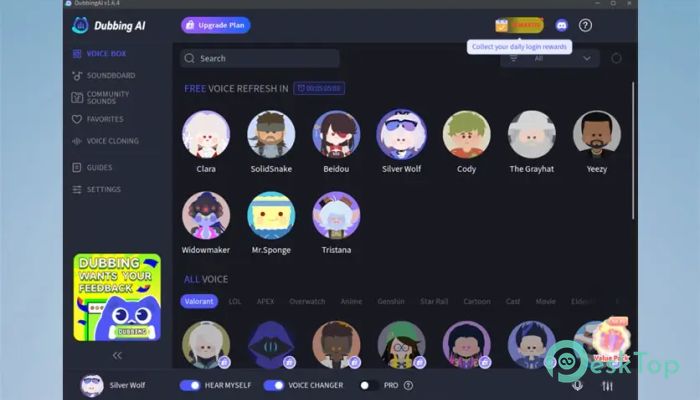
It is built to make voice transformation feel natural and fast, without complicated setup or delays. It focuses on real-time performance, meaning your modified voice is delivered instantly while you speak. This makes it ideal for live use on platforms such as Discord, Zoom, OBS, and others. With hundreds of AI-generated voices and a massive meme soundboard library, it gives users creative freedom without technical headaches.Features of DubbingAI
Real-Time Voice Changing Experience
It works like a digital microphone filter. As soon as you speak, the sound is processed and changed before it reaches the app you are using. The low-latency design ensures conversations stay smooth, with no awkward pauses or robotic delays. Whether you want a scary tone, a funny twist, or a clean professional sound, the transformation feels immediate and natural.
Wide Collection of AI Voices
The software includes over 500 AI voices covering a wide range of styles, accents, and characters. From deep and mysterious tones to playful and dramatic ones, there is something for every mood. One standout option is the ghostface-style voice, which adds a bold and thrilling edge to your conversations or streams. Switching between voices is quick, letting you adapt on the fly.
Huge Meme Soundboard Library
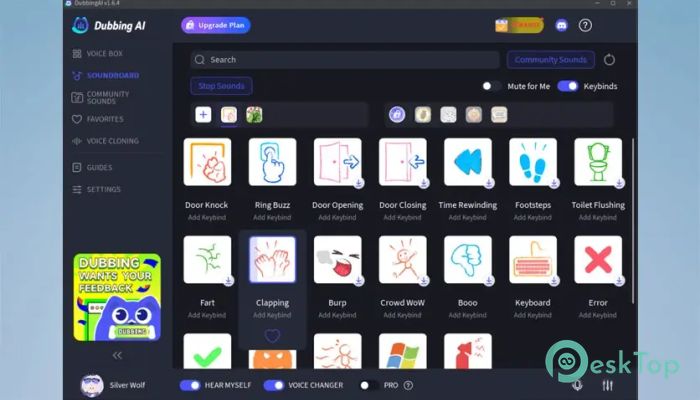
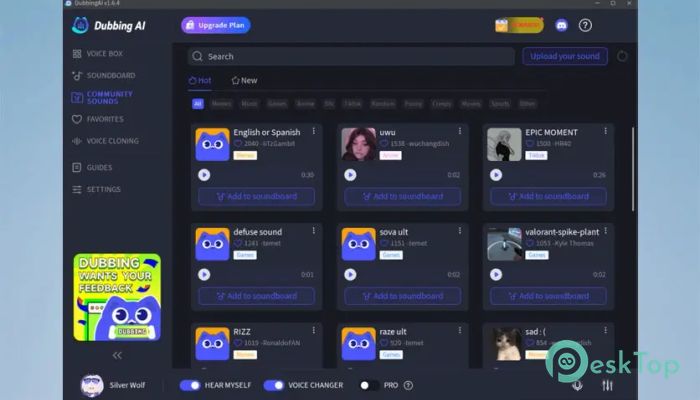
Beyond voice changing, it includes more than 100,000 meme soundboard effects. These sounds can be triggered instantly to add humor or emphasis during live sessions. Streamers can use them to engage audiences, while gamers can spice up in-game chats. Everything is organized clearly, so finding the right sound does not slow you down.
Compatible With Popular Platforms
It integrates smoothly with common communication and streaming apps. You can use it on Discord for gaming chats, Zoom for meetings, and OBS for live broadcasts. Once configured, it behaves like a virtual microphone that any supported app can recognize. This flexibility makes it useful for both fun and professional situations.
Mobile Voice Changing With Dubbing Box
A unique feature is the ability to extend voice changing to mobile devices. By connecting the Dubbing Box to your smartphone, you can bring the same voice effects to mobile calls and apps. This bridges the gap between desktop and mobile use, allowing consistent voice control across devices.
Easy Setup and Configuration
Getting started is straightforward. After downloading, you select your main microphone as the input device inside the app. From the Voicebox menu, you can browse and pick different voice filters. A simple toggle activates the voice changer, and another option lets you hear yourself to preview the effect. Finally, choosing the virtual microphone as the input in your target app completes the setup.
Low Latency for Live Use
One of the biggest strengths is how smoothly it performs during live sessions. The audio processing is optimized to minimize delay, which is crucial for gaming and meetings. Conversations remain natural, and responses feel immediate. This makes it reliable even during fast-paced interactions.
Creative Freedom for Different Users
Gamers can roleplay or prank friends, streamers can build unique on-air personalities, and professionals can maintain privacy or add polish to presentations. It adapts easily to different needs without forcing complex controls. Think of it as a voice wardrobe where you can change styles at any time.
System Requirements and Technical Details
Operating System: Windows 11 / 10 / 8.1 / 7
Processor: Minimum 1 GHz Processor (2.4 GHz recommended)
RAM: 2GB (4GB or more recommended)
Free Hard Disk Space: 200MB or more is recommended

-
Program size112.87 MB
-
Version1.7.9
-
Program languagemultilanguage
-
Last updatedBefore 7 Month
-
Downloads184
 Teletone Audio Prism Plate
 Stryde Audio Swayed
  Electric Smudge SnappySnap
 PSPaudioware PSP Flare
 DW Soundworks Gretsch USA Custom Expansion Pack
 Sonic Academy V4lve