
 Arabic
  English
  Turkish
  Chinese
  Japanese
  Russian
  Spanish
  German
  French
  Hindi
Hindi Download Ease Data Recovery 1.0 for Windows
Download Ease Data Recovery 1.0 for Windows.
Ease Data Recovery Overview
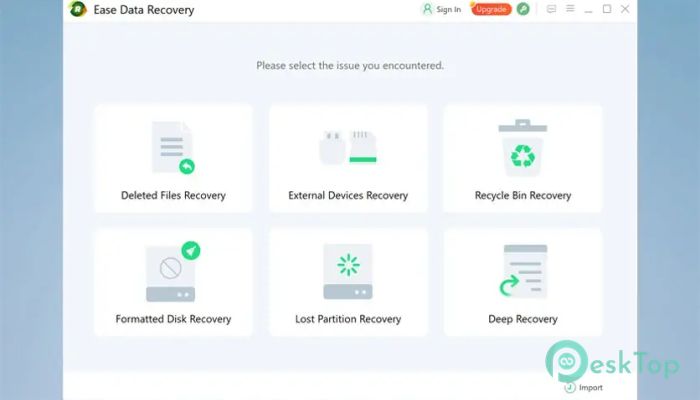
Losing important data can feel like dropping your phone into water, sudden, stressful, and often unexpected. This solution steps in like a safety net, helping you retrieve what you thought was gone forever. Whether files were deleted accidentally, lost due to formatting, or disappeared after a crash, it quietly works in the background to restore them. The software supports a wide range of devices, making it a one-stop option for recovery needs. From internal drives to memory cards and even external storage, it handles everything smoothly. Its clean interface ensures that even beginners can use it without confusion.Features of Ease Data Recovery
This tool comes packed with features designed to make recovery quick and stress-free. It focuses on simplicity while still offering powerful capabilities behind the scenes.
Recover deleted, formatted, or lost files easily
Supports photos, videos, documents, and more
Works with multiple storage devices
Quick scan and deep scan modes
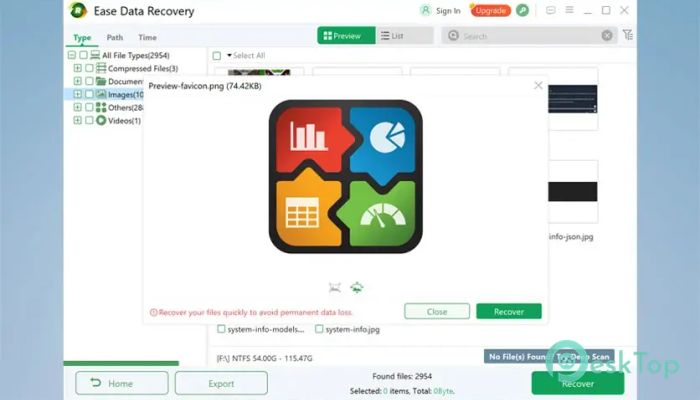
Preview files before recovery
User-friendly interface for all skill levels
Supported Devices and Storage
One of the software's biggest strengths is its wide compatibility. It works like a universal key that opens access to data across different storage types.
It supports internal hard drives and SSDs from major brands such as Dell, HP, Toshiba, and Sony. External hard drives from companies like Seagate, Western Digital, and Samsung are also fully supported.
USB drives, including SanDisk, Kingston, and PNY, can be scanned for lost data. Memory cards such as SD, microSD, TF, and miniSD are also covered. Even cameras from brands like Canon, Nikon, and Kodak can benefit from its recovery capabilities.
How It Works
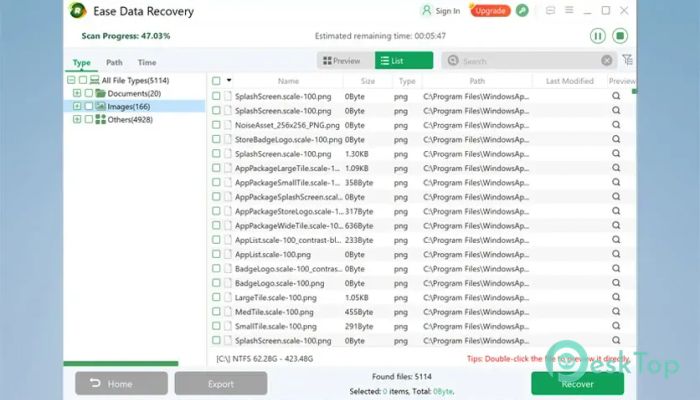
The process feels as easy as searching for a file on your computer. You select the location where the data was lost, and the tool starts scanning instantly. First, it performs a quick scan to find recently deleted files. If needed, a deeper scan digs further into the storage to uncover hidden or older data.
Results are displayed in an organized way, allowing you to preview files before restoring them. This ensures you only recover what you actually need, saving both time and storage space.
Why Choose This Tool
Think of this software as a digital rescue team. When data disappears, it doesn’t panic—it gets to work. It combines speed, accuracy, and simplicity, making it ideal for both personal and professional use.
Unlike many complex recovery solutions, it avoids overwhelming the user. Instead, it guides you step by step, like a helpful assistant. Whether you’re dealing with accidental deletion or system errors, it provides a reliable way to recover your files.
Performance and Efficiency
Speed matters when recovering data, and this tool delivers. The quick scan feature works in seconds, while the deep scan ensures nothing is left behind. It balances performance with thoroughness, so you don’t have to choose between speed and results.
The software also maintains file quality during recovery. This means your photos stay clear, your videos remain intact, and your documents are restored without corruption.
Ease of Use
One standout aspect is how easy it is to use. You don’t need technical knowledge to operate it. The interface is clean, with clearly labeled options and simple navigation.
It’s like using a basic search tool—select, scan, preview, and recover. That’s all there is to it. This simplicity makes it accessible to everyone, from beginners to advanced users.
System Requirements and Technical Details
Operating System: Windows 11 / 10 / 8.1 / 7
Processor: Minimum 1 GHz Processor (2.4 GHz recommended)
RAM: 2GB (4GB or more recommended)
Free Hard Disk Space: 200MB or more is recommended

-
Program size60.30 MB
-
Version1.0
-
Program languagemultilanguage
-
Last updatedBefore 5 Month
-
Downloads67
 Lazesoft Data Recovery
 Lazesoft Windows Recovery
  Lazesoft Recovery Suite
 Lazesoft Recover My Password
 Lazesoft Recovery Suite Technician
 Windows Password Recovery Tool Ultimate