
 Arabic
  English
  Turkish
  Chinese
  Japanese
  Russian
  Spanish
  German
  French
  Hindi
Hindi Download EKIO – Loudspeaker Management Application 1.0.8.1 for Windows
Download EKIO – Loudspeaker Management Application 1.0.8.1 for Windows.
EKIO – Loudspeaker Management Application Overview
This software gives you complete control over how your speakers perform. It makes it easy to build crossovers, adjust equalization, integrate subwoofers, and shape audio output with precision. With a clean interface, advanced DSP engine, and flexible input/output handling, it helps you improve your entire listening experience.Features of EKIO – Loudspeaker Management Application
Unlimited Input and Output Handling
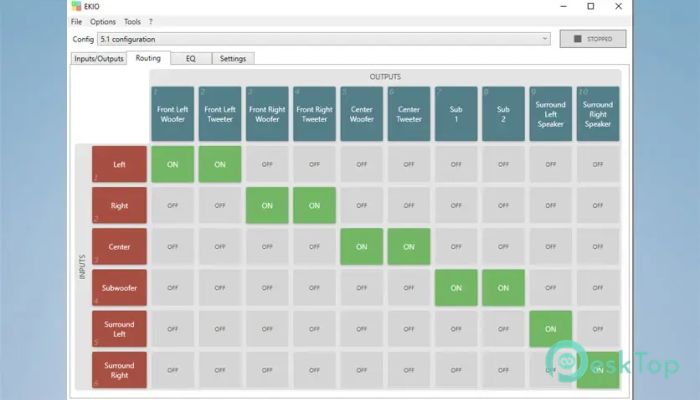
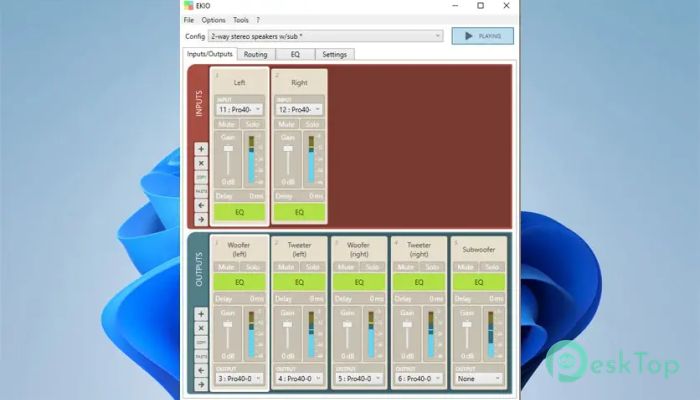
One of the tool's biggest strengths is its ability to handle unlimited inputs and outputs. Each channel comes with its own equalizer, crossover filter, gain option, delay control, and solo or mute switch. This setup is ideal for complex sound systems, whether you are working with multiple speakers, subwoofers, or advanced multi-channel designs.
Easy and Clean Editing Interface
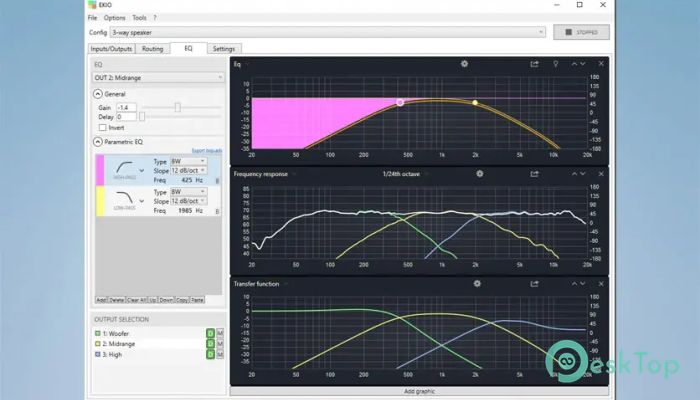
The software includes a simple editor that displays essential audio graphs and curves. You can view EQ curves, frequency responses, transfer functions, off-axis responses, and group delay charts. Everything is arranged neatly, making it easy to make accurate adjustments without feeling overwhelmed.
Fast and Efficient Audio Processing
The tool uses a powerful DSP engine that delivers accurate filtering while keeping CPU usage low. This means you can run heavy audio tasks without slowing down your system. Whether you are mixing, tuning, or testing speakers, the software processes signals quickly and cleanly.
Importing Audio Measurements
You can import both on-axis and off-axis measurement results directly into the program. This feature helps you fine-tune your sound system using real data, making it easier to achieve a smoother, more natural audio response. It’s beneficial for users who rely on precise room measurements or speaker calibration.
Biquad Filter Import and Export
The tool also supports importing and exporting filters as biquad coefficients. This makes it compatible with other audio software and hardware, such as REW or MiniDSP. If you like building filters in one environment and applying them in another, this feature makes the workflow efficient and flexible.
Low-Latency ASIO Support
With built-in ASIO support, the program ensures a low-latency connection to your audio interface. Even if your interface does not come with a native ASIO driver, you can still use ASIO4ALL. This allows you to get the best performance from your audio hardware, with minimal delay and high clarity.
ABX Comparison Tool
The ABX comparator provides a blind listening method for testing two filters without bias. It helps you truly hear the difference between filter settings and make decisions based purely on sound quality—not assumptions.
Smooth Windows Integration
The application integrates well with Windows. You can set it to launch automatically when your system starts, making it simple to begin processing audio right away. This is helpful for users who regularly tune or process sound and want everything ready from the moment the PC boots.
System Requirements and Technical Details
Operating System: Windows 11 / 10 / 8.1 / 7
Processor: Minimum 1 GHz Processor (2.4 GHz recommended)
RAM: 2GB (4GB or more recommended)
Free Hard Disk Space: 200MB or more is recommended
Sound Card: With ASIO support

-
Program size1.42 MB
-
Version1.0.8.1
-
Program languagemultilanguage
-
Last updatedBefore 9 Month
-
Downloads38
 Teletone Audio Prism Plate
 Stryde Audio Swayed
  Electric Smudge SnappySnap
 PSPaudioware PSP Flare
 DW Soundworks Gretsch USA Custom Expansion Pack
 Sonic Academy V4lve