
 Arabic
  English
  Turkish
  Chinese
  Japanese
  Russian
  Spanish
  German
  French
  Hindi
Hindi Download ElevenMizer 1.0.13 for Windows
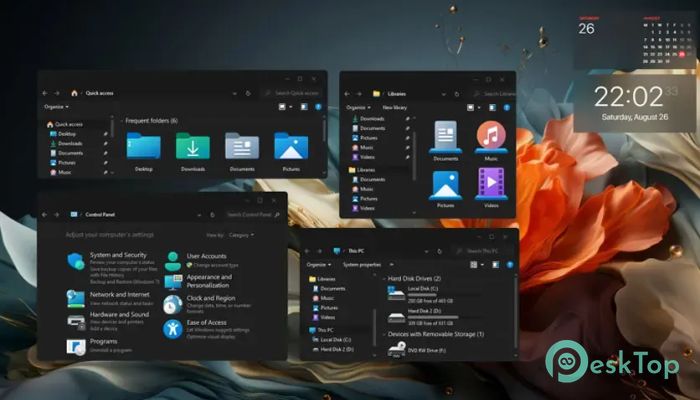
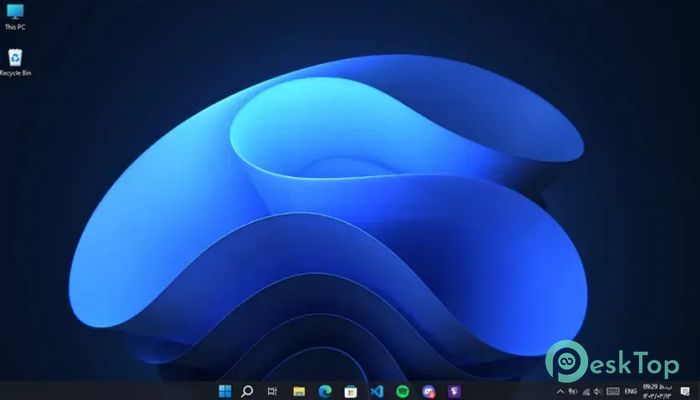
Download ElevenMizer 1.0.13 for Windows.
ElevenMizer Overview
It is a lightweight customization tool for users who love the clean, modern look of Windows 11 but want to stay on Windows 10. Instead of installing a new operating system, it changes selected system files to give your desktop a refreshed style. The current version mainly focuses on replacing icons, bringing more than 300 updated icons into your system. The software is designed with safety in mind. Before making any changes, it creates backups of the original Windows files. If you ever decide to return to the default look, you can simply uninstall the program, and everything will go back to normal. It is a simple way to enjoy a modern interface without taking unnecessary risks.Features of ElevenMizer
Modern Windows 11 Style
The biggest attraction of the software is its ability to make Windows 10 look much closer to Windows 11. It replaces outdated icons with newer and cleaner designs that match Microsoft's latest operating system. This gives File Explorer, Control Panel, and many other Windows components a fresh appearance.
Think of it like giving your old car a brand-new paint job. The engine stays the same, but everything looks newer and more attractive. The tool does exactly that for your Windows installation.
More Than 300 New Icons
One of the strongest features is the huge collection of updated icons. More than 300 icons are replaced across over 70 Windows system files. Every change helps create a more consistent and modern visual experience.
The icons have been carefully selected to match the Windows 11 design language. As a result, your desktop feels cleaner and more organized while keeping the familiar Windows 10 functionality.
Safe Backup System
Changing system files can sound risky, but the software reduces that concern by creating backups before making any modifications. These backup copies allow users to restore the original Windows files whenever needed.
This safety feature gives peace of mind. You can try the new appearance without worrying about making permanent changes to your operating system.
Easy Installation Process
The tool is simple enough for almost anyone to use. After launching the installer, it automatically replaces the supported system icons with updated versions. Most users can complete the process in just a few minutes.
You do not need advanced technical knowledge or complicated commands. The software handles the hard work while guiding you through a straightforward installation process.
Quick and Complete Reversal
If you decide that you prefer the original Windows 10 appearance, going back is just as easy. Uninstalling the software restores the backed-up system files, removes the customized icons, and returns everything to its previous state.
This makes it perfect for users who enjoy experimenting with Windows themes but still want a reliable way to undo every change.
Lightweight Performance
The software focuses solely on visual improvements rather than adding unnecessary background services. Since it mainly changes icons, it has little impact on system performance or resource usage.
Your computer continues to run as usual while benefiting from a much more polished interface. It is an excellent option for both older and newer Windows 10 systems.
Perfect for Windows 10 Users
Many computers cannot officially upgrade to Windows 11 because of hardware limitations. Others simply prefer the stability of Windows 10. This tool offers a practical solution by bringing part of the Windows 11 experience without installing a new operating system.
It lets users enjoy a refreshed desktop while continuing to use the operating system they already know and trust.
Simple User Experience
The software keeps everything easy to understand. There are no confusing menus or endless settings. You install it, let it apply the changes, and enjoy the updated appearance.
This simple approach makes it suitable for beginners while still giving experienced users the customization they want.
System Requirements and Technical Details
Operating System: Windows 10
Processor: Minimum 1 GHz Processor (2.4 GHz recommended)
RAM: 2GB (4GB or more recommended)
Free Hard Disk Space: 200MB or more is recommended

-
Program size9.08 MB
-
Version1.0.13
-
Program languagemultilanguage
-
Last updatedBefore 2 Month
-
Downloads17
 Reuschtools ClassicMenu
 AI Aquarium Screensaver
  Rainmeter
 Rainlendar Pro
 N-Button Pro
 Stardock DeskScapes