
 Arabic
  English
  Turkish
  Chinese
  Japanese
  Russian
  Spanish
  German
  French
  Hindi
Hindi Download EmTec PyroBatchFTP Server Edition 3.38 for Windows
Download EmTec PyroBatchFTP Server Edition 3.38 for Windows.
EmTec PyroBatchFTP Server Edition Overview
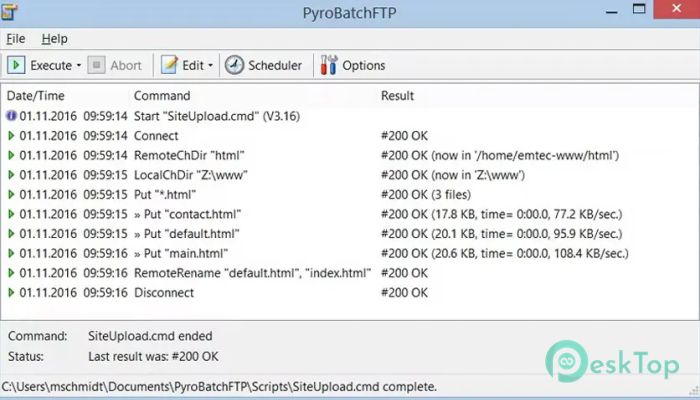
This software is designed for professionals and businesses that need reliable, automated file transfers without manual intervention. It works like a silent assistant, running in the background to handle uploads, downloads, and synchronization tasks automatically. Whether you're updating a web server, transferring backup files, or managing data between systems, this tool simplifies everything. The software supports FTP, FTPS, and SFTP protocols, ensuring both flexibility and security. It also includes a powerful scripting language that allows users to automate complex transfer operations with ease. Even users with minimal technical knowledge can quickly learn the scripting commands and build efficient automation workflows. What makes it particularly useful is its ability to run unattended. Once configured, it continues working in the background, saving time and reducing human errors. This makes it ideal for businesses that rely on regular file transfers and automated workflows.Features of EmTec PyroBatchFTP Server Edition
Automated File Transfer Capabilities
The software is designed to automate repetitive file-transfer tasks. Instead of manually uploading files every day, you can create scripts that automatically transfer files. It acts like a conveyor belt, moving files from one place to another without constant supervision.
Users can schedule transfers, trigger them manually, or configure them to run based on certain conditions. This flexibility allows businesses to streamline their operations and reduce workload. Once automation is configured, it works consistently and reliably.
This capability is particularly helpful for companies that regularly update servers, upload logs, or maintain backup files. Automation reduces downtime and ensures files are always transferred on time.
Secure File Transfer Support
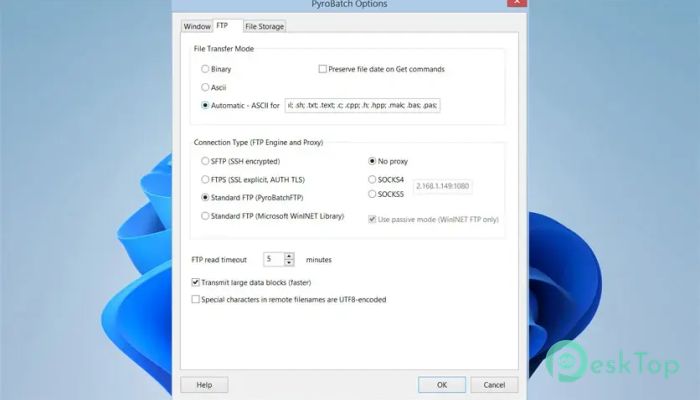
Security is crucial in file transfers, especially when sensitive data is involved. The software supports secure protocols like FTPS and SFTP to protect data during transmission. These secure methods encrypt data, preventing unauthorized users from accessing it.
The tool also supports SSH-based file transfers, adding another layer of protection. This ensures data integrity and confidentiality, which is essential for professional environments.
With built-in security features, businesses can confidently automate file transfers without worrying about vulnerabilities. It acts like a secure tunnel that protects files from start to finish.
Simple Yet Powerful Scripting Language
One standout feature is its easy-to-learn scripting language. Users can create scripts using simple commands to automate tasks. Even complex workflows can be managed using straightforward instructions.
The scripting language includes over 50 commands that provide flexibility and control. Users can create scripts to upload files, download directories, synchronize folders, or handle errors automatically.
This makes automation accessible even to non-programmers. Instead of complicated coding, users can rely on intuitive commands to build powerful automation workflows.
Directory Synchronization
The software allows users to synchronize entire directory trees with a single command. This means folders on local systems and servers remain identical without manual effort. It works like a mirror, keeping files up to date.
This feature is especially useful for maintaining backups or updating websites. Changes made locally can be automatically reflected on remote servers.
Directory synchronization reduces manual workload and eliminates mistakes caused by missing files. It ensures smooth operations and improved efficiency.
Built-In Scheduler
The built-in scheduler allows users to automate transfers at specific times. It works similarly to cron scheduling, allowing tasks to run daily, weekly, or at custom intervals.
Users can schedule transfers during off-peak hours to reduce server load. This ensures optimal performance and efficient resource usage.
The scheduler provides complete automation, allowing users to set tasks once and have the software handle everything.
Service Mode Functionality
The Server Edition can run as a Windows service. This means it continues running even when no user is logged in. It operates quietly in the background, ensuring uninterrupted file transfers.
This functionality is essential for enterprise environments where continuous automation is required. It guarantees reliability and consistency.
Running as a service also improves stability and performance, making it suitable for professional use.
Easy Integration and Flexibility
The software integrates easily into existing workflows. It supports manual, scheduled, and triggered execution. This flexibility allows users to adapt automation according to their needs.
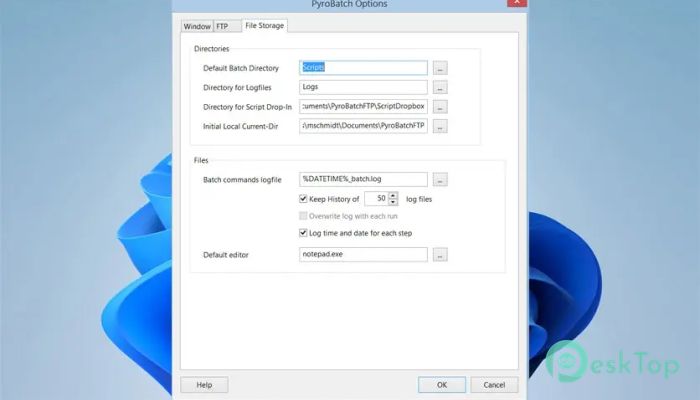
It also supports logging and reporting, helping users monitor transfer operations. Detailed logs make troubleshooting easier and improve transparency.
With flexible integration options, users can implement automation without changing their existing systems.
Use Cases and Applications
The software is suitable for various use cases. Businesses can automate website updates, synchronize backup servers, or transfer data between systems.
Developers can automate deployment tasks. IT teams can manage data transfers efficiently. Organizations can ensure files are always up to date without manual effort.
Its versatility makes it useful for individuals and enterprises alike. It simplifies file management and improves productivity.
Performance and Reliability
The software is designed for stable performance. It handles large file transfers efficiently and supports batch processing. Users can transfer multiple files simultaneously without performance issues.
Error handling ensures transfers continue smoothly even when issues occur. Retry mechanisms and logging help maintain reliability.
This reliability makes it ideal for mission-critical file transfers.
System Requirements and Technical Details
Operating System: Windows 11 / 10 / 8.1 / 7
Processor: Minimum 1 GHz Processor (2.4 GHz recommended)
RAM: 2GB (4GB or more recommended)
Free Hard Disk Space: 200MB or more is recommended

-
Program size5.28 MB
-
Version3.38
-
Program languagemultilanguage
-
Last updatedBefore 4 Month
-
Downloads20
 RealVNC VNC Server Enterprise
 CrushFTP
 Reqable
 AnyDesk
 AmneziaVPN
 CurrPorts