
 Arabic
  English
  Turkish
  Chinese
  Japanese
  Russian
  Spanish
  German
  French
  Hindi
Hindi Download EtchWeave Interactive WinPane Home 1.0.3 for Windows
Download EtchWeave Interactive WinPane Home 1.0.3 for Windows.
EtchWeave Interactive WinPane Home Overview
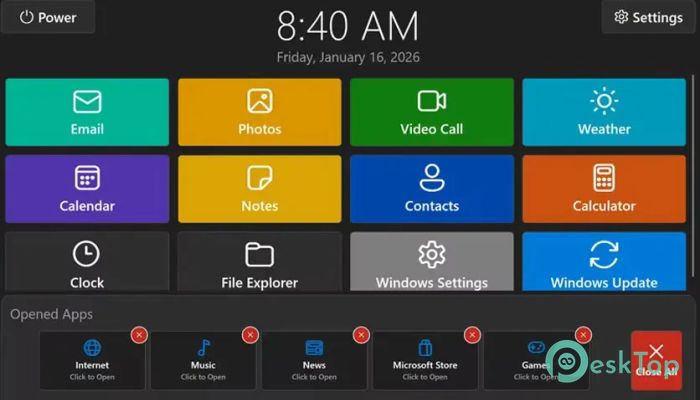
This solution is built for people who want less clutter and more control over their computer. Instead of icons scattered everywhere, it offers a single home-style screen where everything feels organized. Think of it like turning your PC into a simple tablet-style hub, where apps, tools, and shortcuts are right where you expect them. The design focuses on clarity. Big tiles, readable text, and clear sections make daily tasks feel lighter. Even first-time users can understand it in minutes, while experienced users enjoy its smooth, responsive layout.Features of EtchWeave Interactive WinPane Home
A Clean Desktop Without the Chaos
The software replaces the usual crowded desktop with a focused home screen. Icons are grouped logically, making navigation feel natural. It is like cleaning a messy desk and keeping only what you actually use.
Everything loads quickly, so there is no waiting around. The system feels faster because distractions are removed, allowing attention to stay on the task at hand.
Designed for All Types of Users
It works well for beginners who want simplicity, seniors who prefer larger and clearer visuals, and gamers who need quick access. The layout adjusts to different needs without feeling complicated.
You do not need technical knowledge to set things up. The interface guides you naturally, almost like a friendly assistant showing you around your own PC.
Personalized Home Screen Experience
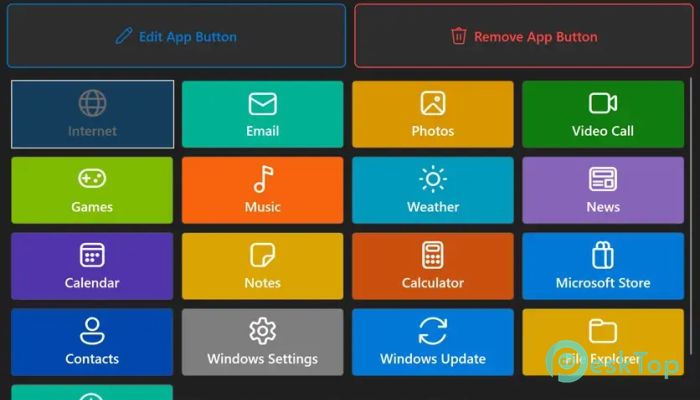
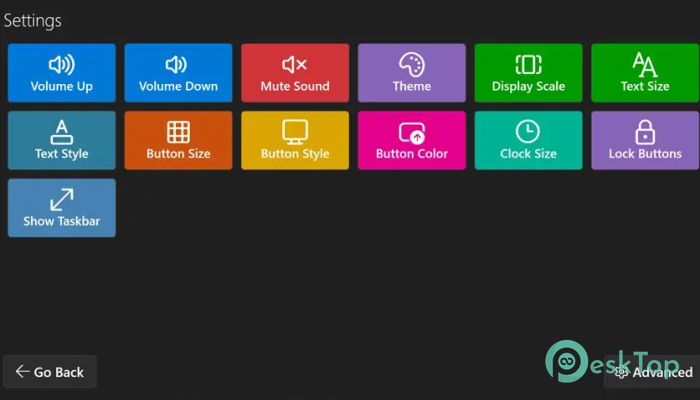
Customization is where the tool really shines. You can rearrange tiles, choose color themes, and decide which apps appear on the main screen. It feels like decorating your digital living room.
Once adjusted, the environment stays consistent, helping muscle memory build over time. This makes everyday actions faster and more comfortable.
Fast Access to Daily Tools
Opening apps becomes effortless. Instead of hunting through menus, everything is available in one place. Common actions like opening a browser, checking files, or launching media players feel instant.
This setup reduces unnecessary clicks, saving time throughout the day. Small gains add up, especially for people who use their computer for long hours.
Visual Comfort and Readability
Bright yet balanced colors improve visibility without hurting the eyes. Fonts are clean and readable, making long sessions easier. It feels like switching from harsh office lighting to soft daylight.
Clear spacing between elements also helps avoid accidental clicks, especially on touchscreens or for users with limited precision.
Smooth Performance on Windows Systems
The software is optimized to run smoothly without slowing down the PC. It works quietly in the background, letting other programs perform at their best.
Even older systems benefit from the lightweight design. The experience remains stable and reliable, which builds trust over time.
Helpful for Learning and Focus
Removing distractions makes it easier to concentrate. Students and remote workers often feel more organized because the screen shows only what matters.
This focused layout is similar to clearing noise from a room before starting a conversation. Less visual clutter means more mental space.
Easy Setup and Simple Controls
Installation is straightforward, and settings are explained in plain language. There are no confusing menus or hidden options.
Adjustments can be made at any time, allowing the setup to grow with changing habits. The learning curve stays gentle from start to finish.
System Requirements and Technical Details
Operating System: Windows 11 / 10
Processor: Minimum 1 GHz Processor (2.4 GHz recommended)
RAM: 2GB (4GB or more recommended)
Free Hard Disk Space: 200MB or more is recommended

-
Program size8.56 MB
-
Version1.0.3
-
Program languagemultilanguage
-
Last updatedBefore 8 Month
-
Downloads24
 Reuschtools ClassicMenu
 AI Aquarium Screensaver
  Rainmeter
 Rainlendar Pro
 N-Button Pro
 Stardock DeskScapes