
 Arabic
  English
  Turkish
  Chinese
  Japanese
  Russian
  Spanish
  German
  French
  Hindi
Hindi Download FonesGo WhatsApp Transfer 8.9.1 for Windows
Download FonesGo WhatsApp Transfer 8.9.1 for Windows.
FonesGo WhatsApp Transfer Overview
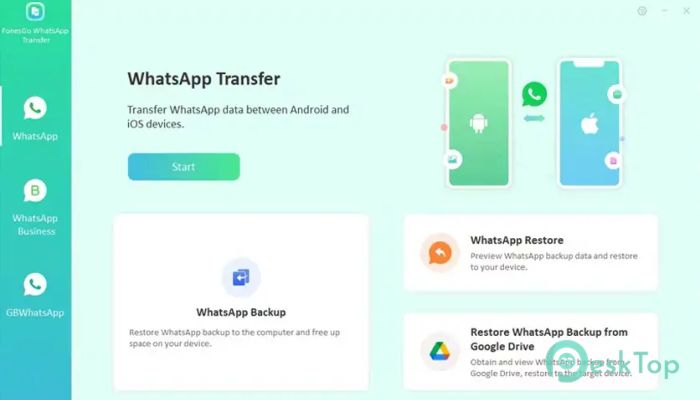
The software is designed to make WhatsApp migration simple for every user. Whether you are switching between Android and iPhone or restoring old chat history, it ensures the process stays easy, safe, and reliable. With support for the newest Android and iOS versions, it keeps your data protected at every step.Features of FonesGo WhatsApp Transfer
Multi-Directional Transfer
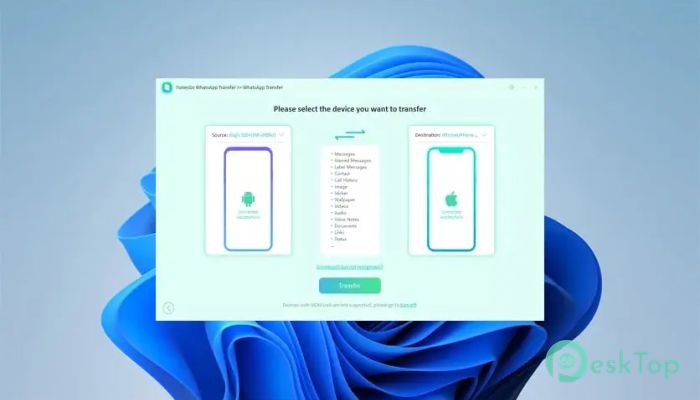
One of the biggest advantages of this tool is its flexible transfer system. You can move your messages across different platforms without worrying about compatibility. It supports multiple transfer paths, letting you switch between operating systems freely.
No Need for Factory Reset
When shifting devices, many users fear losing data due to factory reset requirements. Thankfully, this tool removes that worry. It moves your messages, media, and attachments without wiping anything on the new device. You get full control and complete safety throughout the process.
Support for 20+ Data Types
The tool is built to handle everything that matters to you. It supports a wide variety of WhatsApp data types so nothing gets left behind. Whether you want chats, photos, videos, audio files, or stickers, you can transfer them effortlessly.
Fast and Stable Transfer Speed
Speed matters when migrating large chat histories. This tool offers a fast experience that avoids the common issues users face with apps like Move to iOS. It prevents freezing, lagging, or getting stuck during migration, helping you complete the process quickly and smoothly.
Backup Without Cloud Storage
You can back up your entire WhatsApp data to your computer without needing iCloud or Google Drive. This makes the backup more secure and more accessible. You can store unlimited backups without worrying about cloud limits.
Restore WhatsApp Backup Anytime
The restoration feature lets you restore older chats whenever you need them. It even supports restoring Google Drive backups directly to an iPhone, something many users struggle with when switching platforms.
Simple and User-Friendly Interface
The software keeps everything clean and easy to use. Even beginners can follow the process without confusion. Instructions are clear, steps are short, and every action is easy to understand.
Great Compatibility
With support for the latest Android 16 and iOS 26, the tool works with almost every modern smartphone. You won’t need to worry about version issues or device restrictions during the transfer.
Complete Data Security
Your data is handled with total care. The tool ensures your messages and media remain private, protected, and accessible only to you. No information is uploaded anywhere without your permission.
System Requirements and Technical Details
Operating System: Windows 11 / 10 / 8.1 / 7
Processor: Minimum 1 GHz Processor (2.4 GHz recommended)
RAM: 2GB (4GB or more recommended)
Free Hard Disk Space: 500MB or more is recommended

-
Program size223.48 MB
-
Version8.9.1
-
Program languagemultilanguage
-
Last updatedBefore 6 Month
-
Downloads93
 MobiKin Eraser for Android
 iMobie AnyTrans for iOS
 Iriun Webcam
 LDPlayer
 Coolmuster Android SMS + Contacts Recovery
  Coolmuster Lab.Fone for Android