
 Arabic
  English
  Turkish
  Chinese
  Japanese
  Russian
  Spanish
  German
  French
  Hindi
Hindi Download Fre:ac - Free Audio Converter 1.1.7 for Windows
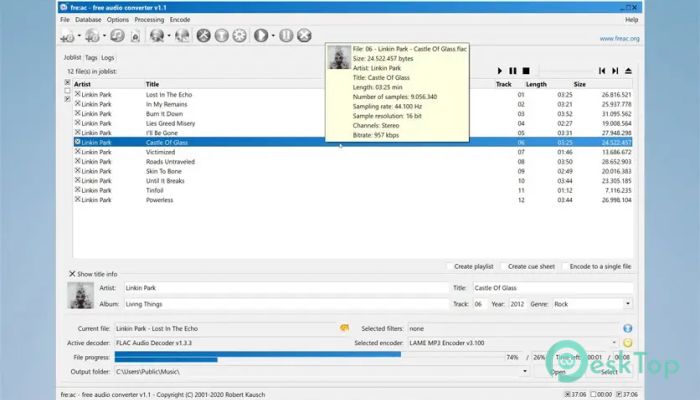
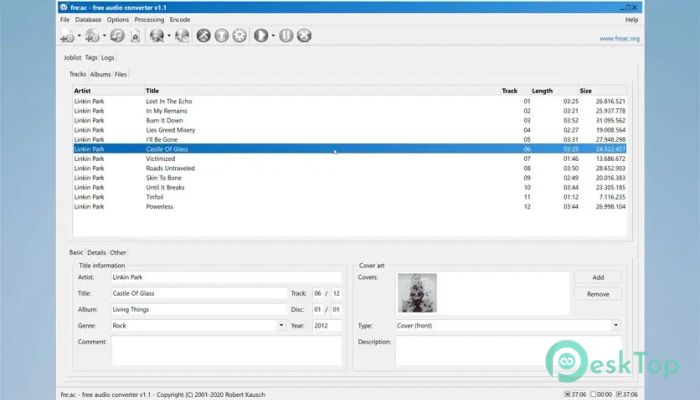
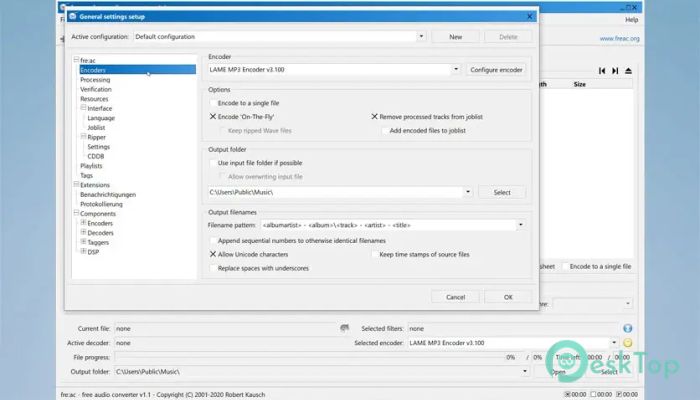
Download Fre:ac - Free Audio Converter 1.1.7 for Windows.
Fre:ac - Free Audio Converter Overview
This software is designed to make audio conversion simple for everyone. Whether you want to switch formats, rip tracks from CDs, or organize your music library, the tool gives you all the features you need in one place. It supports various popular formats and even provides an integrated tag editor for proper file organization.Features of Fre:ac - Free Audio Converter
One of the biggest strengths of this tool is its ability to handle almost all major audio formats. From MP3 and AAC to FLAC, Opus, WAV, and more, it ensures your files remain compatible with your preferred devices.
It also includes a fast, multi-threaded conversion engine that speeds up the entire process. The tool keeps things smooth even when working with large music libraries.
Support for MP3, MP4/AAC, FLAC, Opus, Vorbis, WAV, WMA, and other formats
Built-in tag editor
Integrated audio player
CD ripping support with AccurateRip
Support for playlists, chapters, and cue sheets
Ability to convert entire music libraries while keeping folder structure
Multi-format conversion in one go
Verification for lossless audio files
CDDB/freedb support for automatic metadata
Fast and multi-threaded performance
CD Ripping Capabilities
This tool does more than convert audio files—it helps you copy tracks from CDs efficiently. Thanks to its AccurateRip technology, it ensures high-quality ripping without distortions. It can automatically query online databases like freedb to fill in song titles and album information.
Multi-Format Conversion Support
The software lets you convert files to various formats based on your needs. You can convert single tracks or process your entire music collection without losing your folder structure. It also supports simultaneous conversion to multiple formats, which is great when preparing files for different devices.
Built-In Tag Editor
Managing audio metadata becomes easier with the integrated tag editor. You can fix track titles, artist names, album details, and add missing information effortlessly. It helps keep your music organized just the way you like it.
Performance and Speed
The tool uses multi-threaded processing, allowing it to handle multiple tasks simultaneously. This results in faster conversions and smooth handling of large libraries. It’s designed to deliver consistent performance on both older and newer systems.
Ease of Use
Despite the advanced features, this tool remains beginner-friendly. The interface is clean, straightforward, and easy to navigate. You can start converting or ripping within seconds, even if you’ve never used an audio tool before.
System Requirements and Technical Details
Operating System: Windows 11 / 10 / 8.1 / 7
Processor: Minimum 1 GHz Processor (2.4 GHz recommended)
RAM: 2GB (4GB or more recommended)
Free Hard Disk Space: 200MB or more is recommended

-
Program size23.47 MB
-
Version1.1.7
-
Program languagemultilanguage
-
Last updatedBefore 9 Month
-
Downloads47
 Teletone Audio Prism Plate
 Stryde Audio Swayed
  Electric Smudge SnappySnap
 PSPaudioware PSP Flare
 DW Soundworks Gretsch USA Custom Expansion Pack
 Sonic Academy V4lve