
 Arabic
  English
  Turkish
  Chinese
  Japanese
  Russian
  Spanish
  German
  French
  Hindi
Hindi Download Free Your Music 9.23.0 for Windows
Download Free Your Music 9.23.0 for Windows.
Free Your Music Overview
Switching music platforms can feel like packing your entire house and moving to another city. You love your playlists, your saved songs, and your carefully organized collections, but moving everything manually takes hours or even days. That is where this solution becomes incredibly useful. It simplifies playlist transfers, helping you move your music library across platforms quickly and smoothly. This application is designed to transfer playlists between popular music services such as Spotify, Apple Music, YouTube Music, Amazon Music, Tidal, Deezer, and many more. Instead of rebuilding playlists song by song, the software automatically detects and moves them to your chosen platform. This saves time and ensures your music stays organized. Whether you are switching platforms for better pricing, improved sound quality, or simply trying something new, this tool makes the process effortless. It acts like a bridge between music services, allowing your songs to travel safely without losing structure or order.Features of Free Your Music
Simple Playlist Transfer Experience
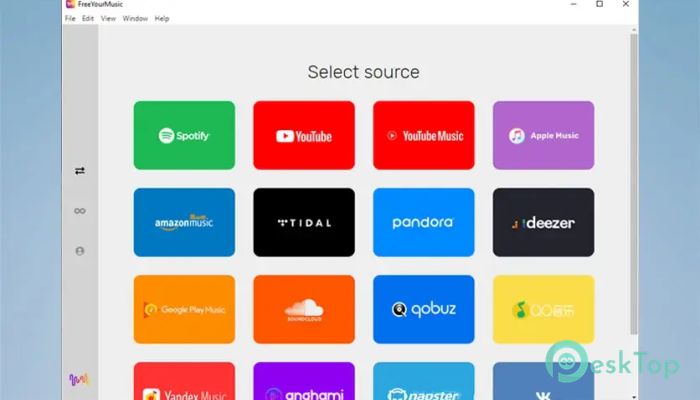
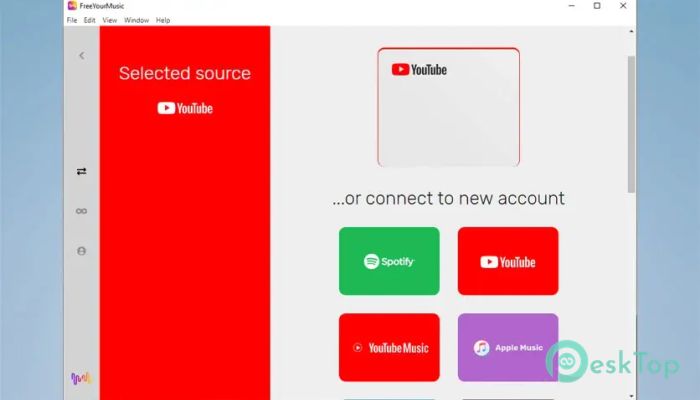
Moving playlists becomes extremely easy with this software. The interface is clean and beginner-friendly, so even users with minimal technical knowledge can complete transfers without confusion. The process usually involves selecting your source platform, choosing your destination, and clicking transfer.
The software automatically scans your playlists and begins moving them to the new service. This automated approach removes the need for manual searching, copying, or rebuilding. It feels like using a moving company instead of carrying boxes yourself.
Supports Multiple Music Platforms
One of the strongest advantages is its wide compatibility with major streaming platforms. It supports many popular services, making it useful for users who frequently switch between providers.
You can transfer playlists between Spotify, Apple Music, YouTube Music, Amazon Music, Tidal, Deezer, Pandora, and many others. This flexibility ensures users are not locked into one service and can explore different platforms freely.
Having this level of compatibility means your music collection remains portable. It becomes easier to try new services without worrying about losing your favorite playlists.
Fast and Automated Transfers
Manual playlist transfer can take hours, especially when you have hundreds or thousands of songs. This tool speeds up the entire process by automating playlist detection and transfer.
Once you start the transfer, the software handles everything in the background. It identifies matching tracks on the destination platform and automatically rebuilds your playlist. This makes switching platforms quick and stress-free.
The automation works like a smart assistant. Instead of manually searching for songs, it finds them instantly and organizes them correctly.
Maintain Playlist Structure
One common concern when switching platforms is losing playlist order. This software maintains playlist structure during transfers, ensuring songs stay in the same sequence.
This is especially useful for users who create mood-based playlists, workout collections, or carefully curated mixes. The tool ensures everything stays exactly as you arranged it.
Keeping the structure intact helps preserve the listening experience. Your playlists remain familiar, just like before.
Batch Playlist Transfer
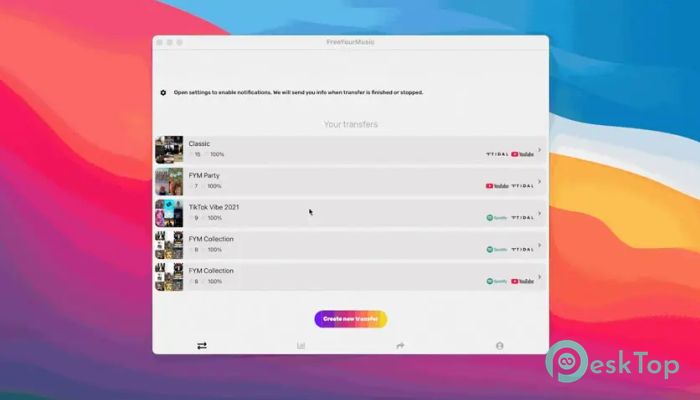
Another useful feature is batch transfer. Instead of moving playlists one by one, you can transfer multiple playlists at once. This significantly reduces time and effort.
Users with large music libraries benefit the most from this feature. Whether you have 10 playlists or 100, everything can be moved together.
This feature turns a long, complex process into a quick, efficient task.
Cross Platform Compatibility
The software is designed to work across multiple operating systems. This ensures users can transfer playlists across devices.
You can move playlists between platforms even if you switch devices later. This flexibility makes it useful for long-term music management.
The ability to work across systems makes the tool more versatile and reliable.
User-Friendly Interface
The interface is designed with simplicity in mind. Everything is clearly labeled, making the transfer process easy to understand.
Even first-time users can complete transfers quickly. The layout guides you step by step, reducing confusion.
This makes the software accessible to both beginners and advanced users.
Save Time and Effort
Manually rebuilding playlists can be frustrating. This tool eliminates that problem by automating the process.
Instead of searching each song individually, the software handles everything instantly. This saves valuable time and effort.
The convenience offered makes switching platforms much easier than before.
Safe and Secure Transfers
The software focuses on safe playlist transfers. It does not modify original playlists and ensures your data remains intact.
Your playlists stay protected during transfers. This reliability builds trust and confidence.
The secure transfer system ensures a smooth and safe experience.
Perfect for Music Lovers
This solution is ideal for users who love exploring different music services. It removes the fear of losing playlists when switching platforms.
Music lovers can move their collections anytime without worrying about rebuilding playlists.
This freedom makes the listening experience more enjoyable.
System Requirements and Technical Details
Operating System: Windows 11 / 10 / 8.1 / 7
Processor: Minimum 1 GHz Processor (2.4 GHz recommended)
RAM: 2GB (4GB or more recommended)
Free Hard Disk Space: 200MB or more is recommended

-
Program size95.29 MB
-
Version9.23.0
-
Program languagemultilanguage
-
Last updatedBefore 6 Month
-
Downloads8
 Teletone Audio Prism Plate
 Stryde Audio Swayed
  Electric Smudge SnappySnap
 PSPaudioware PSP Flare
 DW Soundworks Gretsch USA Custom Expansion Pack
 Sonic Academy V4lve