
 Arabic
  English
  Turkish
  Chinese
  Japanese
  Russian
  Spanish
  German
  French
  Hindi
Hindi Download HaneWin DNS Server 2.0.18 for Windows
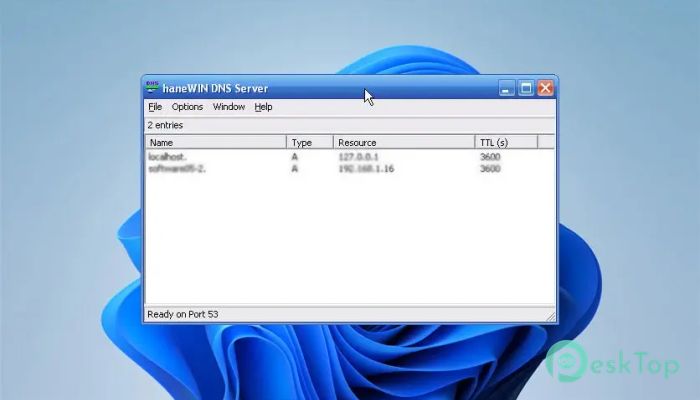
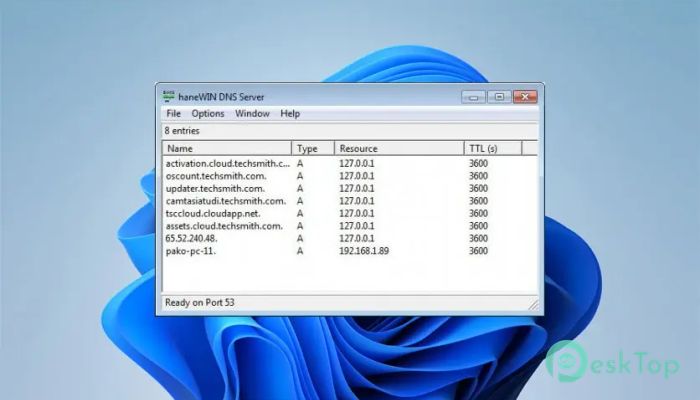
Download HaneWin DNS Server 2.0.18 for Windows.
HaneWin DNS Server Overview
Managing domain name resolution on Windows can sometimes feel complicated, especially when you need control, speed, and reliability at the same time. This tool simplifies the entire process by providing a fully functional tool designed specifically for Windows environments. Whether you're running a small home network or managing multiple systems in an enterprise setup, it delivers dependable performance without unnecessary complexity. It functions as both a Primary and Backup name server, giving users flexibility depending on their needs. With support for dynamic DNS updates based on RFC 2136, it allows administrators to manage DNS entries dynamically without manually updating configurations. This capability is especially helpful in environments where IP addresses change frequently. Another standout feature is its recursive DNS forwarding capability with caching. This means requests for non-local domains are answered quickly using cached responses or forwarded to external name servers. The result is faster browsing, reduced latency, and improved overall network performance. Simple Yet Powerful DNS Management The software focuses on delivering essential DNS functionality without overwhelming users. It is designed to operate efficiently while maintaining a minimal footprint. This makes it suitable for both beginners and experienced administrators. Instead of complicated setup procedures, it offers straightforward configuration options. Users can quickly define zones, manage records, and control DNS behavior without needing deep technical knowledge. The clean design ensures that even those new to the tool can get started quickly. Primary and Backup Name Server Support One of the most useful capabilities is the ability to run as both a primary and a backup name server. This flexibility allows administrators to build reliable DNS infrastructures. When used as a primary server, it handles all domain requests directly. When configured as a backup, it ensures uninterrupted operation if the primary server becomes unavailable. This redundancy helps improve uptime and reliability. Businesses and network administrators can rely on consistent performance even during unexpected downtime scenarios. It acts as a safety net, ensuring domain resolution continues smoothly. Dynamic DNS Updates Support Dynamic DNS support, as defined in RFC 2136, allows automatic updates to DNS records. This is particularly helpful in dynamic environments where IP addresses frequently change. Instead of manually updating entries, the system automatically adjusts records when changes occur. This functionality reduces administrative workload and minimizes errors. It also improves efficiency in networks that rely on DHCP or frequently changing devices. By automatically handling updates, it keeps DNS records accurate at all times. Recursive DNS Forwarding with Caching Another important feature is recursive DNS forwarding. When a request is made for a non-local domain, the server forwards the request to external name servers. Once the response is received, it stores the result in cache. This caching system significantly improves performance. Future requests for the same domain are resolved more quickly because the response is retrieved directly from the cache. It also reduces external traffic, making the network more efficient. Think of it like a memory system. Once it learns an address, it remembers it for next time. This reduces wait time and improves responsiveness. Runs as a native Windows Service The software runs as a native Windows service, allowing it to operate quietly in the background. This ensures continuous operation without requiring manual startup each time the system boots. Running as a service also improves stability. It remains active even when no user is logged in. This is particularly useful for servers and dedicated systems that require constant availability. Wide Windows Platform Compatibility Compatibility is another strong advantage. It supports a wide range of Windows operating systems, including older and modern versions. This makes it suitable for diverse environments and legacy systems. The installer includes both 32-bit and native x64 versions. This ensures optimal performance depending on system architecture. Users don't need to worry about compatibility issues when installing. Control Panel Applet for Easy Access Managing DNS settings becomes easier with the included Control Panel applet. This interface provides interactive access to the service, enabling users to easily monitor and manage configurations. Instead of using complex command-line tools, users can manage settings through a simple interface. This improves usability and reduces configuration time. Lightweight Performance The tool is designed to use minimal system resources. It runs quietly in the background without affecting system performance. This makes it ideal for servers and low-resource systems. Despite its lightweight design, it still delivers powerful DNS functionality. This balance between performance and efficiency makes it a strong choice for many users. Security and Stability Servers play an important role in network security. This solution is designed to provide stable and secure DNS operations. It ensures accurate domain resolution and reduces risks associated with misconfigured tools. Its stable performance makes it suitable for long-term deployment. Once configured, it runs reliably without frequent maintenance. Ideal Use Cases This tool is useful in multiple scenarios. Home users can set up local DNS resolution for faster browsing. Small businesses can manage domain records internally. Larger networks can implement redundancy using primary and backup servers. Developers and IT professionals also benefit from its flexibility. It can be used for testing, development, or production environments.Features of HaneWin DNS Server
Primary and Backup name server support
Dynamic DNS updates based on RFC 2136
Recursive DNS forwarder with caching
Runs as a native Windows service
Control Panel applet for management
32-bit and native x64 support
Lightweight and fast performance
Wide Windows compatibility
Easy configuration and setup
Reliable and stable operation
System Requirements and Technical Details
Operating System: Windows 11 / 10 / 8.1 / 7
Processor: Minimum 1 GHz Processor (2.4 GHz recommended)
RAM: 2GB (4GB or more recommended)
Free Hard Disk Space: 200MB or more is recommended
Comments

951.62 KB
Program details
-
Program size951.62 KB
-
Version2.0.18
-
Program languagemultilanguage
-
Last updatedBefore 6 Month
-
Downloads26
 RealVNC VNC Server Enterprise
 CrushFTP
 Reqable
 AnyDesk
 AmneziaVPN
 CurrPorts