
 Arabic
  English
  Turkish
  Chinese
  Japanese
  Russian
  Spanish
  German
  French
  Hindi
Hindi Download HitPaw VikPea 1.0 for Windows
Download HitPaw VikPea 1.0 for Windows.
HitPaw VikPea Overview
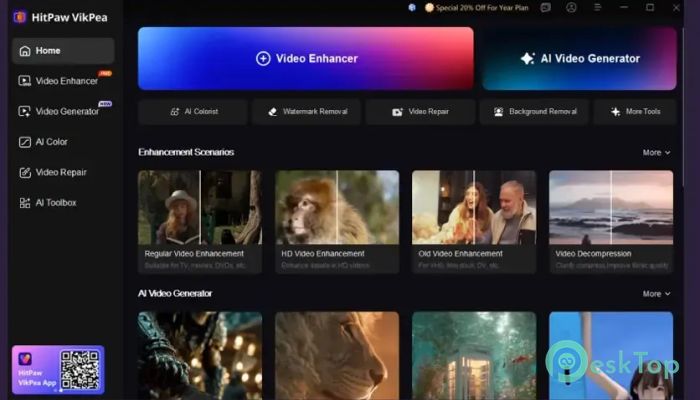
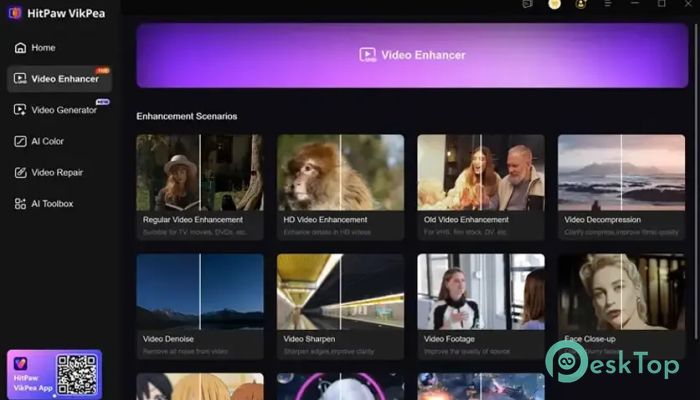
Modern videos often suffer from low resolution, blur, noise, and poor image quality. This powerful video enhancement solution is designed to solve those problems using artificial intelligence. It analyzes every frame and intelligently improves details, colors, textures, and overall clarity without requiring professional editing skills. Whether you are working with old family recordings, downloaded clips, AI-generated content, or shaky smartphone footage, the software makes it easy to transform ordinary videos into high-quality productions. Its user-friendly interface allows beginners and professionals alike to achieve impressive results with minimal effort.Features of HitPaw VikPea
AI-Powered Video Upscaling
One of the most impressive features is its ability to upscale low-resolution videos to higher resolutions while preserving realistic details. Videos originally recorded in 480p, 720p, or 1080p can be enhanced and converted into sharp 4K or even 8K footage.
Unlike traditional upscaling methods that simply stretch pixels, the software uses artificial intelligence to rebuild missing details. The result is clearer images, sharper edges, and more natural-looking visuals that maintain their quality even on large screens.
Restore Blurry and Noisy Videos
Old recordings and compressed videos often appear blurry or filled with digital noise. The tool uses specialized AI models to identify and remove unwanted artifacts while restoring important visual details.
Think of it as cleaning a dusty window. Once the dirt is removed, everything becomes easier to see. In the same way, the software improves visibility and enhances overall image quality, making videos appear fresh and professional.
Enhance AI-Generated Videos
AI-generated videos have become increasingly popular, but they sometimes contain visual inconsistencies, soft details, or motion artifacts. The software is specifically optimized to enhance content created using modern AI video generation platforms.
It supports enhancement workflows for videos generated by popular AI models, including Kling, Sora, Veo, Seedance, and similar technologies. By improving sharpness and visual consistency, it helps creators produce cleaner and more polished AI content.
Smooth Motion and Higher Frame Rates
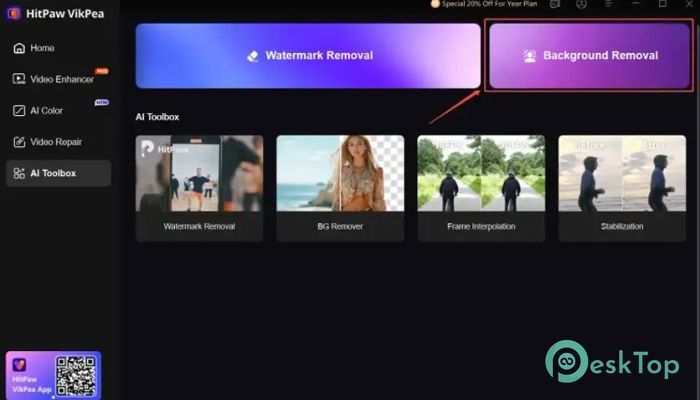
Motion quality plays a major role in viewer experience. Choppy movement and frame drops can make videos look less professional. The software includes frame interpolation technology that increases frame rates and creates smoother motion.
Users can boost videos to up to 60 FPS, resulting in more fluid motion in action scenes, sports footage, gaming clips, and cinematic sequences. This improvement creates a more enjoyable viewing experience while maintaining natural motion.
Repair Old and Damaged Videos
Many people have valuable memories stored in old recordings that have degraded over time. Scratches, compression artifacts, low resolution, and image distortion can significantly reduce viewing quality.
The software helps restore these memories by repairing damaged footage and rebuilding lost details. Family videos, historical recordings, and archived content can look significantly better after enhancement, helping preserve important moments for future generations.
Multiple AI Enhancement Models
Different videos require different types of processing. A one-size-fits-all approach rarely delivers the best results. To address this challenge, the software offers multiple AI models optimized for specific enhancement tasks.
Users can choose models designed for face enhancement, detail recovery, noise reduction, animation improvement, and general video restoration. This flexibility ensures that every project receives the most suitable treatment.
Simple One-Click Workflow
Professional video editing often involves complex settings and lengthy learning curves. This solution simplifies the process by providing an intuitive workflow that lets users enhance videos in just a few clicks.
Simply import a video, select the desired enhancement model, preview the results, and start processing. The AI handles the technical work automatically, saving time and reducing the need for advanced editing knowledge.
Improved Detail Reconstruction
When enhancing low-quality footage, maintaining realistic textures is essential. The software excels at reconstructing details such as facial features, clothing textures, landscapes, and architectural elements.
Instead of creating artificial-looking results, it focuses on producing natural enhancements that preserve the original appearance while significantly increasing sharpness and clarity.
Suitable for Content Creators
Content creators, marketers, educators, and video enthusiasts can all benefit from the enhancement capabilities offered by this solution. Improved video quality helps attract viewers, increase engagement, and create a more professional presentation.
Whether publishing videos on social media, video-sharing platforms, business websites, or educational portals, enhanced footage often performs better and leaves a stronger impression on audiences.
Fast Processing and Modern Performance
Advanced AI technology is combined with optimized processing algorithms to deliver efficient performance. The software leverages modern hardware resources to accelerate enhancement tasks while maintaining high-quality output.
This balance between speed and quality allows users to process videos more efficiently without sacrificing visual excellence.
System Requirements and Technical Details
Operating System: Windows 11 / 10 / 8.1 / 7
Processor: Minimum 1 GHz Processor (2.4 GHz recommended)
RAM: 2GB (4GB or more recommended)
Free Hard Disk Space: 200MB or more is recommended

-
Program size2.74 MB
-
Version1.0
-
Program languagemultilanguage
-
Last updatedBefore 3 Month
-
Downloads159
 Aescripts Autokroma AfterCodecs
 Boris FX Silhouette
 RE:VisionFX ARRI Film Lab
 Gilisoft Video UniReel
 iFunia Video Editor
 Innovision MaxPRO