
 Arabic
  English
  Turkish
  Chinese
  Japanese
  Russian
  Spanish
  German
  French
  Hindi
Hindi Download HorizonOS 1.8.0 for Windows
Download HorizonOS 1.8.0 for Windows.
HorizonOS Overview
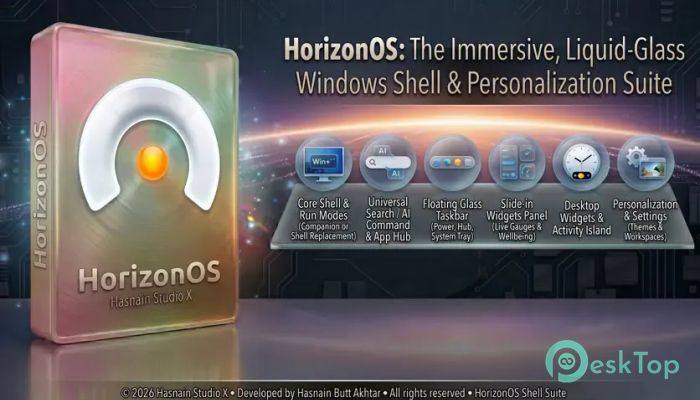
It is a private, local-first Windows desktop shell designed to give your computer a fresh and elegant look. Instead of relying on the standard Start menu, it introduces a beautiful full-screen dashboard with a glass-inspired design, making everyday tasks feel smoother and more enjoyable. Everything runs locally, so your settings remain on your PC without cloud syncing or tracking. The software focuses on productivity without adding unnecessary complexity. Whether you want faster app access, customizable widgets, workspace organization, or quick notes, it brings everything together in one clean environment. Its lightweight design ensures a responsive experience while keeping system resources under control.Features of HorizonOS
Modern Home Screen Experience
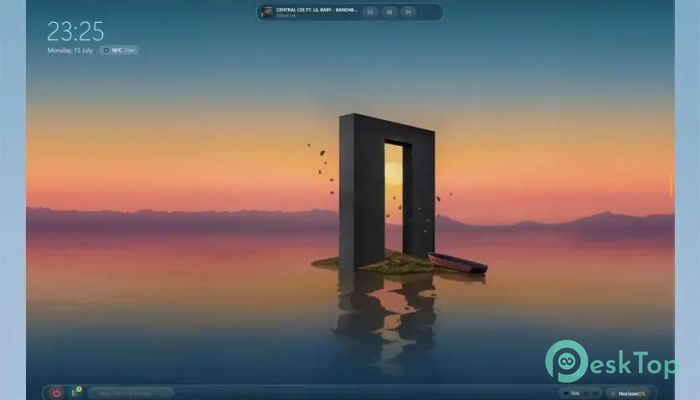
The software replaces the familiar Windows Start experience with a stylish home screen that appears instantly through a hotkey or corner gesture. Instead of opening a small menu, you are greeted by a full-screen dashboard with smooth glass effects that feels modern and relaxing.
A large clock, elegant layout, and carefully organized interface help reduce clutter. It creates a calm workspace where essential tools are always within reach, helping you stay focused throughout the day.
Fast App Launcher with Universal Search
Finding applications, files, and settings becomes effortless with the built-in launcher. Instant search delivers results as you type, helping you open anything within seconds instead of browsing through long menus.
The search feature also understands natural-language commands. You can search for files, launch programs, change settings, convert units, or execute simple commands without opening multiple applications. It works like having a smart assistant directly inside your desktop.
Beautiful and Customizable Widgets
The tool includes interactive widgets that make useful information available at a glance. Instead of switching between different apps, important details remain visible whenever you need them.
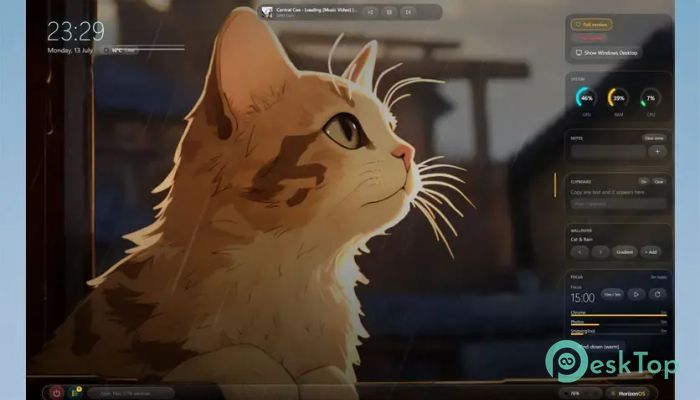
You can add widgets for a large digital clock, quick notes, reminders, system statistics, weather forecasts, media controls, focus timers, and more. Since every panel is customizable, you can build a workspace that perfectly matches your daily routine.
Smart Workspace Management
Keeping work organized becomes much easier with support for multiple workspaces. Separate projects, personal tasks, and entertainment into dedicated environments, reducing distractions and improving productivity.
Switching between workspaces is smooth and quick. Everything remains organized, making it easy to focus on the task at hand without losing track of other activities.
Powerful Productivity Tools
The software includes several built-in features that help you complete work faster. Window snapping allows applications to be arranged neatly, while the overview mode displays all open windows in a clear layout for easy navigation.
Another helpful feature is Scenes, which lets you launch groups of applications together with customized wallpapers and accent colors. It feels like walking into a fully prepared office, with everything already waiting for you.
Floating Taskbar and System Controls
A modern floating taskbar replaces the traditional layout while keeping familiar controls easily accessible. Important system functions remain available without making the interface feel crowded.
From one place, you can adjust volume, check battery status, monitor network connections, open notifications, access File Explorer, launch Task Manager, and change appearance settings. Everything stays organized in a clean and elegant design.
Focus Mode and Daily Organization
Remaining productive throughout the day becomes easier with built-in focus tools. The software includes Pomodoro timers, quick reminders, and screen-time tracking to help you maintain healthy work habits.
Quick note panels allow ideas to be captured instantly before they disappear. Since the notes remain available directly on the dashboard, important reminders are never far away.
Privacy Comes First
Unlike many modern desktop customization tools, this one keeps your information private. Everything works locally on your computer without collecting personal data or uploading settings to online servers.
There is no telemetry, tracking, or forced cloud synchronization. Your preferences stay exactly where they belong—on your own device—giving you complete control over your desktop environment.
Elegant Visual Design
The software combines performance with attractive visuals. Acrylic frost effects, liquid-glass animations, adaptive accent colors, and cinematic transitions create a premium desktop experience without slowing down everyday work.
Support for looping video live wallpapers adds another level of personalization. At the same time, the software intelligently minimizes GPU usage whenever the interface is hidden, helping preserve system performance.
Lightweight Performance
Even with its modern appearance, the tool is built for efficiency. It stays responsive while consuming very little system power, making it suitable for both older and newer Windows computers.
Since unnecessary background processes are avoided, users can enjoy a beautiful desktop without sacrificing speed or battery life.
System Requirements and Technical Details
Operating System: Windows 11 / 10
Processor: Quad Core Processor X64 (Minimum), Octa Core Processor X64 Or Better (Recommended)
DirectX: Version 11 (Minimum), DirectX 12 API, Hardware Feature Level 12 (Recommended)
RAM: 8GB (16GB or more recommended)
Free Hard Disk Space: 4GB or more is recommended

-
Program size706.25 MB
-
Version1.8.0
-
Program languagemultilanguage
-
Last updatedBefore 2 Month
-
Downloads39
 Reuschtools ClassicMenu
 AI Aquarium Screensaver
  Rainmeter
 Rainlendar Pro
 N-Button Pro
 Stardock DeskScapes