
 Arabic
  English
  Turkish
  Chinese
  Japanese
  Russian
  Spanish
  German
  French
  Hindi
Hindi Download iLovePDF PDF Reader and Editor 1.0 for Windows
Download iLovePDF PDF Reader and Editor 1.0 for Windows.
iLovePDF PDF Reader and Editor Overview
Managing PDF documents can sometimes feel like juggling too many files at once. Whether you're working with reports, contracts, presentations, or study material, having the right tool makes everything easier. This software provides a simple yet powerful solution designed for Windows users who want fast, offline, and reliable PDF management. The desktop version focuses on speed, privacy, and efficiency. Since everything runs directly on your computer, there is no need to upload documents online. This makes it ideal for handling sensitive files while improving productivity. From editing and organizing to converting and protecting documents, the tool provides everything you need in a single, clean interface. Another highlight is the user-friendly design. Even beginners can quickly understand how everything works. Buttons are clearly labeled, features are logically arranged, and operations complete quickly. Whether you are a student, office worker, freelancer, or business owner, it simplifies document handling and saves valuable time.Features of iLovePDF PDF Reader and Editor
Clean and User-Friendly Interface
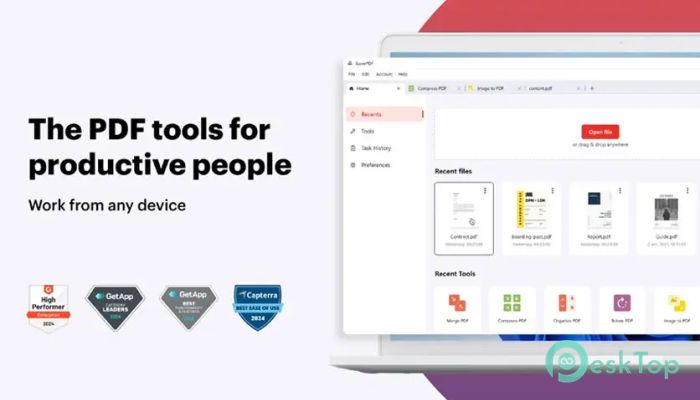
First impressions matter, and this software delivers a clean and organized interface. The layout is simple, which makes navigation smooth and comfortable. You do not need technical knowledge to use it. Everything is designed with clarity in mind.
Large icons, clear menus, and straightforward controls make working with documents easy. You can open files quickly, switch between tools instantly, and complete tasks without confusion. It feels like having a smart assistant guiding you through every step.
This simplicity also reduces learning time. Instead of spending hours figuring out how things work, you can jump straight into editing, reading, and organizing your documents.
Edit and Customize PDF Documents
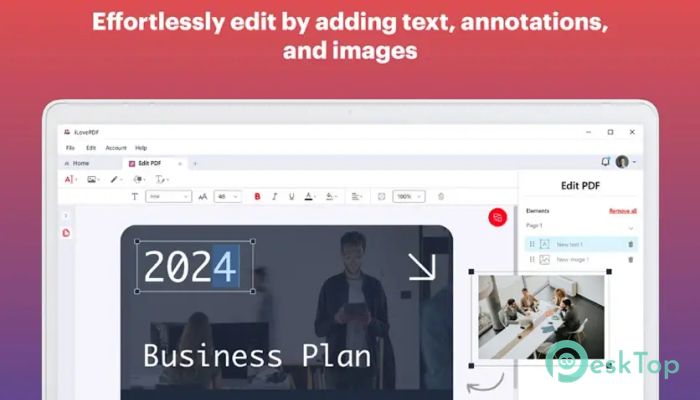
Editing PDF files is one of the strongest features. You can easily add text, images, and shapes to your documents. This allows you to customize files exactly the way you want.
The editing tools also include highlighting, annotation, underlining, and strikethrough options. These features help when reviewing documents or marking important information. It works great for students reviewing notes or professionals analyzing reports.
You can also remove existing images and insert new ones. This gives complete control over document appearance. It is like reshaping a document without recreating it from scratch.
Rotate, Crop, and Organize Pages
Sometimes documents come with incorrect page orientation. The rotation feature allows you to fix this instantly. You can rotate individual pages or entire documents in just a few clicks.
The cropping feature is also very useful. It allows you to select a specific area and remove unwanted content. This is helpful when preparing documents for presentations or printing.
Organizing pages becomes easy with these tools. You can rearrange content, adjust layout, and improve document readability effortlessly.
Add Watermarks and Page Numbers
Protecting documents is important, especially when sharing them with others. The watermark feature allows you to add text or images across your pages. This helps protect your content and maintain branding.
You can also add page numbers to improve document structure. This is especially useful for long reports, eBooks, or presentations. Clear numbering makes navigation easier and improves professionalism.
These small features make a big difference when preparing documents for clients, teachers, or business use.
Advanced Reading and Viewing Experience
Reading documents should be comfortable and distraction-free. The built-in reader provides a clean viewing experience. You can open files quickly and navigate smoothly.
The zoom feature allows you to focus on small details. Whether you are reviewing graphics or reading small text, adjusting zoom improves clarity.
The viewing modes include single-page, double-page, and presentation layouts. This flexibility makes reading more comfortable depending on your needs.
Smart Search and Navigation
Finding specific information inside large documents can be frustrating. The built-in search tool solves this problem. You can quickly locate keywords and phrases.
This feature saves time and improves efficiency. Instead of scrolling through pages, you can jump directly to relevant sections.
It works particularly well for long reports, contracts, and academic documents.
Attach Files to PDF Documents
Sometimes you need to include additional files inside a document. This tool allows you to attach multiple files directly to PDFs. This keeps everything organized in one place.
It is helpful when sending documents with supporting materials. You can attach images, spreadsheets, or notes within the file.
This feature improves organization and simplifies document sharing.
Offline Processing for Better Privacy
Working offline provides greater security and faster performance. Since everything runs locally, files stay on your computer. This reduces risks associated with uploading documents online.
Offline processing also improves performance. Large documents open faster, and operations complete quickly.
This makes it ideal for professionals working with confidential information.
Boost Productivity and Efficiency
Handling multiple documents becomes easier with this software. Tasks that normally take several tools can now be completed in one place.
Instead of switching between applications, you can edit, read, convert, and organize files from a single interface. This saves time and improves workflow.
It feels like upgrading your workspace with smarter document handling.
System Requirements and Technical Details
Operating System: Windows 11 / 10
Processor: Minimum 1 GHz Processor (2.4 GHz recommended)
RAM: 2GB (4GB or more recommended)
Free Hard Disk Space: 2GB or more is recommended

-
Program size392.13 KB
-
Version1.0
-
Program languagemultilanguage
-
Last updatedBefore 6 Month
-
Downloads168
 CoolUtils PDF Combine
 NAPS2 - Not Another PDF Scanner
 FocusWriter
 Atlantis Word Processor
 AI Offline OCR Scanner Pro
 Xappex XL-Connector