
 Arabic
  English
  Turkish
  Chinese
  Japanese
  Russian
  Spanish
  German
  French
  Hindi
Hindi Download JuppIt 1.0 for Windows
Download JuppIt 1.0 for Windows.
JuppIt Overview
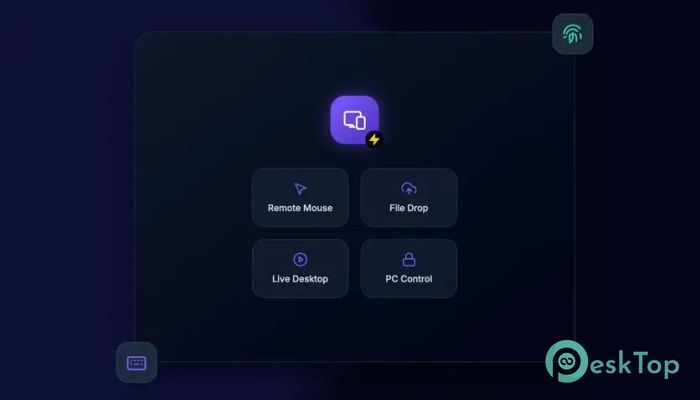
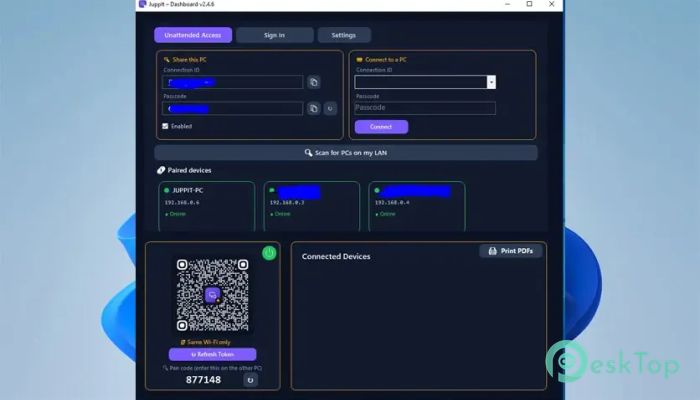
It combines file sharing and remote PC access into one simple solution. It connects an Android phone to a Windows computer, letting users move photos, videos, ZIP archives, and PDF documents without USB cables. The connection makes everyday transfers quick and convenient. The software goes beyond basic file sharing. You can view your computer desktop from your phone, control the mouse, scroll through pages, type with your mobile keyboard, and even unlock the computer using supported biometric security. It turns your smartphone into a useful companion for your Windows desktop.Features of JuppIt
Fast File Transfers from Android
Moving files between a phone and computer can become annoying when you have to search for cables or upload everything to cloud storage first. The tool provides a more direct approach by letting you send supported files from your Android device straight to the PC.
You can quickly share personal photos, transfer large videos, or move ZIP and PDF files for documents and archives. You can also upload multiple files, which is more practical when you have a collection of content to transfer.
Live Desktop Streaming
The live desktop feature lets you view your Windows screen directly from your mobile device. Your computer display streams to your phone in real time, giving you an easy way to monitor what is happening without sitting in front of the PC.
This can be useful when a long task is running in the background. Instead of repeatedly returning to your desk, you can check the desktop from your phone. It creates a small window into your computer that stays conveniently within reach.
Remote PC Control
Remote viewing becomes even more useful when combined with control features. The software lets your smartphone act like a wireless trackpad. You can move around the desktop using familiar touch controls instead of reaching for a physical mouse.
Scrolling also feels natural because the phone supports multi-touch interaction. This makes browsing documents, navigating folders, and controlling desktop applications easier when you are away from your keyboard and mouse.
Use Your Phone as a Touch Mouse
Your phone screen can act as a precision touchpad for Windows. Finger movements translate into mouse actions on the computer, creating an experience similar to using a laptop trackpad.
This feature can be handy during presentations, casual browsing, or when your regular mouse isn't nearby. You can sit comfortably and operate the computer without keeping additional wireless accessories around.
Mobile Keyboard Typing
The tool also lets you type on the computer using your smartphone's native keyboard. Instead of relying entirely on the physical PC keyboard, you can enter text from your mobile device and have it appear on the connected computer.
Because it uses the phone keyboard, familiar mobile typing features remain available. You can use autocorrect, swipe input, and voice typing supported by your mobile keyboard. For short messages, searches, and quick text entry, this can make remote control much more comfortable.
Biometric PC Unlock
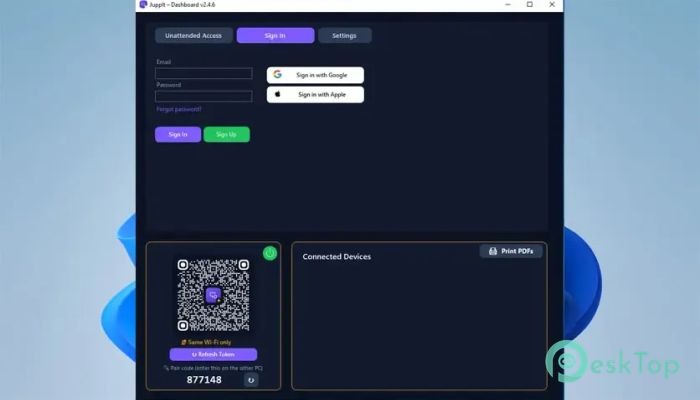
Security is another useful part of the experience. Supported devices can use the phone's fingerprint or face authentication to unlock the connected Windows computer. This provides an alternative to manually entering a password every time you need access.
The process combines the convenience of mobile biometric authentication with desktop access. A quick fingerprint scan or facial check on your phone can make unlocking the computer feel faster and more natural, especially if you already use biometrics throughout the day.
Wireless and Cable-Free Experience
One of the biggest benefits is the freedom from cables. You do not need to connect the phone to the computer every time you want to transfer a photo or document. Wireless connectivity keeps the process simple and helps reduce the clutter created by charging and data cables.
This approach is especially convenient for laptops and desktop computers that may not always have an easily accessible USB port. Your phone and computer can communicate wirelessly, making regular file sharing feel less like a chore.
Local WiFi and Internet Connectivity
The software is designed to work through fast local WiFi as well as a secure internet mode. This gives users more flexibility, rather than limiting remote features to a single connection type.
It automatically chooses the best available communication path. When both devices are on a local network, the connection can use nearby WiFi. Internet connectivity extends the usefulness of the remote experience when you are not sitting beside your computer.
Simple Everyday Workflow
The software's main advantage is how it combines several useful functions. File transfer, remote viewing, touch controls, mobile typing, and computer unlocking don't have to feel like separate tasks handled by different utilities.
Once your phone becomes part of your desktop workflow, simple tasks take fewer steps. You can move a photo captured on Android to the computer, and remote controls offer another way to interact with the desktop. It is like turning your smartphone into a pocket-sized extension of your PC.
Useful for Work and Personal Tasks
The tool fits both professional and everyday computer use. Office users can move PDFs and ZIP archives, content creators can send photos and videos, and home users can remotely view or control their computer without remaining at the desk.
Its combination of transfer and control features makes it useful for people who regularly switch between Android and Windows. Instead of treating the phone and PC as separate devices, the software helps them work together as a more connected setup.
System Requirements and Technical Details
Operating System: Windows 11 / 10 / 8.1 / 7
Processor: Minimum 1 GHz Processor (2.4 GHz recommended)
RAM: 2GB (4GB or more recommended)
Free Hard Disk Space: 200MB or more is recommended

-
Program size81.85 MB
-
Version1.0
-
Program languagemultilanguage
-
Last updatedBefore 1 Month
-
Downloads32
 MobiKin Eraser for Android
 iMobie AnyTrans for iOS
 Iriun Webcam
 LDPlayer
 Coolmuster Android SMS + Contacts Recovery
  Coolmuster Lab.Fone for Android