
 Arabic
  English
  Turkish
  Chinese
  Japanese
  Russian
  Spanish
  German
  French
  Hindi
Hindi Download Kingshiper AiRecover Data Recovery 9.5.8 for Windows
Download Kingshiper AiRecover Data Recovery 9.5.8 for Windows.
Kingshiper AiRecover Data Recovery Overview
Losing important files can feel like dropping a puzzle with missing pieces, but this software makes recovery simple and stress-free. Whether you accidentally deleted photos, formatted a drive, or lost important office documents, it offers an efficient way to recover them with just a few clicks. The software is designed for beginners and professionals alike. Its clean interface, fast scanning engine, and powerful recovery technology allow users to recover files from hard drives, SSDs, USB flash drives, memory cards, and other storage devices without complicated steps.Features of Kingshiper AiRecover Data Recovery
Recover More Than 1000 File Types
The tool supports recovery of over 1000 different file formats, making it suitable for almost every situation. Whether you need family photos, business documents, music files, videos, compressed archives, or system files, it can efficiently locate and restore them.
Instead of limiting users to a few file types, it offers broad compatibility with everyday personal files and professional work documents. This flexibility makes it a dependable choice for almost anyone.
Fast and Accurate Scanning
Time matters when valuable files disappear. The software performs a quick scan to locate recently deleted files within minutes while maintaining a high recovery success rate. It quickly searches connected storage devices and presents recoverable files in an organized list.
If the quick scan does not find everything, users can switch to a deeper scan that thoroughly searches every accessible sector for hidden or older deleted files.
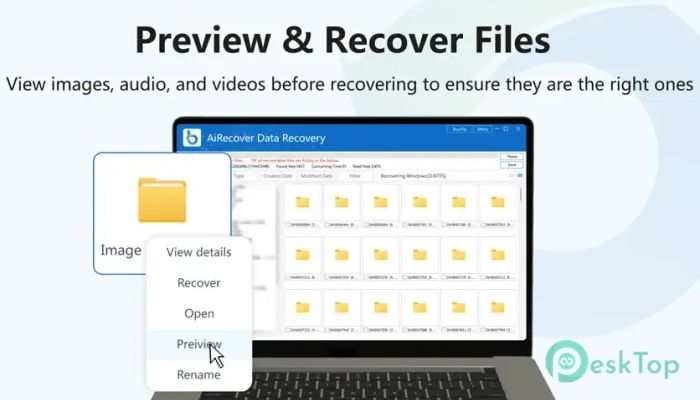
Preview Files Before Recovery
Recovering the wrong file wastes time, which is why the software includes a preview feature. After scanning, it displays useful information such as the file name, storage path, file size, and last modified date.
Users can preview supported files before restoring them. This simple feature helps confirm that the selected files are the correct ones before beginning the recovery process.
Recover Files While Scanning
One of the most useful features is the ability to recover files even while scanning is still running. There is no need to wait for the entire process to finish before restoring important documents.
As soon as the desired files appear in the scan results, they can be recovered immediately. This saves valuable time, especially when dealing with large storage devices.
Safe and Secure Recovery Process
Recovering lost files should never put existing data at risk. The software uses a secure recovery process that protects current files while searching for deleted information. It performs deep scans without damaging stored data or changing existing file structures.
Its recovery engine delivers an impressive recovery success rate of up to 99.5%, giving users greater confidence when restoring valuable files.
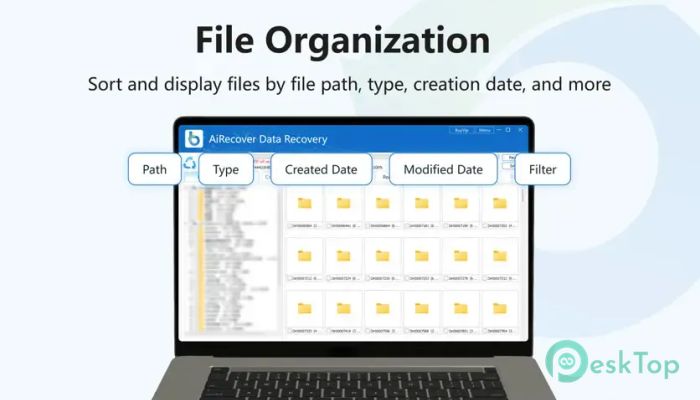
Powerful File Filtering Options
Large scans can produce thousands of results, but finding the right file is easy thanks to built-in filtering tools. Users can sort recovered files by file path, file type, creation date, or modification date.
A search function is also included, allowing users to quickly locate specific files without manually scrolling through long lists of scan results.
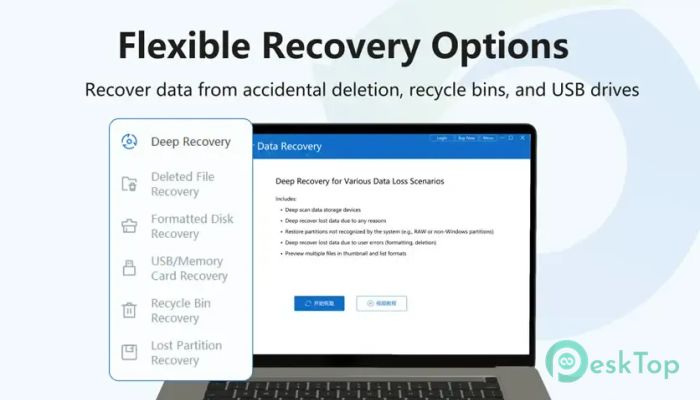
Flexible Recovery Modes
Every data loss situation is different, so the software offers multiple recovery methods to handle various problems. Whether files were deleted by mistake or lost because of formatting, there is a suitable recovery option available.
Deep Recovery for difficult recovery situations.
Deleted File Recovery for accidentally removed files.
Formatted Disk Recovery after drive formatting.
USB and Memory Card Recovery for removable devices.
Recycle Bin Recovery for permanently deleted files.
Lost Partition Recovery for missing or damaged partitions.
These recovery modes allow users to handle different storage failures without switching to multiple applications.
Works with Different Storage Devices
The tool supports recovery from internal hard drives, SSDs, external hard drives, USB flash drives, memory cards, and other removable storage devices. This wide compatibility makes it useful for both home and office environments.
Whether the data was lost from a personal computer, a digital camera, or a portable storage device, the recovery process is straightforward.
Simple Interface for Everyone
Many recovery tools can be complicated, but this one keeps everything organized with a clean, modern interface. The recovery process follows simple steps that guide users from selecting a drive to restoring files.
Even users with little technical experience can perform professional-level recovery without confusion. Everything is clearly labeled, making navigation smooth and efficient.
System Requirements and Technical Details
Operating System: Windows 11 / 10 / 8.1 / 7
Processor: Minimum 1 GHz Processor (2.4 GHz recommended)
RAM: 2GB (4GB or more recommended)
Free Hard Disk Space: 200MB or more is recommended

-
Program size80.60 MB
-
Version9.5.8
-
Program languagemultilanguage
-
Last updatedBefore 2 Month
-
Downloads11
 Lazesoft Data Recovery
 Lazesoft Windows Recovery
  Lazesoft Recovery Suite
 Lazesoft Recover My Password
 Lazesoft Recovery Suite Technician
 Windows Password Recovery Tool Ultimate