
 Arabic
  English
  Turkish
  Chinese
  Japanese
  Russian
  Spanish
  German
  French
  Hindi
Hindi Download Kingshiper JPG to PDF Converter 2.0.5 for Windows
Download Kingshiper JPG to PDF Converter 2.0.5 for Windows.
Kingshiper JPG to PDF Converter Overview
Managing image files and creating professional PDF documents does not have to be difficult. This software offers a simple way to convert JPG images to PDF files while preserving the original layout and image quality. Whether you need to combine scanned documents, photos, invoices, or reports, it makes the entire process fast and hassle-free. The tool is designed for users who want speed without sacrificing quality. Its clean interface makes every feature easy to access, allowing beginners and professionals alike to complete conversions in seconds. From single-file conversions to large batch jobs, everything is handled smoothly and efficiently.Features of Kingshiper JPG to PDF Converter
Fast and Accurate Image to PDF Conversion
The software is built to deliver quick conversions without reducing image clarity. Simply add your JPG files, choose the output settings, and create a PDF with one click. Every image keeps its original resolution, ensuring that the finished document looks sharp and professional.
This feature is especially useful for students, office workers, photographers, and anyone who regularly shares documents in PDF format. It transforms multiple images into organized PDF files without complicated steps.
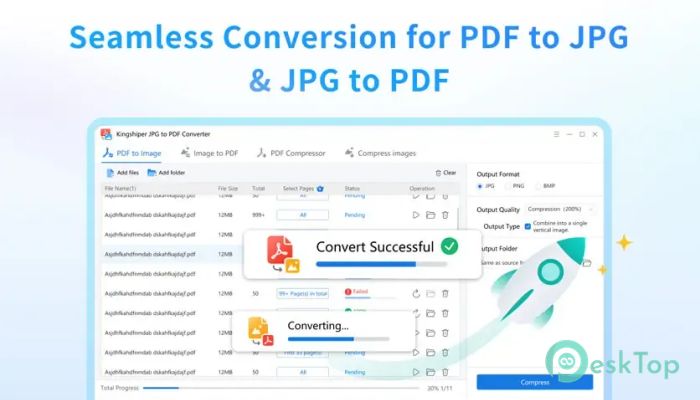
Supports PDF to Image Conversion
The tool is not limited to creating PDF documents. It also lets users convert PDF files back into image formats whenever needed. This flexibility makes it easier to extract pages, edit content, or share images without using multiple applications.
The conversion process maintains the original page layout, making sure every detail remains clear. Whether converting PDFs into JPG images or turning images into PDFs, the results remain consistent and reliable.
Batch Conversion for Maximum Productivity
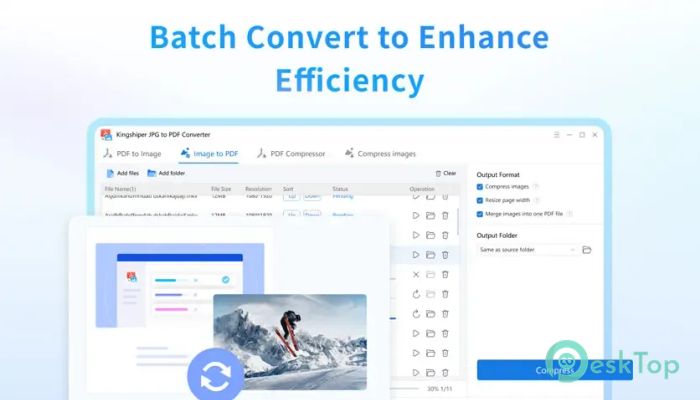
Converting one file at a time can feel like filling a bucket with a spoon. The software solves this problem with its powerful batch conversion feature. Users can add multiple PDF or image files and process them together in a single operation.
This saves valuable time when working with large collections of scanned documents, project images, or business records. Instead of repeating the same task again and again, everything is completed automatically.
One-Click Export Feature
Creating PDF files is incredibly simple with one-click exporting. After selecting the desired files, the software handles the remaining work automatically. There are no confusing settings or unnecessary options to slow you down.
This straightforward workflow makes everyday tasks much easier. Even users with little technical knowledge can create professional PDF documents within seconds.
Smart Compression Technology
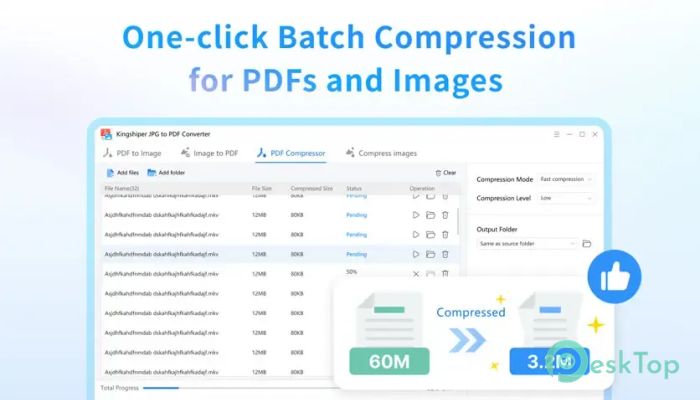
Large files often take longer to upload, share, and store. The software includes intelligent compression technology that reduces file sizes while preserving excellent image quality.
It supports compression for PDF, JPG, PNG, BMP, and several other formats. The result is smaller files that still look sharp, making them ideal for email attachments, cloud storage, and online sharing.
Extreme Compression Mode
Sometimes saving every megabyte matters. The software offers an advanced compression mode designed to achieve even greater file size reduction without creating noticeable quality loss.
This option is perfect for users working with storage limits or slow internet connections. Smaller documents upload faster, download quicker, and occupy less disk space.
Simple Interface for Everyone
The software keeps everything clean and organized. Every important feature is placed where users expect it, making navigation simple from the very first launch.
There are no complicated menus or difficult learning curves. Just add files, choose the output format, and let the software do the heavy lifting. It feels more like using a familiar everyday tool than learning a new application.
High-Quality Output
Maintaining image quality is one of the software's strongest points. Converted PDF files preserve the original appearance, including colors, sharpness, and formatting.
This makes it suitable for business documents, scanned contracts, certificates, presentations, educational materials, and personal photo collections. The finished files remain clear whether viewed on screen or printed.
Perfect for Home and Office Use
The software adapts to many different situations. Students can combine assignments into PDF files, businesses can organize invoices and receipts, photographers can create digital portfolios, and families can archive scanned memories.
Its combination of speed, accuracy, and compression features makes daily document management much more convenient. Instead of juggling several programs, users can complete everything in one place.
System Requirements and Technical Details
Operating System: Windows 11 / 10 / 8.1 / 7
Processor: Minimum 1 GHz Processor (2.4 GHz recommended)
RAM: 2GB (4GB or more recommended)
Free Hard Disk Space: 200MB or more is recommended

-
Program size72.07 MB
-
Version2.0.5
-
Program languagemultilanguage
-
Last updatedBefore 3 Month
-
Downloads17
 CoolUtils PDF Combine
 NAPS2 - Not Another PDF Scanner
 FocusWriter
 Atlantis Word Processor
 AI Offline OCR Scanner Pro
 Xappex XL-Connector