
 Arabic
  English
  Turkish
  Chinese
  Japanese
  Russian
  Spanish
  German
  French
  Hindi
Hindi Download Kingshiper PDF to Word Converter 6.8.8 for Windows
Download Kingshiper PDF to Word Converter 6.8.8 for Windows.
Kingshiper PDF to Word Converter Overview
It is designed to make working with documents simple and stress-free. Whether you need to convert a PDF into an editable Word file or change Office documents into PDFs, the software handles everything quickly and accurately. It is built for students, office workers, teachers, and anyone who deals with digital documents every day. The software goes beyond simple file conversion. It includes a complete set of PDF management tools that let you merge, split, compress, encrypt, decrypt, watermark, and extract PDF files. Instead of installing multiple programs for different jobs, you get everything packed into one easy-to-use solution.Features of Kingshiper PDF to Word Converter
Fast and Accurate File Conversion
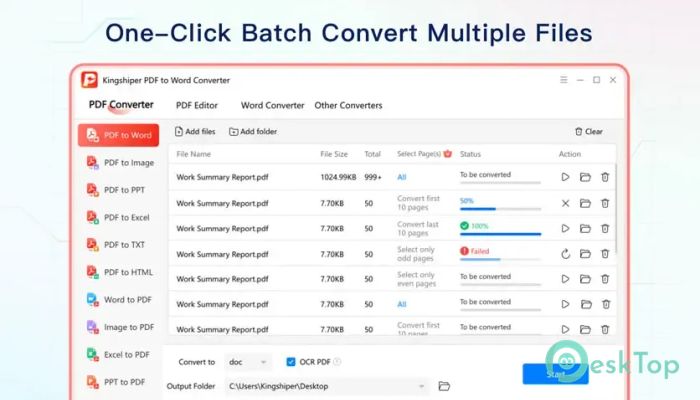
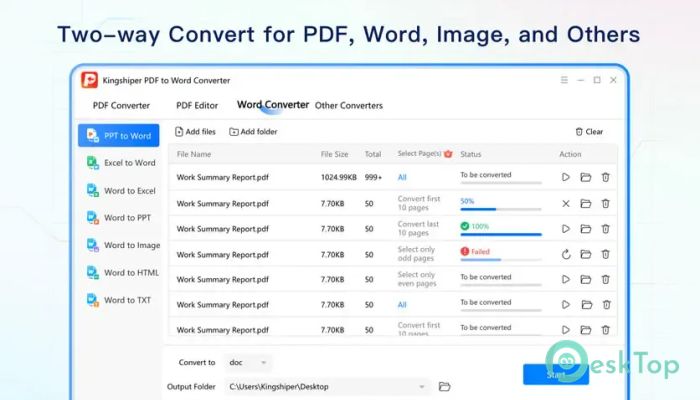
The software's biggest strength is its reliable document conversion. It supports bidirectional conversion between PDF and popular Office formats, including Word, Excel, and PowerPoint. This means you can convert documents in both directions without losing formatting.
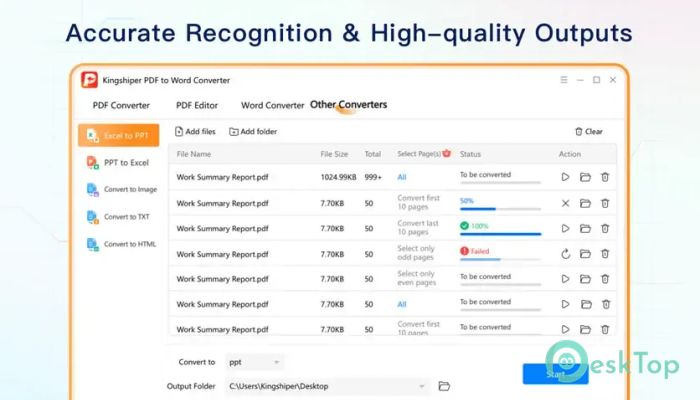
The tool keeps text, images, tables, fonts, and layouts as close to the original as possible. It saves valuable time because you don't have to spend hours fixing converted files.
Batch Conversion Support
If you have dozens or even hundreds of files waiting to be converted, the software makes the job easy. Instead of converting one document at a time, you can process multiple files together.
Batch conversion works like having several helping hands. Simply add your documents, choose the output format, and let the software complete the work automatically while you focus on something else.
Supports Multiple File Formats
The tool is much more than a PDF converter. It supports conversions between PDF, Microsoft Word, Excel, PowerPoint, images, and several other commonly used formats.
This flexibility allows users to work with different document types without worrying about compatibility. Whether you're preparing reports, presentations, or spreadsheets, the software keeps your workflow smooth.
Merge and Split PDF Files
Managing PDF documents becomes much easier with the built-in merge and split functions. You can combine several PDF files into a single document or separate a large PDF into smaller sections.
This feature is useful when organizing reports, combining invoices, creating presentations, or sharing only specific pages with others. It keeps your files clean and well-organized.
Compress Large PDF Documents
Large PDF files can be difficult to email or upload online. The software solves this problem by reducing file sizes while maintaining good document quality.
Compressed files take up less storage space and are much easier to share. It's like packing your luggage neatly—you still carry everything important but use far less space.
Protect and Unlock PDF Files
Security is another useful part of the software. You can add passwords to protect sensitive documents from unauthorized access or remove passwords from files that you own.
The encryption and decryption tools simplify the handling of confidential information. This helps businesses, students, and professionals keep important documents secure.
Add Watermarks with Ease
Adding a watermark helps identify document ownership and prevents unauthorized use. The software allows you to insert custom text or image watermarks into PDF files within seconds.
This feature is especially useful for businesses, educational materials, contracts, and copyrighted documents where branding or ownership needs to remain visible.
Extract Pages and Content
Sometimes you only need a few pages instead of an entire document. The software lets you extract selected pages from large PDF files quickly and accurately.
This saves time when sharing specific information or creating smaller documents without editing the original file.
Simple Interface for Everyone
The clean and organized interface makes the software easy to learn. Every tool is clearly labeled, so even first-time users can start working immediately without having to read long manuals.
Whether you are editing a single document or handling hundreds of files, everything is only a few clicks away. The straightforward design helps improve productivity and reduces confusion.
Ideal for Daily Office Work
The software fits naturally into everyday workflows. Students can prepare assignments, teachers can organize study materials, office workers can edit reports, and businesses can manage contracts with ease.
Since multiple PDF tools are included in a single application, users spend less time switching between programs and more time getting work done.
System Requirements and Technical Details
Operating System: Windows 11 / 10 / 8.1 / 7
Processor: Minimum 1 GHz Processor (2.4 GHz recommended)
RAM: 2GB (4GB or more recommended)
Free Hard Disk Space: 500MB or more is recommended

-
Program size286.09 MB
-
Version6.8.8
-
Program languagemultilanguage
-
Last updatedBefore 3 Month
-
Downloads13
 CoolUtils PDF Combine
 NAPS2 - Not Another PDF Scanner
 FocusWriter
 Atlantis Word Processor
 AI Offline OCR Scanner Pro
 Xappex XL-Connector