
 Arabic
  English
  Turkish
  Chinese
  Japanese
  Russian
  Spanish
  German
  French
  Hindi
Hindi Download Kwei Software WithClock 1.0.7 for Windows
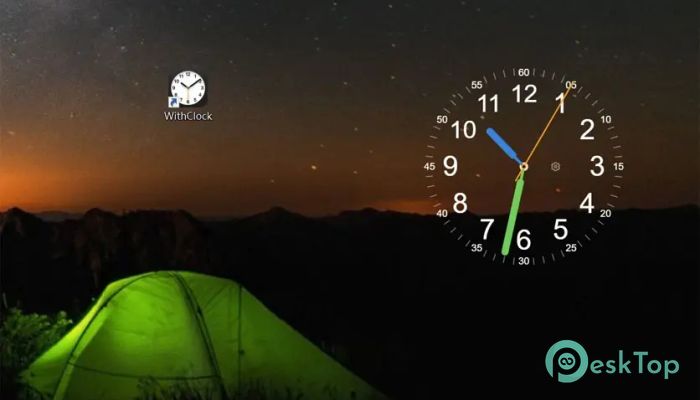
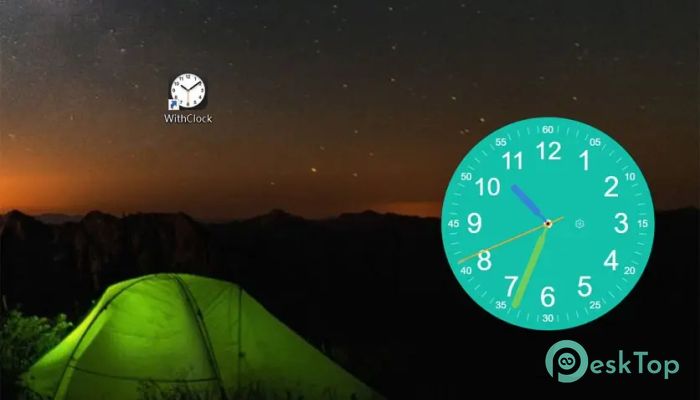
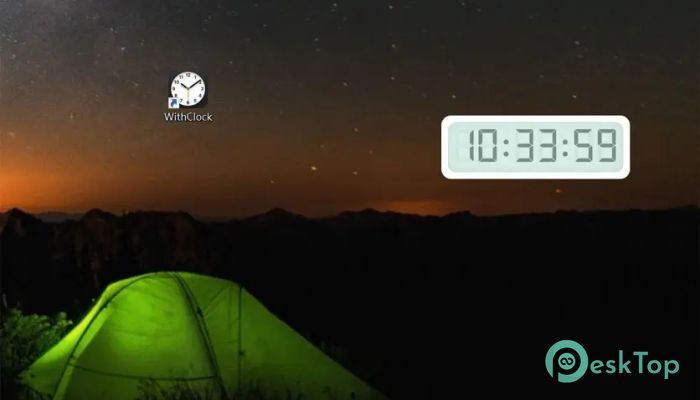
Download Kwei Software WithClock 1.0.7 for Windows.
Kwei Software WithClock Overview
This utility is built around a simple idea: time should feel pleasant, not stressful. Instead of flashing digits that distract you, it offers a smooth, elegant presence that blends naturally with your desktop. Think of it like a quiet wall clock in a well-designed room. It is always there, yet never demanding attention. The design philosophy focuses on calm visuals and effortless use. Once launched, it settles gently on the screen and becomes part of your workspace. Whether you are working, studying, or just relaxing, it keeps you aware of time without breaking your focus.Features of Kwei Software WithClock
Minimalist Design That Feels Premium
The software follows a clean and modern aesthetic. There are no unnecessary buttons or cluttered panels. Every element is carefully placed, much like furniture in a minimalist home. This approach makes the display easy on the eyes and suitable for long hours of use.
Different themes allow it to match your wallpaper and personal taste. Light, dark, and artistic styles help create a consistent desktop look that feels intentional rather than random.
Customization That Respects Your Workflow
Flexibility is one of its strongest points. You can keep it always on top with the “Always on Top” option, or let it fade into the background with adjustable transparency. It adapts to how you work, not the other way around.
The mouse-through mode is especially useful. It allows clicks to pass through the clock, so it never blocks your apps. This makes it feel like a natural part of the desktop rather than a floating window that gets in the way.
A Calm Companion for Focus and Mindfulness
When you are coding late at night or revising for exams, distractions can pile up quickly. This tool works like a soft reminder of passing time, similar to a gentle ticking clock in a quiet library. It helps you stay grounded without adding pressure.
For mindfulness or deep work sessions, its steady presence encourages awareness. You notice time moving forward, yet you remain relaxed and in control of your pace.
Ultra-Light Performance You Can Trust
Performance matters, especially on older systems or laptops. This utility is optimized to consume minimal CPU and memory. It runs silently in the background, like a well-oiled watch mechanism that never demands attention.
Even during long work sessions, it maintains smooth operation. There is no lag, no sudden spikes in usage, and no noticeable impact on overall system speed.
Ideal for Different Types of Users
Productivity-focused users appreciate the ability to glance at the time without switching apps. It keeps you in the flow, much like checking a wristwatch instead of pulling out a phone.
Those who love visual harmony enjoy pairing it with wallpapers and themes. The result feels like a curated workspace rather than a random collection of tools.
Students and professionals benefit from its reliability. During long study hours or extended meetings, it stays consistent and readable, acting as a quiet partner throughout the day.
Simple Setup and Daily Use
Getting started is straightforward. Installation is quick, and the interface is easy to understand. You do not need tutorials or manuals to begin using it effectively.
Daily interaction remains minimal. Once configured, it simply does its job. This simplicity reduces mental load and helps you focus on what truly matters.
Why a Desktop Clock Still Matters
In a world full of notifications, a dedicated clock can feel refreshing. It removes the need to constantly check phones or taskbars. Time becomes visible at a glance, like a window showing the sky outside.
This approach supports healthier digital habits. You stay aware without being pulled into other apps or distractions.
System Requirements and Technical Details
Operating System: Windows 11 / 10
Processor: Minimum 1 GHz Processor (2.4 GHz recommended)
RAM: 2GB (4GB or more recommended)
Free Hard Disk Space: 200MB or more is recommended

-
Program size3.34 MB
-
Version1.0.7
-
Program languagemultilanguage
-
Last updatedBefore 8 Month
-
Downloads66
 Reuschtools ClassicMenu
 AI Aquarium Screensaver
  Rainmeter
 Rainlendar Pro
 N-Button Pro
 Stardock DeskScapes