
 Arabic
  English
  Turkish
  Chinese
  Japanese
  Russian
  Spanish
  German
  French
  Hindi
Hindi Download LeafReader Ebook PDF Reader 1.0.0 for Windows
Download LeafReader Ebook PDF Reader 1.0.0 for Windows.
LeafReader Ebook PDF Reader Overview
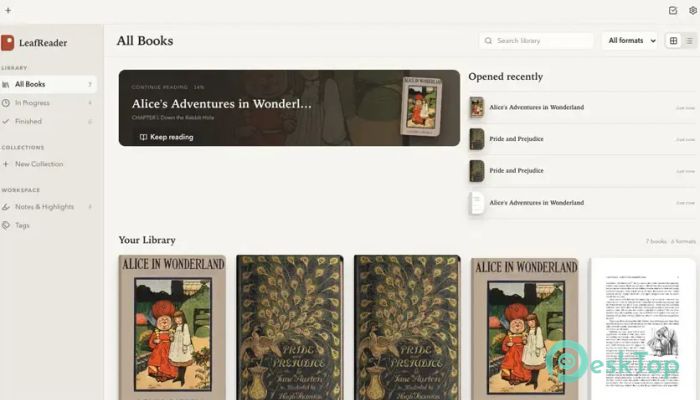
If you love reading on your computer, this software gives you a peaceful place to enjoy your entire digital collection. It supports popular ebook, document, and comic formats while keeping everything neatly organized. Instead of jumping between different readers, you can manage your complete library from a single application. The best part is its privacy-first approach. There are no accounts to create, no online syncing, and no background tracking. Everything stays on your computer, making it a perfect choice for readers who value both simplicity and security.Features of LeafReader Ebook PDF Reader
Supports All Popular Reading Formats
The software handles almost every format you are likely to use. Whether your collection contains EPUB, MOBI, AZW, AZW3, FB2, PDF, CBZ, or CBR files, it opens them without extra tools or complicated setup.
Simply add your files, and the tool automatically chooses the best reading layout for each format. It feels like having a smart librarian who instantly knows how every book should be displayed.
Keep Your Entire Library Organized
Managing hundreds or even thousands of books becomes easy. Instead of searching through folders on your hard drive, you can build a personal digital bookshelf where every title is easy to find.
The software keeps everything organized while providing quick access to recently opened books. This helps you spend less time searching and more time enjoying your reading.
Complete Offline Privacy
Many reading apps ask users to create accounts or sync their data online. This one takes a different path by working entirely offline. Your books, highlights, notes, and reading habits remain on your own computer.
Without telemetry or cloud connections, you stay in complete control of your personal library. It is a refreshing experience for anyone who values privacy.
Highlight Important Passages
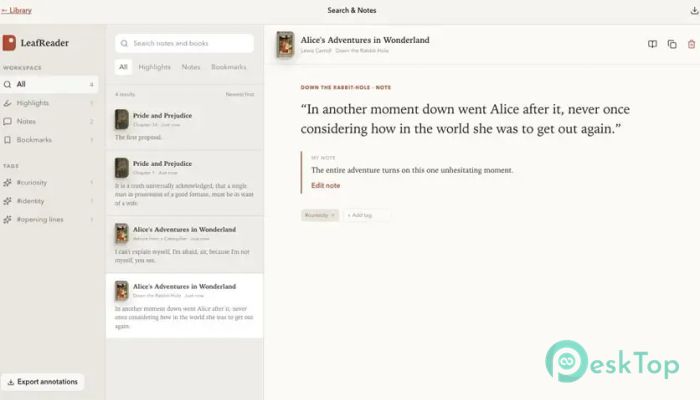
Reading is often about remembering useful ideas. The software lets you highlight text, create bookmarks, write personal notes, and organize everything with tags.
Whenever you need your annotations elsewhere, you can export them as Markdown files. This makes it simple to use your notes for study, research, or writing projects.
Powerful Library Search
Ever remembered an interesting quote but forgotten which book it came from? The built-in search solves that problem by scanning your entire collection at once.
You can also search inside the book you are currently reading. Finding a sentence or keyword becomes fast and effortless, even in large libraries.
Comfortable Reading Experience
Everyone has different reading preferences, and the software gives you plenty of ways to customize the page. It includes five attractive themes, ranging from Warm Paper to Night mode.
You can also select from four typefaces, adjust text size, control line spacing, and choose between traditional page views or continuous scrolling. These options help reduce eye strain during long reading sessions.
Better PDF Reading
Unlike many PDF readers that simply display scanned pages, this tool keeps the document's text layer available whenever possible. That means you can select text, copy it, search inside the document, and highlight important sections.
This makes studying reports, manuals, and research papers much easier because your PDFs become interactive rather than static images.
Simple Interface with No Distractions
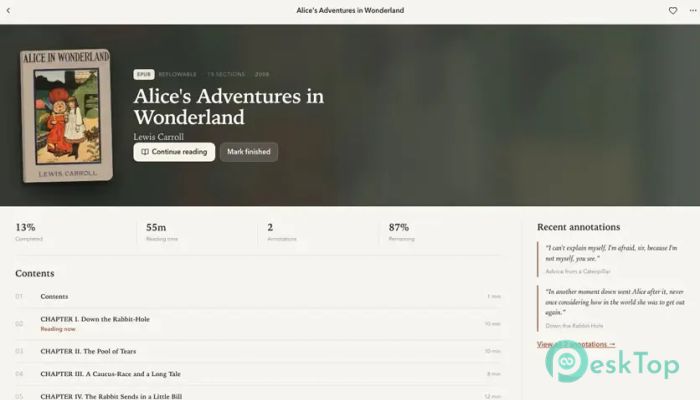
The software focuses on reading instead of unnecessary features. Its clean interface keeps menus and controls out of the way, allowing you to stay focused on the content.
Whether you are reading for work, school, or entertainment, the reading experience feels smooth and natural. The experience is calm, fast, and free from clutter.
Fast Performance and Easy Navigation
The application is lightweight and responsive. Books open quickly, pages turn smoothly, and searching through large libraries remains fast even when your collection continues to grow.
Its simple navigation helps both beginners and experienced readers feel comfortable from the very first launch.
System Requirements and Technical Details
Operating System: Windows 11 / 10
Processor: Minimum 1 GHz Processor (2.4 GHz recommended)
RAM: 2GB (4GB or more recommended)
Free Hard Disk Space: 2GB or more is recommended

-
Program size324.96 MB
-
Version1.0.0
-
Program languagemultilanguage
-
Last updatedBefore 2 Month
-
Downloads18
 CoolUtils PDF Combine
 NAPS2 - Not Another PDF Scanner
 FocusWriter
 Atlantis Word Processor
 AI Offline OCR Scanner Pro
 Xappex XL-Connector