
 Arabic
  English
  Turkish
  Chinese
  Japanese
  Russian
  Spanish
  German
  French
  Hindi
Hindi Download LizardByte Sunshine 2026.516.143833 for Windows
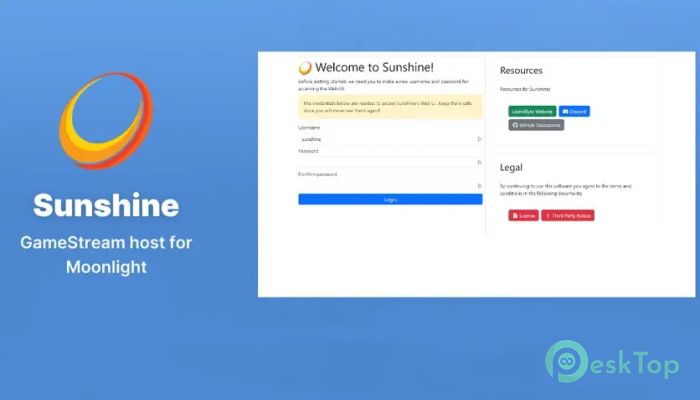
Download LizardByte Sunshine 2026.516.143833 for Windows.
LizardByte Sunshine Overview
Modern gaming is no longer limited to sitting in front of a single computer. With advanced streaming tools, you can play your favorite titles from different devices while your main system handles the heavy work. This powerful streaming solution makes that possible by turning your computer into a personal cloud gaming server. Instead of paying monthly fees to remote gaming services, this software allows you to use your own hardware. It works together with Moonlight clients, letting users stream games from their computer to phones, tablets, laptops, or even TVs. The experience feels almost the same as playing directly on the main PC. The tool focuses heavily on performance. With support for modern GPUs and advanced encoding options, it ensures smooth video streaming with minimal delay. Whether you are relaxing on the couch or playing in another room, it keeps gameplay responsive and enjoyable.Features of LizardByte Sunshine
Self-Hosted Gaming Freedom
One of the biggest advantages of this streaming platform is that it runs entirely on your own system. Instead of depending on remote servers, everything happens on your personal computer. Think of it like turning your gaming PC into a private streaming station that you fully control.
This approach removes subscription costs and gives you complete freedom. Your games remain on your own machine, your settings stay under your control, and your performance depends only on your hardware and network quality.
Because everything is self-hosted, users can also customize their setup as much as they want. From adjusting streaming quality to choosing encoding options, the entire experience can be tailored to match personal preferences.
Moonlight Client Compatibility
The software works seamlessly with Moonlight clients. Moonlight is a popular streaming client that supports multiple platforms, including Windows, Android, macOS, Linux, and even some smart devices.
This compatibility makes gaming incredibly flexible. You can start a game on your main computer and continue playing it on another device across the house. It feels similar to carrying your entire gaming setup in your pocket.
The connection between the host system and the client is simple. Once paired, the client can instantly stream games from the server. The process is quick, and the interface makes it easy for both beginners and experienced users.
Hardware Encoding Support
Streaming games smoothly requires efficient video encoding. This tool supports hardware encoding for AMD, Intel, and Nvidia graphics cards. Hardware encoding allows the GPU to handle video compression, reducing the load on the CPU.
The result is faster streaming and better performance. Games run smoothly while the system converts frames into a video stream that the client device can display instantly.
If hardware encoding is not available, software encoding can still be used. While it relies more on the processor, it ensures that the system can continue streaming even on machines without supported GPUs.
Low Latency Streaming Experience
Latency is one of the most important factors in game streaming. High delay can make gameplay feel slow or unresponsive. This platform focuses on reducing that delay as much as possible.
Optimized streaming pipelines help deliver frames quickly from the host PC to the client device. When the network connection is stable, the gameplay feels almost identical to playing locally.
Imagine throwing a ball and catching it instantly, rather than waiting a few seconds. That is how low latency improves gaming. Actions feel immediate, which is crucial for fast-paced games like shooters, racing titles, or competitive multiplayer experiences.
Controller Emulation and Input Support
Playing games remotely still requires comfortable controls. The software includes built-in controller emulation that supports Xbox, PlayStation, and Nintendo Switch controllers.
This feature means you can connect almost any controller to your client device and start playing instantly. The host system will recognize it as a compatible gamepad.
The experience feels natural. Whether you are playing on a tablet, laptop, or TV, the controls respond just like they would on a console. This flexibility makes remote gaming far more enjoyable.
Simple Web-Based Configuration
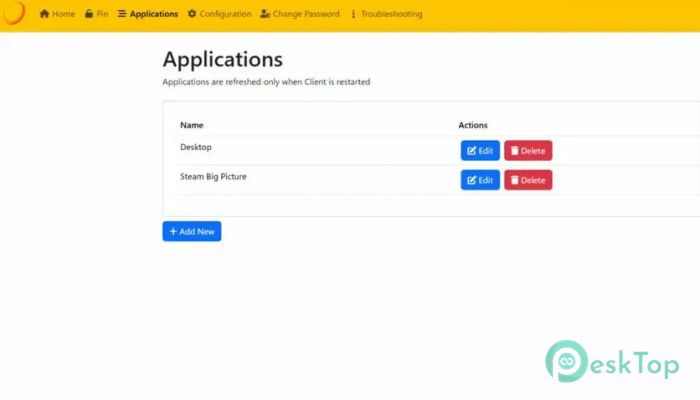
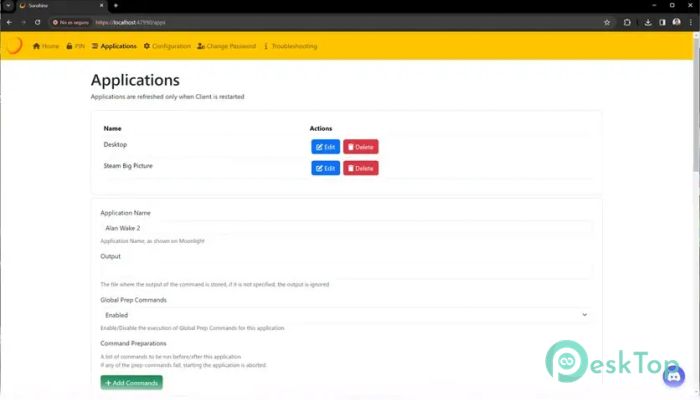
Managing streaming settings does not require complicated software interfaces. A built-in web interface allows users to configure everything from a browser.
Through this interface, users can adjust streaming quality, manage clients, and pair new devices. It works on both desktop browsers and mobile devices, making configuration simple and convenient.
The interface acts like a remote control panel for your streaming server. Instead of digging through menus on the main computer, you can manage everything from another device in seconds.
Highly Customizable Experience
Another major advantage is the wide range of configuration options. Users can fine-tune performance settings based on their hardware and network conditions.
Streaming resolution, bitrate, encoding options, and controller mapping can all be customized. This level of flexibility helps achieve the best possible performance.
For example, users with strong networks can increase video quality for sharper visuals. Those with slower connections can reduce the bitrate to maintain smooth gameplay.
It works like adjusting the settings on a high-end camera. Small changes can dramatically improve the final result.
Multi-Device Streaming Possibilities
With the ability to connect from many types of devices, gaming becomes far more flexible. A phone can serve as a portable gaming console, while a tablet can serve as a gaming screen for relaxing sessions.
Even lightweight laptops can stream high-performance games without needing powerful hardware. The main PC handles the heavy work while the client device simply displays the stream.
This approach allows gamers to enjoy their entire library almost anywhere within their network. It brings convenience and comfort without sacrificing performance.
System Requirements and Technical Details
Operating System: Windows 11 / 10 / 8.1 / 7
Processor: Minimum 1 GHz Processor (2.4 GHz recommended)
RAM: 2GB (4GB or more recommended)
Free Hard Disk Space: 200MB or more is recommended

-
Program size20.73 MB
-
Version2026.516.143833
-
Program languagemultilanguage
-
Last updatedBefore 2 Month
-
Downloads19
 ExtraMAME
 ChessBase Fritz
 ChessBase
 Dragonrise Games YoloX
 Vortex
 NCSOFT PURPLE