
 Arabic
  English
  Turkish
  Chinese
  Japanese
  Russian
  Spanish
  German
  French
  Hindi
Hindi Download Lucen Timeline Expert 14.21.00.00 for Windows
Download Lucen Timeline Expert 14.21.00.00 for Windows.
Lucen Timeline Expert Overview
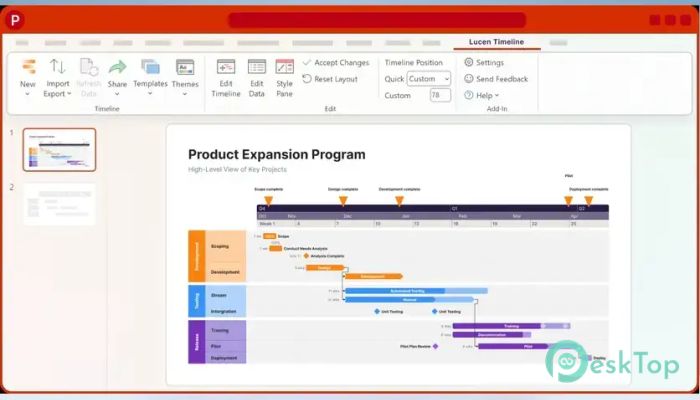
Creating timelines in PowerPoint can be a daunting task, like trying to assemble a puzzle with missing pieces. This add-in steps in like a skilled craftsman, knowing exactly how to turn your vision into a stunning visual representation. You simply install it and let it handle the rest. Within minutes, your ordinary slides turn into extraordinary showcases of your project plans. What makes it stand out is its seamless integration with PowerPoint. Your workflow stays intact, allowing you to focus on the content rather than the design. Whether you're dealing with complex project plans, business proposals, or educational materials, it makes the process smooth and efficient.Features of Lucen Timeline Expert
Easy Timeline Creation
The tool uses intuitive wizards to guide you through creating timelines. It doesn't just provide templates—it understands your needs and adapts to them. Imagine having a personal assistant who knows exactly how to visualize your data most effectively. That's exactly what it does.
Even complex projects with multiple tasks and deadlines are handled effortlessly. It's built for simplicity and speed, ensuring you don't waste time figuring out how to use it.
Beautiful Gantt Charts
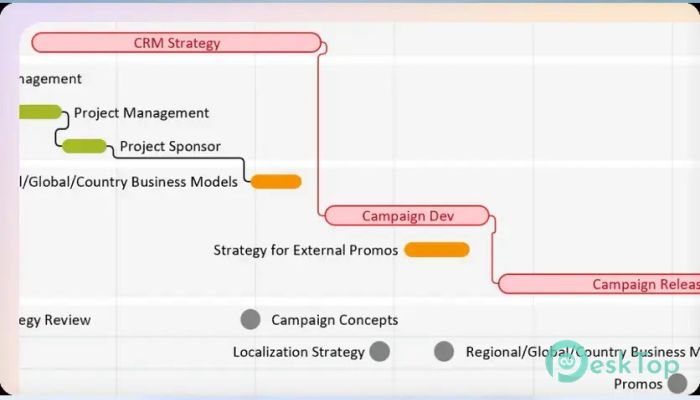
If you need to visualize your project schedule, the software creates stunning Gantt charts with ease. With a few clicks, you can turn your timeline into a professional-looking chart that impresses your audience. It's like having a team of designers working for you, without the extra cost.
No design experience? No problem. The tool ensures that anyone can create beautiful charts, regardless of their skill level. While it may take a bit of practice to master, the results are well worth the effort.
Advanced Customization Options
Customization is where this tool truly shines. It offers a wide range of options to tailor your timelines and Gantt charts to your specific needs. Think of it as having a blank canvas, where you can add your own colors, shapes, and styles to create a unique masterpiece.
This level of customization reduces the need for external tools, keeping your workflow streamlined and efficient. It's like having a Swiss Army knife, where every feature is designed to make your life easier.
Seamless PowerPoint Integration
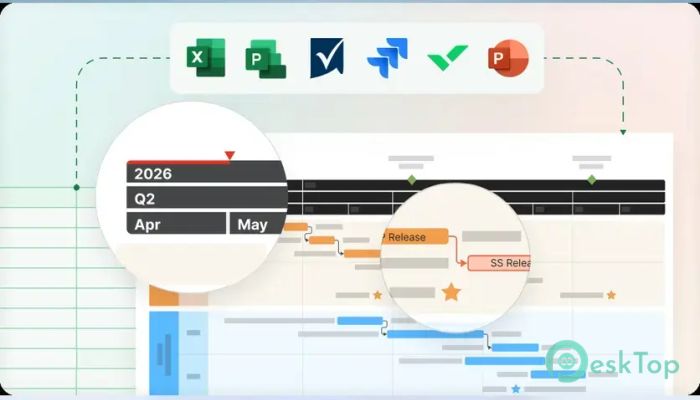
One of the most impressive features is the seamless integration with PowerPoint. It doesn't just add a new menu item—it becomes an integral part of your workflow. Imagine having a new set of superpowers that enhances your productivity and creativity.
This integration saves hours of manual effort. Instead of switching between tools, everything is done within the familiar PowerPoint interface.
Free and Award-Winning
What's even more impressive is that this add-in is completely free. It's like getting a premium tool without the premium price tag. The fact that it's award-winning is a testament to its quality and effectiveness.
Your productivity will thank you, as you'll be able to create stunning timelines and Gantt charts without breaking the bank.
System Requirements and Technical Details
Operating System: Windows 11 / 10 / 8.1 / 7
Processor: Minimum 1 GHz Processor (2.4 GHz recommended)
RAM: 2GB (4GB or more recommended)
Free Hard Disk Space: 200MB or more is recommended

-
Program size137.07 MB
-
Version14.21.00.00
-
Program languagemultilanguage
-
Last updatedBefore 2 Month
-
Downloads28
 CoolUtils PDF Combine
 NAPS2 - Not Another PDF Scanner
 FocusWriter
 Atlantis Word Processor
 AI Offline OCR Scanner Pro
 Xappex XL-Connector